JetFormBuilder Hierarchical Select
Build dependent, multi-level select fields for JetFormBuilder forms, with dynamic options, conditional visibility, responsive presentation and localisation support.
Instant access Original unmodified files Free future updates
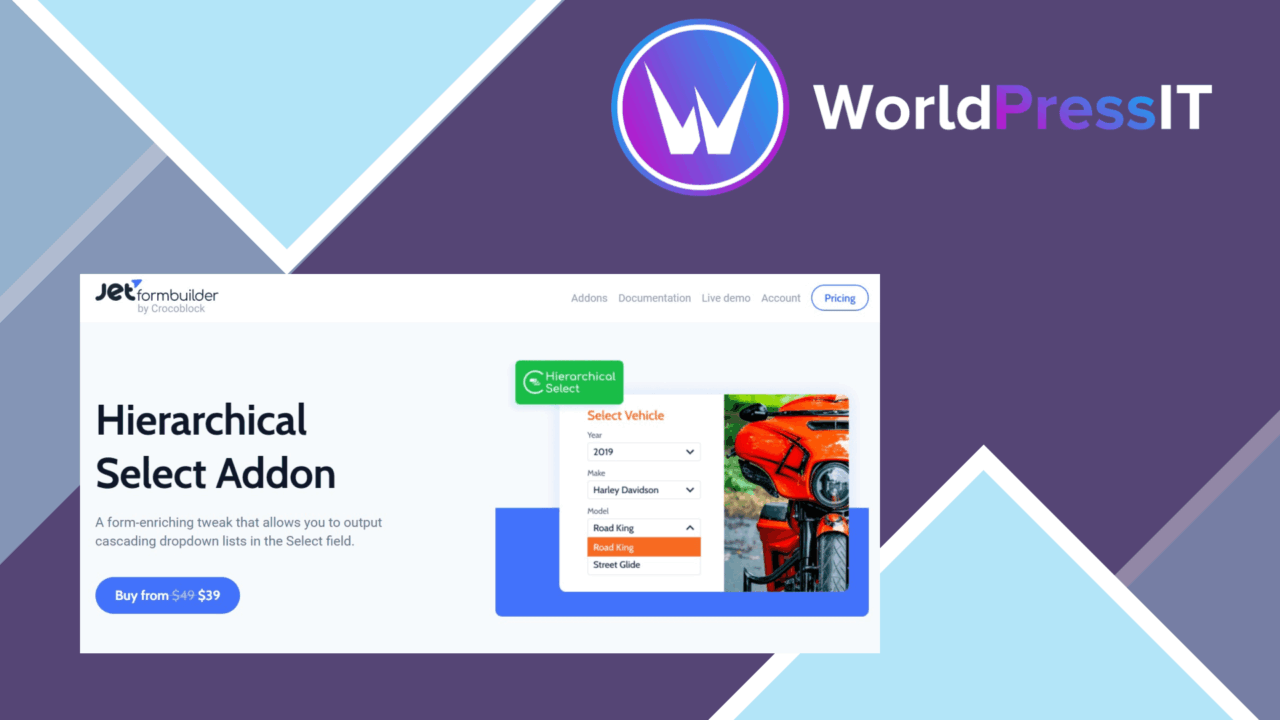
JetFormBuilder Hierarchical Select adds dependent, multi-level dropdowns to forms built with JetFormBuilder. Instead of presenting every category, subcategory or related option at once, the field guides a visitor through choices based on an earlier selection. That structure is useful for forms that collect organised information without turning one dropdown into an unwieldy list.
How the field works
The central feature is hierarchical selection: users choose an option at one level and then see the relevant choices at the next. This suits category and subcategory fields, as well as other data sets where options have a parent-child relationship. The add-on also supports dynamic data population from user inputs or external data sources, giving the form a way to present changing or context-dependent choices rather than relying only on a fixed list.
Useful form controls
The add-on covers more than the dropdown relationship itself. Its feature set includes controls for conditional visibility and presentation:
- Multi-level dropdowns that respond to previous selections.
- Dynamic select options populated from user inputs or external data sources.
- Conditional logic for showing or hiding fields according to a visitor’s choices.
- Style and layout adjustments intended to match the surrounding website without coding.
- Responsive select fields for mobile screens.
- Localisation support for forms intended for different languages.
These controls work together in a sensible way. A form can narrow the available choices, hide fields that are not relevant, and keep the selection interface aligned with the rest of the site. The add-on is designed specifically to extend JetFormBuilder, so its value is tied to the form-building workflow rather than to WordPress forms in general.
Where it falls short
The first limitation is its dependency on JetFormBuilder. This is not a standalone hierarchical-field solution, so it adds little value to a site using another form builder or ordinary WordPress fields. The second trade-off is that dependent selections introduce more structure than a basic dropdown. Someone creating the form has to organise the relationships between levels and provide a suitable source for the dynamic options; a simple, short list does not need that extra layer.
There is also a practical usability balance to consider. Multi-level fields reduce the number of choices shown at once, but they also require visitors to make selections in sequence. That is a good fit for genuinely related data, while a flat list may be quicker when the available options are already short and familiar.
Who should use it
JetFormBuilder Hierarchical Select suits developers and site owners building structured forms with categories, subcategories or other connected choices. It is particularly relevant when a form needs dynamic option population, conditional fields, or a more controlled mobile presentation. Localisation support broadens its use for multilingual forms, while appearance controls help it fit a site without custom coding.
Choose it when the form data has a clear hierarchy and the selection path matters. If the project only needs one uncomplicated select field, the add-on’s additional structure is unnecessary. For JetFormBuilder users managing layered choices, however, it provides a focused way to keep complex inputs organised.
The verdict
Download JetFormBuilder Hierarchical Select and see for yourself
You get the full JetFormBuilder Hierarchical Select release (v1.0.9), ready to install, plus every update that follows. One click and it is yours.
Download JetFormBuilder Hierarchical Select v1.0.9- Instant download
- Original developer files
- Updated 18 Sep 2026
Related reviews
Browse all
JetFormBuilder User Login Action
A JetFormBuilder add-on for building custom login flows with email, username, and password fields, redirects, CAPTCHA pr…

JetFormBuilder PayPal Recurring payments
Recurring PayPal payments embedded in JetFormBuilder forms, with billing plans, payment notices and subscription control…
JetFormBuilder Limit Form Responses
Caps total and per-user submissions on JetFormBuilder forms, with limit-reached messages and activity tracking for regis…