Pressroom
A responsive WordPress theme for newsrooms, magazines and blogs, with ready-made layouts, publishing widgets and visual page-building options.
Instant access Original unmodified files Free future updates
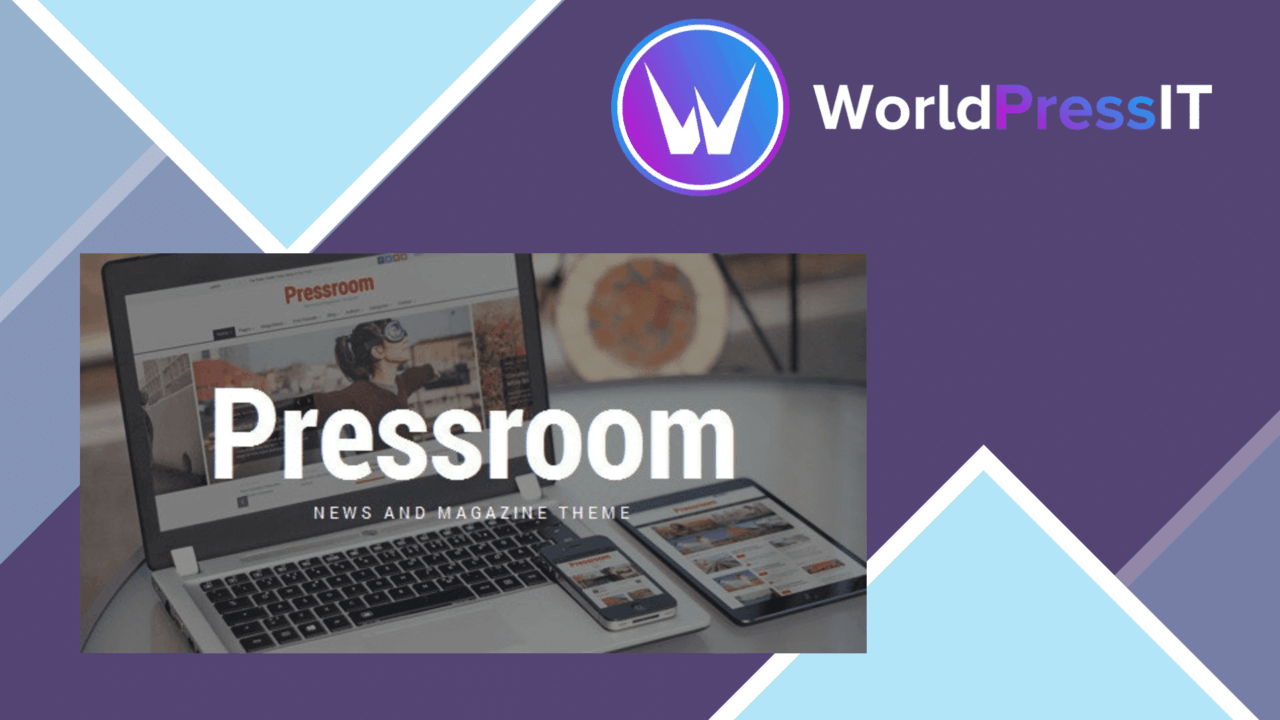
Pressroom is a WordPress theme aimed at sites that publish a steady stream of articles rather than a small set of static pages. Its focus is the familiar news and magazine problem: presenting a large amount of material in an organised layout that remains readable across desktops, tablets and phones. The theme combines multiple homepage layouts, custom widgets, typography controls and visual page-building support, giving publishers several ways to shape the front page around their content.
A publishing-first theme
The strongest part of Pressroom is its clear editorial direction. It is designed for news, magazine, blog, publishing and review websites, so the feature set centres on posts and the ways visitors discover them. Recent posts and popular articles have dedicated widget support, while social media feeds help keep external activity visible alongside the site’s own content. That combination suits a homepage built from article groups, popular stories and ongoing updates rather than a single campaign message.
The responsive design is important for this kind of site. Readers may arrive from phones, tablets or desktop browsers, and the theme is intended to adapt the presentation to each of those screen sizes. The vendor also describes the structure as SEO-friendly, which makes it a reasonable starting point for a publication that relies on search visibility, although a theme alone does not replace careful editorial SEO.
Layouts and visual control
Pressroom includes multiple homepage layouts and demo content, so the initial design does not have to be assembled from an empty canvas. That is useful for comparing different arrangements of headlines, article lists and supporting content before settling on a house style. The one-click demo import is aimed at shortening that initial setup for users who do not want to build every section manually.
For more tailored pages, the listing identifies WPBakery Page Builder as the drag-and-drop builder included with the theme. The feature list also names Elementor as a compatible page-building option. That gives users a choice of familiar visual workflows, at least at the compatibility level described by the vendor. Advanced typography controls and Google Fonts integration add another layer of control over the publication’s visual identity without requiring every change to be made in code.
Useful editorial building blocks
- Responsive presentation for desktop, tablet and smartphone visitors.
- Multiple homepage layouts and imported demo content for a quicker starting point.
- Custom widgets for recent posts, popular articles and social media feeds.
- Integrated social sharing options to support article distribution.
- Google Fonts integration and advanced typography settings for branding.
- WooCommerce compatibility for sites that also need shop functionality.
These pieces address the practical surface of a magazine site: arranging content, highlighting what is popular, encouraging sharing and keeping the visual system consistent. WooCommerce support also leaves room for a publication that sells products alongside its editorial content, although the theme’s main identity remains news and magazine publishing.
Where it falls short
Pressroom’s breadth brings two clear trade-offs. First, multiple layouts, widgets, typography settings and builder choices create more decisions for the site owner. That flexibility is useful when a publication has a defined visual system, but it also makes consistency something the team has to manage rather than something the theme decides for them.
Second, the builder story is not fully clear from the supplied description. WPBakery is presented as the included page builder, while Elementor is described as compatible; the listing does not explain how the two workflows relate, or which one should be the primary editing experience. A site owner choosing Pressroom should settle that question before committing to a page-building process. The theme also promises an SEO-friendly structure rather than a complete search strategy, so metadata, content planning and technical SEO still sit outside the theme’s stated feature set.
Who it suits
Pressroom fits publishers, bloggers and review sites that need a recognisable magazine framework with room for custom homepage arrangements. It is a sensible match for teams that want article-focused widgets and ready-made layouts, but still expect to adjust typography, page structure and social presentation to suit their publication. Smaller sites may use only a fraction of its options, while growing editorial sites will get more value from the ability to organise recent and popular content in several ways.
The verdict
Download Pressroom and see for yourself
You get the full Pressroom release (v7.4), ready to install, plus every update that follows. One click and it is yours.
Download Pressroom v7.4- Instant download
- Original developer files
- Updated 20 Sep 2026
Related reviews
Browse all
Paper Plane
A responsive blog and magazine theme with parallax sections, switchable demos, grid and list layouts, and built-in socia…
Elegant Themes Extra
A publication-focused WordPress theme for blogs and news sites, with Divi Builder layouts, category templates, post form…
Spotlight
A responsive news and magazine theme with grid, list and masonry layouts, article reviews, social sharing, typography co…