CrocoBuilder
An AI-assisted WordPress builder for developers and agencies, combining visual page editing, reusable components, dynamic content tools and theme-building control.
Instant access Original unmodified files Free future updates
CrocoBuilder is a WordPress website builder aimed at developers, agencies and technically advanced users rather than people looking for a tightly constrained page editor. Its central promise is to combine drag-and-drop editing with control over frontend output, using AI assistance, reusable components and dynamic content tools to support larger or more customised sites.
Control over the frontend
The product is positioned around a familiar tension in visual building: speed on one side, code quality and frontend control on the other. CrocoBuilder addresses that by pairing a visual editing interface with customisation options intended to preserve clean, optimised code output. That focus suits teams that want to assemble pages visually without giving up interest in how the resulting site is structured.
This is not presented as a collection of isolated page widgets. The emphasis is on building a repeatable system for a WordPress project, with theme-building capabilities and reusable components forming part of the workflow. A team creating several related layouts could use those shared pieces to keep design work consistent instead of recreating each section from scratch.
Useful building blocks
The vendor describes a broad set of functions for constructing both ordinary pages and more involved WordPress projects:
- AI assistance for speeding up website construction.
- A visual editor that combines drag-and-drop placement with deeper customisation.
- Dynamic content tools for sites whose pages need more than fixed text and images.
- Reusable components for repeating sections across a project.
- Theme-building capabilities for working beyond individual page layouts.
- Clean, optimised code output as a stated alternative to the compromises associated with conventional builders.
Taken together, these features point to a builder intended for structured site work rather than a one-off landing page. The dynamic content tools are particularly relevant to projects with changing or data-driven layouts, while reusable components give agencies a way to think in systems instead of individual screens.
For complex WordPress sites
CrocoBuilder’s strongest use case is a professional business site, interactive portfolio or multifaceted dynamic project where the editor needs both visual feedback and room for technical decisions. AI assistance is intended to shorten the route from an idea to a working layout, while the theme-building and component features address the repeated work that appears as a site grows.
The product also makes a clear distinction from builders that prioritise ease of use above all else. Its stated audience already values frontend development and code quality, so the visual interface is best understood as a faster working surface for people who still want to make informed implementation choices.
What to weigh
The main trade-off is the amount of control being offered. CrocoBuilder is aimed at developers, agencies and technically advanced users, which suggests more decisions and a steeper learning curve than a basic builder designed to hide implementation details. That flexibility is useful for a team with frontend standards, but less attractive for someone who simply wants a small site assembled with minimal configuration.
A visual editor also creates a layer between the layout decisions made on screen and the final frontend output. Developers who prefer writing templates and styles directly will need to assess whether CrocoBuilder’s generated code fits their conventions and review process. The vendor does not provide specific details here about its AI boundaries, supported dynamic data sources or code-inspection workflow, so those points deserve scrutiny before it becomes the foundation of a production system.
Who should use it
CrocoBuilder is a credible fit for agencies and developers who want visual speed without abandoning control of the frontend. Its combination of AI assistance, reusable components, dynamic content and theme-building is more relevant to scalable, customised WordPress work than to a simple brochure site. Users who value a tightly guided editor or have no interest in reviewing implementation choices should look elsewhere; the product’s appeal rests on giving capable builders more room to shape the result.
The verdict
Download CrocoBuilder and see for yourself
You get the full CrocoBuilder release (v1.0.0), ready to install, plus every update that follows. One click and it is yours.
Download CrocoBuilder v1.0.0- Instant download
- Original developer files
- Updated 24 Sep 2026
Related reviews
Browse all
Elementor Pro
A visual WordPress builder for shaping pages, forms, posts and WooCommerce layouts with templates, widgets, responsive c…
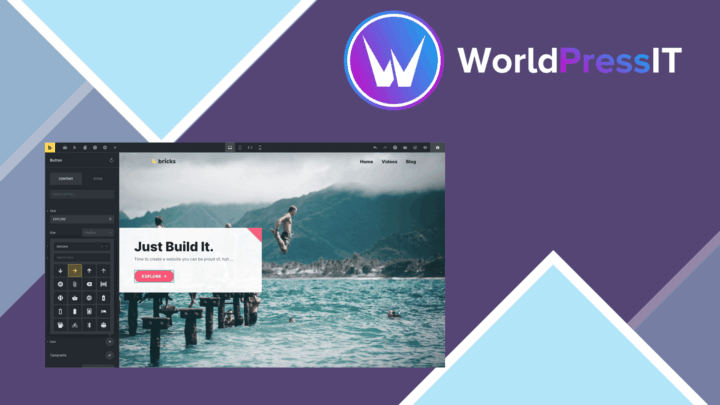
Bricks Builder
Visual WordPress site building with responsive layouts, global styles, dynamic content and SEO tools for developers, des…

Toolset Layouts WordPress Layout Builder
Build custom WordPress page structures with drag-and-drop rows, reusable templates, responsive controls, and content-awa…