WooCommerce Gravity Forms Product Add-ons
Add Gravity Forms fields to WooCommerce products so customers can choose configurations, provide details, upload files and see pricing shaped by their selections.
Instant access Original unmodified files Free future updates
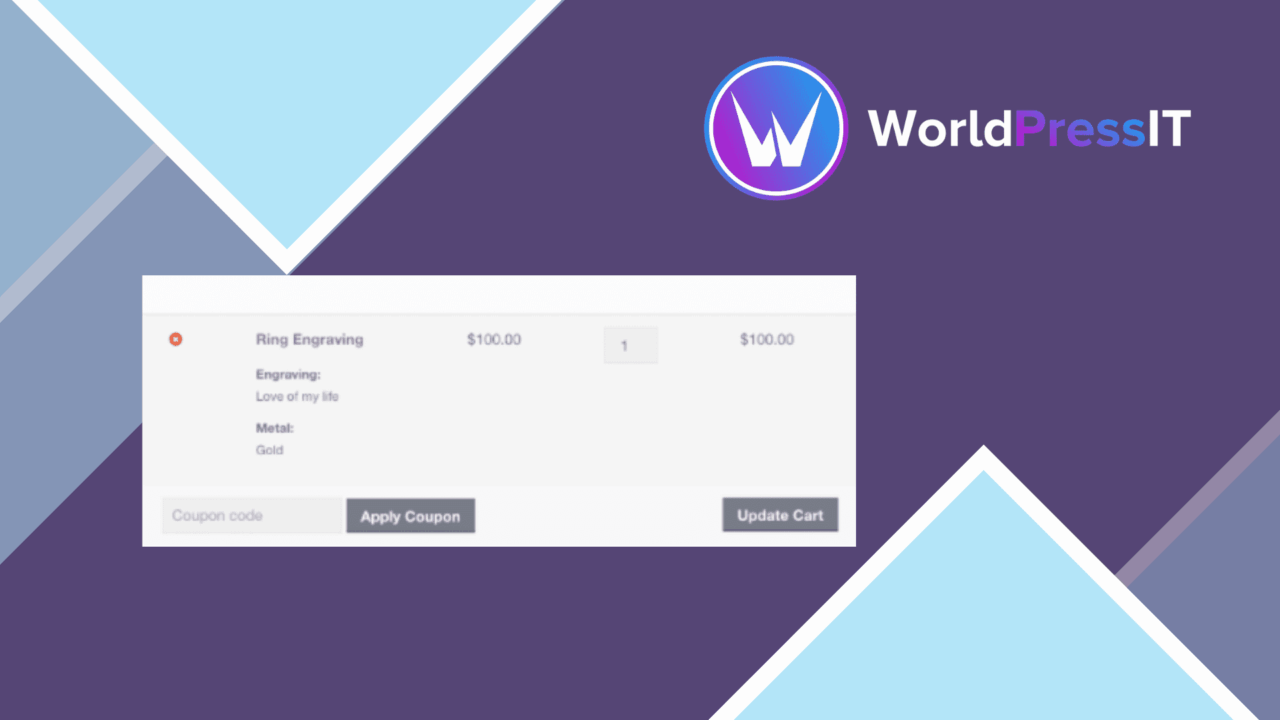
WooCommerce Gravity Forms Product Add-ons connects WooCommerce products to Gravity Forms, turning a standard product page into a configurable ordering form. It is aimed at stores that need more than a fixed price and a few built-in product attributes: customers can enter text, choose from lists, select multiple options or upload files as part of the purchase.
Custom fields for products
The main strength is the range of input types brought into product customisation. A store owner can build an add-on form with text fields, dropdowns, checkboxes, radio buttons and file uploads, then manage that form from the WooCommerce product settings. That covers practical cases such as collecting personalisation text, choosing an option from a defined list, attaching artwork or requesting several related selections.
This approach also keeps the form structure in Gravity Forms rather than forcing every product option into WooCommerce’s basic attribute controls. For a catalogue with detailed requirements, that gives the product page a more suitable place to collect information that belongs to the order.
Logic that changes the order
Conditional logic is important when a form contains dependent choices. Fields can be shown or hidden according to what the customer selects, so an option-specific question does not need to appear for every shopper. This is a better fit for branching configurations than a long, fixed list of fields.
The add-on also supports dynamic pricing based on user input. A selection such as an additional service or a particular configuration can therefore affect the product total rather than being recorded as information only. The exact pricing structure will still come from how the Gravity Form and product are configured, but the feature is aimed at orders where options carry different costs.
Variable product support
Product add-ons are not limited to a single simple product. The feature list includes support for applying add-ons to variable products, which gives stores a way to combine WooCommerce variations with a separate layer of customer choices. A variation can represent the core product configuration while the Gravity Forms fields collect extra requirements around it.
The product-page management interface is a practical part of that model. Instead of treating each custom field as a separate product, the store owner works with add-ons alongside the WooCommerce product settings. That structure is better suited to products that share a common set of optional details across several variations.
What to weigh
The first trade-off is the dependency on Gravity Forms. This add-on is not a standalone product customisation system, so a store needs the Gravity Forms plugin in place before these fields and rules have a foundation. That adds another component to maintain and another interface for an administrator to understand.
The second trade-off is complexity. Conditional fields, file uploads, variable products and input-based pricing offer considerable flexibility, but they also require careful form design. A small shop with only one or two uncomplicated options could find a full form-based setup heavier than WooCommerce’s native product fields. The broad compatibility claim is also not a substitute for checking a particular theme or plugin combination, especially where product templates or checkout behaviour are heavily customised.
Who it suits
This is best suited to WooCommerce stores selling products that need customer instructions, uploaded assets, configurable extras or a sequence of dependent choices. Personalised goods, services attached to a product and products with option-based pricing are natural fits.
It is less compelling for a catalogue that only needs fixed variations or a couple of simple attributes. For those stores, the added Gravity Forms dependency and form-management overhead may not justify the extra control. For more involved product forms, though, the combination of structured fields, conditional logic, dynamic pricing and variable-product support addresses a clear limitation in basic WooCommerce product options.
The verdict
Download WooCommerce Gravity Forms Product Add-ons and see for yourself
You get the full WooCommerce Gravity Forms Product Add-ons release (v3.8.6), ready to install, plus every update that follows. One click and it is yours.
Download WooCommerce Gravity Forms Product Add-ons v3.8.6- Instant download
- Original developer files
- Updated 29 Oct 2026
Related reviews
Browse all
WooCommerce Elavon Converge Payment Gateway
Process card, eCheck and other Elavon payments through WooCommerce, with tokenized records, multi-currency support and o…

Aelia Tax Display by Country for WooCommerce
Country-aware WooCommerce tax display using IP geolocation, with support for multiple tax classes and configurable prici…

GetPaid Multi-Currency
Multi-currency pricing for WordPress stores, with location-based detection, automatic exchange-rate updates, payment gat…