Dropshipping XML WooCommerce PRO FTP addon
Automate XML product and stock imports into WooCommerce with scheduled feeds, field mapping, supplier-format support and error reporting for dropshipping catalogues.
Instant access Original unmodified files Free future updates
An FTP-based XML importer for WooCommerce, this addon targets dropshipping stores that receive product data from suppliers and need those listings kept current. Its job is to move XML feed data into WooCommerce, apply the right field mappings and update inventory without requiring every change to be entered by hand.
XML feed handling
The central feature is automatic XML feed import. That gives a store a repeatable route for bringing supplier data into its catalogue instead of relying on manual product creation. Support for multiple XML file formats also makes the addon relevant to stores working with more than one supplier or with feeds that do not share an identical structure.
Scheduled imports are particularly useful for catalogues that change regularly. A recurring import routine keeps product listings aligned with incoming feed data while reducing the need for an administrator to start each update. The FTP focus suits a workflow where suppliers place XML files on a remote server for the store to collect.
Mapping product data
Supplier XML rarely uses the same field names or structure as WooCommerce. The addon addresses that mismatch with customisable mapping options, allowing incoming XML data to be aligned with WooCommerce product fields. This is the part of the workflow that determines whether a feed becomes usable catalogue content rather than a collection of values that still needs manual rearranging.
- Automatic XML feed import reduces manual product data entry.
- Multiple XML formats support feeds from different suppliers.
- Scheduled imports keep listings refreshed on a recurring basis.
- Customisable mappings connect feed data with WooCommerce fields.
- Inventory updates help keep stock information aligned with the feed.
- Detailed error reporting identifies problems during imports.
- Multi-language support suits international dropshipping operations.
Stock and error control
Inventory accuracy is a major reason to automate a dropshipping feed. The addon includes real-time inventory updates intended to reduce stock discrepancies and the risk of offering products that are no longer available. That is more useful than a one-off catalogue import because stock status is an ongoing operational concern.
Detailed error reporting gives administrators a way to troubleshoot issues when an import does not complete as expected. For a feed-driven store, this makes failed or incomplete data transfers easier to investigate than a process that simply leaves the catalogue out of date without explanation.
What to weigh
This is a focused XML importer, so its usefulness depends on suppliers providing accessible, usable XML feeds. Stores whose partners supply data in another format will not get the same benefit from an XML-centred workflow. Multiple format support improves coverage, but it does not remove the need to understand each supplier’s feed structure.
Custom mapping is also a responsibility rather than a shortcut around configuration. Someone still needs to align supplier fields with WooCommerce fields and review the results of scheduled imports. Automation saves recurring data-entry work, but it introduces a feed-maintenance task: errors, changed source fields and inventory mismatches need attention when they appear.
Who it suits
Dropshipping operators with supplier XML feeds are the clearest audience. The addon fits stores that need recurring product imports, field mapping and stock updates in one WooCommerce workflow, particularly when several suppliers or international product sources are involved.
It is less compelling for a small catalogue that rarely changes or for a shop that does not receive XML data. For the right feed-based operation, though, the combination of FTP delivery, scheduled imports, inventory updates and error reporting addresses the repetitive parts of catalogue management directly.
The verdict
Download Dropshipping XML WooCommerce PRO FTP addon and see for yourself
You get the full Dropshipping XML WooCommerce PRO FTP addon release (v1.0.35), ready to install, plus every update that follows. One click and it is yours.
Download Dropshipping XML WooCommerce PRO FTP addon v1.0.35- Instant download
- Original developer files
- Updated 23 Oct 2026
Related reviews
Browse all
Flexible Checkout Fields PRO by WpDesk
Customise WooCommerce checkout fields, add conditional questions and validate customer data while keeping the form align…
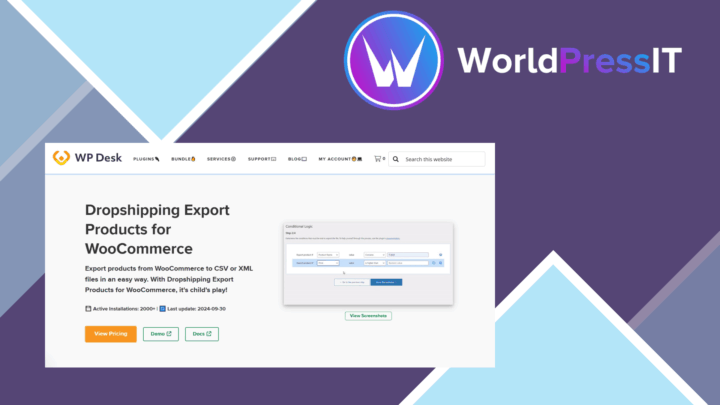
Dropshipping Export Pro
Export product prices, SKUs and stock levels for supplier coordination, with bulk editing, templates and inventory updat…

GetPaid Cheque Payment Gateway
A WordPress payment gateway for accepting cheque orders, with custom instructions, confirmation emails, currency support…