Bit Social Pro
Social publishing and sharing controls for WordPress, with automatic posting, per-page choices, and an analytics dashboard covering engagement across supported networks.
Instant access Original unmodified files Free future updates
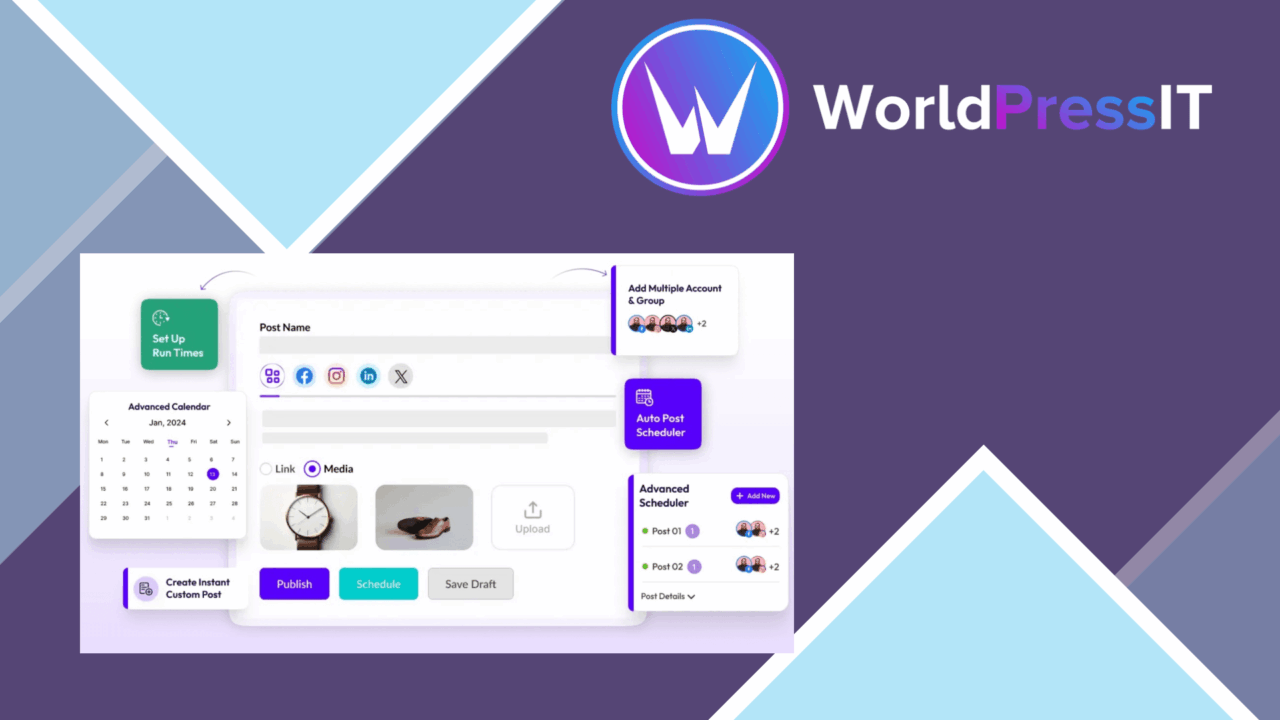
Social publishing, sharing controls, and basic performance reporting come together in Bit Social Pro. The plugin is aimed at website owners, bloggers, and businesses managing content across several social accounts, with a central interface for scheduling, monitoring, and evaluating posts. Its focus is practical: reduce the number of separate steps between publishing a WordPress post and making that content available to a wider audience.
Social publishing
The most useful part of the feature set is automatic posting when new content is published. That gives a site a repeatable route from WordPress publication to social distribution, rather than relying on someone to copy each new article into several platforms. Bit Social Pro lists Facebook, Twitter, and LinkedIn among its integrations, while its broader positioning covers multiple social media channels.
This approach suits sites with a regular publishing schedule. An editor can keep the source content in WordPress and use the plugin as the distribution point for social updates. The central interface also brings scheduling into the same workflow, which is more focused than handling each account through a separate service.
Sharing controls
Bit Social Pro is not limited to automatic posting. It also adds customisable social sharing buttons that can be adjusted to fit a site’s design. That matters on content-heavy pages, where the sharing controls need to feel like part of the layout rather than an unrelated visual element.
- Customisable sharing buttons for matching the site’s design.
- Automatic posting when new content is published.
- Per-post and per-page controls for enabling or disabling sharing.
- Connections with Facebook, Twitter, LinkedIn, and other supported platforms.
- Responsive presentation for visitors using different screen sizes.
- Multiple-language support for sites serving an international audience.
The per-post and per-page setting is particularly useful for content that should stay on the site. It gives editors a simple exception to the general sharing rule, so every page does not have to follow the same distribution policy.
Reporting in WordPress
An analytics dashboard rounds out the publishing tools with engagement and performance metrics. This gives an editor a place to review how shared content is performing without treating social distribution as a completely unmeasured task. The reporting is most relevant for checking patterns across published posts and deciding which content deserves further promotion.
Expect this dashboard to work as a convenience view for the plugin’s publishing workflow. It puts useful engagement information alongside WordPress content management, but it should not be treated as a substitute for the detailed reporting available inside each social network. The value here is having performance feedback connected to the sharing process.
What to weigh
Automatic posting saves repeated manual work, but it also favours consistency over network-specific editing. A single publishing workflow is efficient when the same message suits Facebook, Twitter, and LinkedIn; it is less suitable when each audience needs a different format, tone, or posting strategy.
The analytics dashboard has a similar boundary. It provides engagement and performance metrics, yet the supplied feature description does not indicate the depth of its reports or the range of measurements available. Organisations that need detailed attribution, audience analysis, or platform-by-platform investigation will still need the native tools of those networks.
There is also a practical setup burden in managing several social accounts and deciding which posts or pages should be shared. Bit Social Pro centralises those choices, but it does not remove the need for a clear editorial policy. The quality of the result still rests on suitable content, sensible scheduling, and appropriate platform selection.
Who it suits
Bit Social Pro is a sensible fit for WordPress sites that publish regularly and want social distribution built into the content routine. Blogs, business sites, and publishers with several active accounts should find the combination of automatic posting, configurable buttons, selective sharing, and engagement reporting relevant.
It is less compelling for a team seeking a full social media command centre with deep network-specific analytics and highly tailored campaigns. For those users, the plugin’s strength is its WordPress connection rather than specialist social intelligence. For smaller publishing operations, that narrower purpose is also its clearest advantage: Bit Social Pro keeps publishing, sharing choices, and basic performance review close to the content itself.
The verdict
Download Bit Social Pro and see for yourself
You get the full Bit Social Pro release (v1.18.0), ready to install, plus every update that follows. One click and it is yours.
Download Bit Social Pro v1.18.0- Instant download
- Original developer files
- Updated 17 Sep 2026
Related reviews
Browse all
BuddyPress Profile Visibility Manager
Control which BuddyPress members can see profile fields, with public, friends-only and private choices for communities t…
BuddyBoss Platform
Build a WordPress community with member profiles, activity feeds, groups, messaging, courses and membership controls, wi…

Image Upload for bbPress Pro
Add image uploads to bbPress topics and replies, with format support, size controls, moderation options, and responsive…