Super Store Finder for WP
A responsive Google Maps store locator for businesses with multiple locations, combining category and distance filters with detailed listings for faster local searches.
Instant access Original unmodified files Free future updates
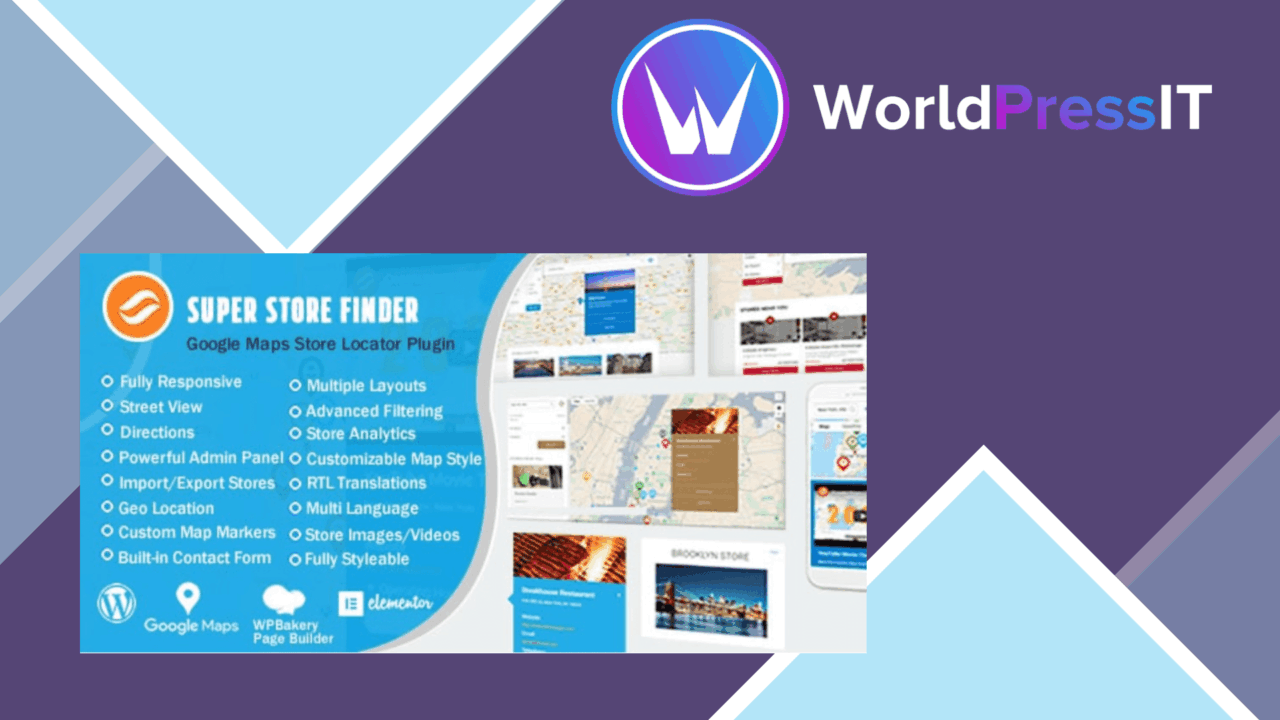
Store Finder for WordPress adds an interactive location directory to a site, giving customers a map-based way to find nearby branches, shops or service points. It is aimed at businesses with multiple physical locations that need more than a static contact page. The plugin combines Google Maps integration, searchable store records and a mobile-responsive interface in one location-finding tool.
Built for multiple locations
The central experience is a customisable store locator map with several layout options. Visitors can search for locations by category or distance, which gives a directory with a sizeable list of branches a more practical structure than a long page of addresses. Google Maps provides the mapping layer and location tracking, while the store records supply the information customers need after they find a result.
This setup suits retail chains, service providers and other organisations whose customers choose a physical location based on proximity or type. Category filtering is particularly useful when one site represents several kinds of outlet or service, while distance search addresses the straightforward question of which branch is closest.
Useful store records
A location is more than a pin on the map. The plugin supports store detail pages containing images, descriptions and contact information, so visitors can check the details of a branch before travelling there. That gives each listing enough space to explain what a location offers rather than forcing every detail into a map popup.
- Customisable locator maps with multiple layout options
- Google Maps integration for location-based browsing
- Search filters based on store category or distance
- Store details with images, descriptions and contact information
- Responsive presentation for smartphones, tablets and touch-screen devices
- Admin controls for managing locations and locator settings
Admin and front end
The administrative side is presented as an easy-to-use panel for managing store locations and settings. That matters when a directory changes regularly, since location information has to be maintained somewhere central rather than edited across unrelated pages. On the front end, the responsive design is intended for phones, tablets and touch-screen devices, where map interaction and readable contact details are both important.
Support for multiple languages and localisation broadens the fit for sites serving more than one language. Compatibility with major WordPress themes and plugins is also listed, which gives the locator a reasonable starting point for an existing site rather than requiring a dedicated theme.
What to weigh
The Google Maps connection is a practical strength, but it also ties the map experience to an external mapping service. Site owners should account for that dependency when planning a location directory, particularly if they want complete control over the mapping layer or need a locator that functions independently of Google Maps.
The advertised search options focus on category and distance. That covers the most common store-finding questions, but the supplied feature list does not indicate filters for opening hours, amenities, services or other custom attributes. Sites with more specialised location data should check that the available fields and search controls match their directory before committing.
There is also a distinction between compatibility and finished styling. Multiple layouts and theme compatibility provide useful foundations, but a locator placed inside an existing brand system still needs attention to presentation and content consistency. The plugin supplies the map, listings and management interface; it does not remove the need to organise accurate store information.
Who it suits
Super Store Finder for WP is a sensible fit for a business that needs a customer-facing directory of physical locations, especially when category and proximity are central to the search. Its strongest case is a multi-location site that wants map browsing, richer branch details and a responsive interface without building those pieces separately.
It is less compelling for a site that only needs a single address, a basic contact page or highly specialised filtering beyond category and distance. For the right location-heavy website, though, the combination of Google Maps, searchable listings, detail pages and central location management covers the core store-locator workflow clearly.
The verdict
Download Super Store Finder for WP and see for yourself
You get the full Super Store Finder for WP release (v7.7), ready to install, plus every update that follows. One click and it is yours.
Download Super Store Finder for WP v7.7- Instant download
- Original developer files
- Updated 24 Oct 2026
Related reviews
Browse all
JobSearch
A WordPress job board for publishing vacancies, collecting CVs, managing employer applications, and helping candidates f…

Directories Pro
Create business, user, real-estate, job or asset directories with custom fields, filtered search, maps, reviews, CSV dat…
Web Directory plugin for WordPress
Create a searchable WordPress directory for businesses, services, or resources with location filters, maps, submissions,…