ShopMagic Delayed Actions
Schedule emails, SMS and webhooks from WooCommerce and customer triggers, with custom delays and conditions for more controlled post-purchase communication.
Instant access Original unmodified files Free future updates
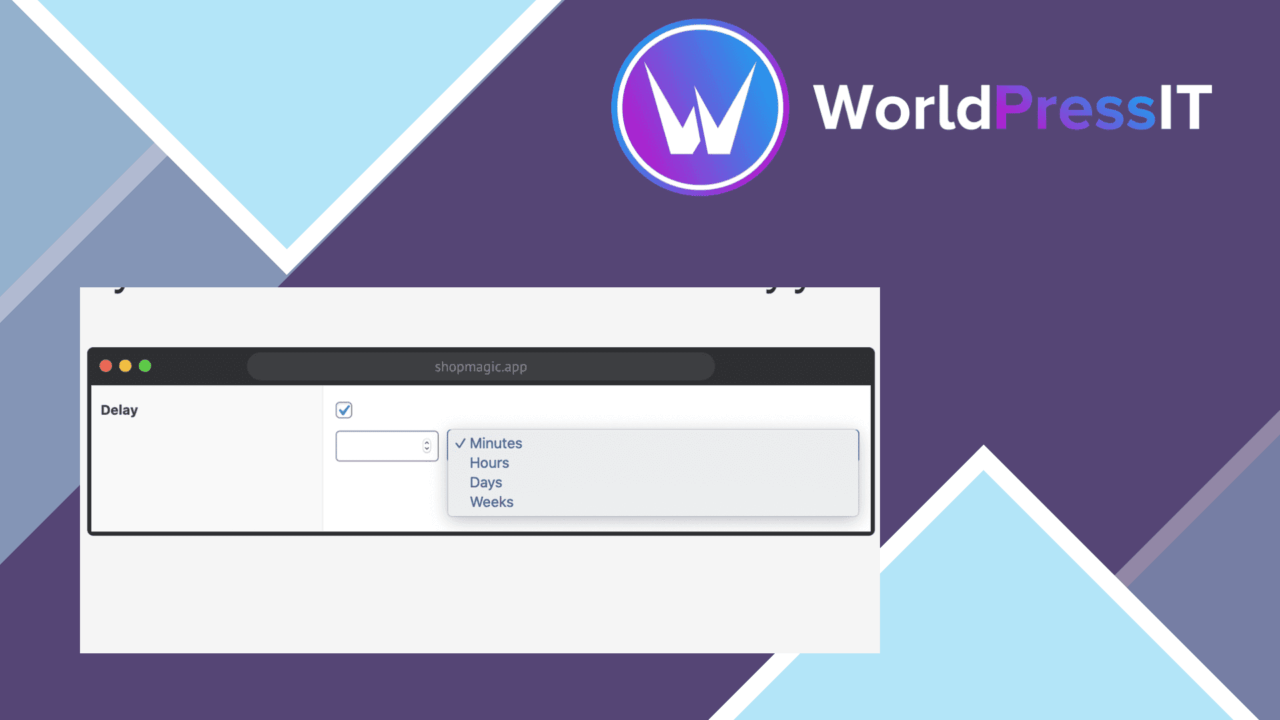
ShopMagic Delayed Actions adds scheduled follow-up to ShopMagic workflows, with WooCommerce as the main store context. Instead of sending every response immediately, store owners can set a delay after an order-status change or another user behaviour trigger, then send a communication or call an external endpoint at the chosen point in the workflow.
Timed store workflows
The useful distinction here is timing. A store can organise actions around what happened and when the response should occur, rather than treating every trigger as an immediate event. That suits post-purchase communication, where the right message often follows an order update or a period of customer inactivity.
Delayed actions are also broader than email alone. The feature list includes several action types:
- Emails scheduled from order status or user behaviour triggers.
- SMS messages for customer communication outside the inbox.
- Webhooks for passing an event to another service.
- Actions controlled by custom delays rather than a single fixed interval.
This gives the add-on a practical role in a WooCommerce automation stack. It is concerned with the timing and routing of a follow-up, while the trigger and condition determine which customers enter that path.
Triggers and conditions
Conditional logic is important for avoiding a blanket message to every customer. ShopMagic Delayed Actions is described as supporting conditions that restrict an action to a particular situation, such as a relevant order state or a defined pattern of user behaviour. That makes a delayed workflow more selective than a simple timer.
Custom delays add another layer of control. Different customer interactions do not all deserve the same waiting period, and the product is intended to let the store owner set those intervals around the workflow rather than accept one universal schedule. The listing does not specify the available trigger catalogue or condition fields, so the practical range of a particular automation still needs checking against the connected ShopMagic setup.
Scheduled action control
A dashboard for tracking and managing scheduled actions gives the feature a place in day-to-day administration. That matters once several delayed emails, SMS messages, or webhooks are active: the schedule is not left as an invisible rule buried in a campaign editor.
Compatibility with other ShopMagic extensions is another useful part of the model. A store already using ShopMagic for customer messaging has a clearer path to adding delayed steps without replacing its existing automation approach. Multiple-language support also suits stores communicating with customers across different language audiences, although the supplied details do not explain how translations are created or maintained.
Where it falls short
The first trade-off is added workflow complexity. Combining triggers, custom delays, conditions, and several action types gives more control, but it also creates more decisions to document and maintain than a straightforward immediate email. A poorly structured schedule could be harder to understand than a single notification rule.
The second reservation is scope. This is a store-automation extension centred on WooCommerce events and customer communication, not a general-purpose WordPress scheduler. Its usefulness therefore rests on having the relevant ShopMagic and WooCommerce workflows in place. The dashboard is described as a way to track and manage scheduled actions, but the feature list does not promise delivery reporting, conversion attribution, or detailed message analytics, so those needs should not be assumed.
Who it suits
ShopMagic Delayed Actions fits WooCommerce operators who need post-purchase messages to arrive at a deliberate time rather than directly after a trigger. It also suits marketers and developers building conditional workflows that use email, SMS, or webhooks as different outcomes.
Stores with a small number of simple notifications may find the extra timing and condition controls unnecessary. For a catalogue with several order states, customer behaviours, languages, or follow-up routes, the scheduled-action dashboard and compatibility with ShopMagic extensions provide a more relevant reason to use it.
The verdict
Download ShopMagic Delayed Actions and see for yourself
You get the full ShopMagic Delayed Actions release (v3.1.30), ready to install, plus every update that follows. One click and it is yours.
Download ShopMagic Delayed Actions v3.1.30- Instant download
- Original developer files
- Updated 26 Oct 2026
Related reviews
Browse all
Affiliate Forms
Affiliate registration and campaign forms for Ninja Forms, with click, conversion and earnings tracking to help manage a…
Brave Popup Builder PRO
Create targeted WordPress popups with visual editing, timed and behavioural triggers, email integrations, A/B testing an…

MailChimp for WooCommerce Memberships
Connect WooCommerce memberships and subscriptions to MailChimp for member segmentation, targeted campaigns, opt-in forms…