Gravity Forms Geolocation Add-On
Capture a form visitor’s location through IP data and keep it with Gravity Forms entries for location-based analysis and more tailored services.
Instant access Original unmodified files Free future updates
Gravity Forms Geolocation Add-On extends Gravity Forms with fields that capture a visitor’s geographical location from IP address data. The result is location information stored alongside form submissions, giving businesses, developers and site owners another detail to use when reviewing their audience or shaping location-aware services.
Location fields
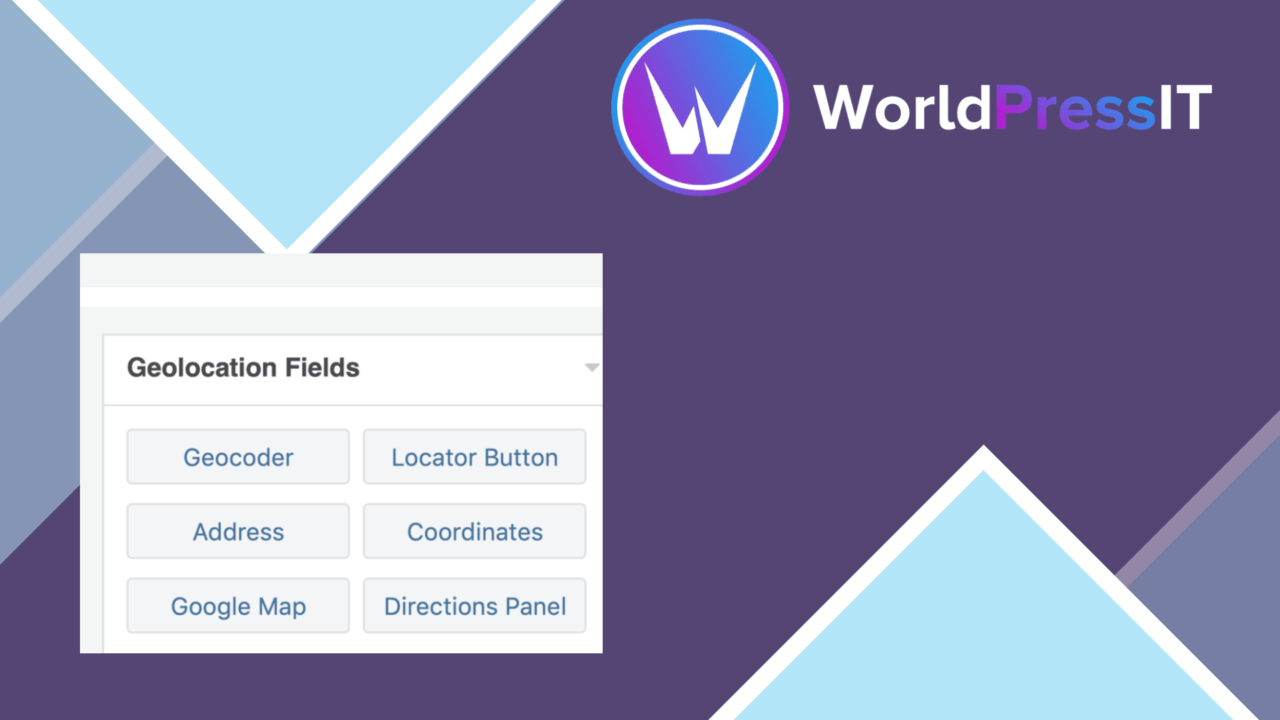
The form editor gains six geolocation buttons, presented alongside the existing Gravity Forms field choices. They can be placed wherever they are needed in a form, rather than being restricted to a separate location step. The vendor also states that forms can contain countless geolocation fields, which suits longer forms that need location data in more than one part of the submission.
This field-based approach keeps the feature close to the normal Gravity Forms editing workflow. Someone building a registration, enquiry or contact form does not need to create a separate data-collection system for the location detail. The add-on is intended to fit into forms that already use Gravity Forms and to provide the location information as part of the same submission.
What the entries contain
Geolocation data is integrated directly into Gravity Forms, where it can be displayed in form entries. That gives an administrator a location detail to consider beside the answers a visitor submitted, instead of forcing the geographical information into a disconnected record.
The feature supports multiple countries and regions, so its stated use is not limited to one local audience. A business serving several markets could use the location information when examining where enquiries originate. A developer building forms for a broader audience also gets a location field that is designed for global use rather than a single-country workflow.
Field coordination
The vendor says the geolocation fields should sync with one another for a better user experience and simpler geotagging. That makes coordination between the added fields part of the product’s purpose, rather than treating each location value as an isolated input. The settings are also described as customisable for different form requirements, giving the form builder a way to adapt the feature to the particular submission being collected.
No additional coding is required according to the product description. That matters most for site owners who want location-based data inside existing Gravity Forms without building a separate integration. The add-on’s value is therefore practical: it adds geographical context to the form data in the same editor and entry area already used for the form.
Where it falls short
IP address location is an approximation, not a confirmed physical address or precise position. It can identify a broad geographical area while failing to represent where the person is actually sitting, particularly when a network, proxy or shared connection is involved. Forms that need an exact delivery address, a verified service area or accurate field-level positioning need more than this location signal.
The description also leaves important implementation details open. It names six geolocation buttons but does not explain what each field captures, how location accuracy varies between countries, or which controls are available for the promised customisation. The add-on also depends on Gravity Forms, so it is not a standalone location-capture tool for sites using another form builder. Those limits are worth resolving before making the location value central to a workflow.
Who it suits
This add-on fits Gravity Forms users who want geographical context attached to ordinary form submissions. It is a sensible match for businesses analysing where enquiries come from, developers adding location fields to client forms, and site owners tailoring services around regional audiences. It is less appropriate when the form must establish an exact address or a reliably precise position. For broader audience insight and straightforward geotagging inside Gravity Forms, its focused field approach is the main appeal.
The verdict
Download Gravity Forms Geolocation Add-On and see for yourself
You get the full Gravity Forms Geolocation Add-On release (v1.5.3), ready to install, plus every update that follows. One click and it is yours.
Download Gravity Forms Geolocation Add-On v1.5.3- Instant download
- Original developer files
- Updated 1 Nov 2026
Related reviews
Browse allForm Generating PDF
Turn form submissions into PDF files, map answers to fields on a chosen template, and email the finished document to adm…

Gravity Forms Partial Entries Addon
Captures information from unfinished Gravity Forms submissions so teams can follow up on abandoned enquiries instead of…

Gravity Forms 2Checkout
Accept payments through Gravity Forms with 2Checkout, including recurring billing, multiple currencies, card and PayPal…