BookingPress Google ReCaptcha Integration Addon
Adds Google reCAPTCHA to BookingPress appointment forms to reduce fake bookings, automated entries and bot-driven spam while keeping verification familiar for genuine visitors.
Instant access Original unmodified files Free future updates
Google reCAPTCHA protection is added directly to BookingPress appointment forms by this focused security addon. Its purpose is narrow but practical: screen out automated submissions before fake registrations, fraudulent bookings and other bot entries enter the appointment system. That makes it relevant for businesses using BookingPress where booking spam is becoming a routine maintenance problem.
What it protects
The addon puts Google’s human-verification layer in front of BookingPress booking activity. The vendor describes protection against spam and bots rather than a general website security suite, so its value is tied to the appointment forms themselves. A cleaner booking queue means less time spent sorting out entries that were never genuine customer requests.
Its stated protections cover several common forms of booking abuse:
- Blocking automated spam submissions on BookingPress appointment forms.
- Reducing fake registrations and fraudulent bookings.
- Checking that a visitor is human before an entry reaches the booking workflow.
- Reducing security errors and operational disruption associated with bot submissions.
Verification choices
BookingPress users are given more than one captcha style to consider. The addon supports the familiar “I’m not a robot” checkbox as well as image-based puzzles. That choice matters because a clinic, salon or consultancy may prefer a visible checkbox, while another booking site may favour a more demanding challenge for higher-risk traffic.
The visitor-facing process is intended to be brief, with straightforward checks for genuine customers. The vendor positions this as a way to reduce spam without creating unnecessary frustration during booking. In practice, the chosen captcha type will shape how much attention a visitor gives to the form, so the less intrusive option is a sensible starting point for ordinary appointment traffic.
Works with BookingPress
This addon is designed as part of the wider BookingPress ecosystem rather than as a standalone form-protection tool. The vendor specifically describes compatibility with BookingPress appointment forms and lists connections with other BookingPress additions, including SMS Notifications, Zoom, Mailchimp and calendar synchronisation tools.
That placement keeps the security control close to the booking workflow. Administrators can activate and customise the integration from the WordPress dashboard, instead of treating captcha as a separate process alongside appointment management. The value is clearest for sites already organised around BookingPress and its related scheduling features.
Where it falls short
The first trade-off is scope. This is a BookingPress-focused captcha addon, not a general anti-spam layer for comments, contact forms, registrations or every form on the website. Sites with several unrelated submission points will need separate protection for those areas.
The second trade-off is the extra step placed in front of a booking. A checkbox or image challenge adds interaction to a form that would otherwise be immediate, and a difficult challenge can slow or discourage some visitors even though the stated aim is to keep the process simple. Site owners must balance cleaner appointment data against that additional verification step.
It is also worth keeping expectations in proportion: reCAPTCHA helps identify automated behaviour, but it does not replace broader WordPress security, moderation or booking administration. The addon addresses one specific source of booking-system noise.
Who should use it
This is a sensible fit for BookingPress sites that are receiving fake appointments, automated registrations or repeated spam entries. It also suits administrators who want a visible, dashboard-managed control and a choice between checkbox and image-based verification.
Sites with little booking traffic or no evidence of automated abuse may find the additional visitor step harder to justify. For active appointment systems, however, the narrow focus is useful: it adds human verification where the booking form needs it, while fitting alongside BookingPress tools for notifications, video meetings, email marketing and calendar management.
The verdict
Download BookingPress Google ReCaptcha Integration Addon and see for yourself
You get the full BookingPress Google ReCaptcha Integration Addon release, ready to install, plus every update that follows. One click and it is yours.
Download BookingPress Google ReCaptcha Integration Addon- Instant download
- Original developer files
- Updated 2 Nov 2026
Related reviews
Browse all
The Events Calendar Filter Bar
Event listings become easier to narrow by date, category, location, tags, time and price, giving visitors a quicker rout…

ShopMagic for WooCommerce Bookings
Automates WooCommerce booking emails, forms, payments and reporting so appointment-based businesses can manage customer…
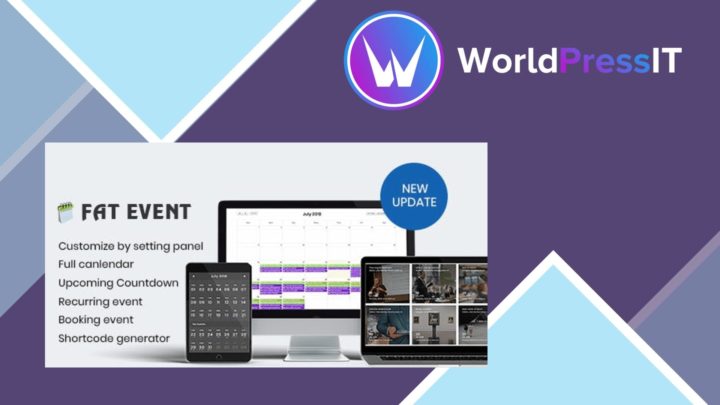
FAT Event Event and Calendar Booking
Create recurring events, display them in a responsive calendar, collect attendee details and sell free or paid tickets w…