HappyFiles Pro
Organise WordPress media and other post types into custom folders, with drag-and-drop handling, search, filters and bulk actions for a tidier admin library.
Instant access Original unmodified files Free future updates
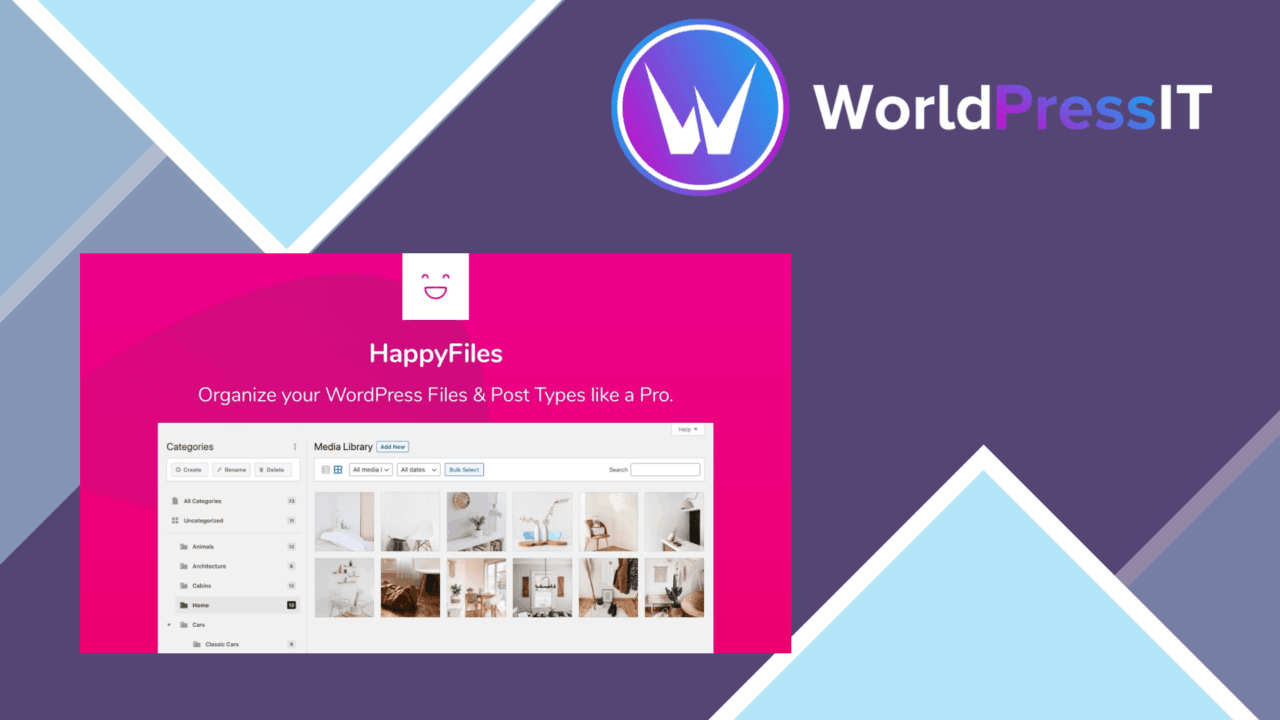
HappyFiles Pro adds a folder-based organisation system to WordPress. It is aimed at sites where the media library has grown beyond a practical stream of uploads, giving images, videos and documents a structure that reflects the way the site is managed. The plugin also extends categorisation to posts, pages, custom post types and WooCommerce content such as products, orders and coupons.
Folders for media
The central idea is straightforward: create custom folders and place related files together. That suits a catalogue of product photography, a publication with recurring image sets, or a business site that needs documents grouped by department or project. The folder system is described as unlimited, so the structure does not have to stop at a small fixed set of categories.
Drag-and-drop organisation keeps the basic task close to the media library rather than turning it into a separate content-management exercise. Detailed previews also help identify files before moving them, which is useful when filenames are inconsistent or several assets look alike.
Faster library work
HappyFiles Pro combines folder organisation with tools for finding and handling groups of files. Its useful pieces include:
- Drag-and-drop movement for arranging media.
- Custom folders for images, videos and documents.
- Search and filtering for locating particular files.
- Bulk actions for moving or deleting multiple items.
- Detailed previews for checking media before acting on it.
These features address different parts of the same admin task. Search reduces the need to browse folder by folder, while bulk actions make a planned clean-up less repetitive. The delete option deserves a deliberate workflow, particularly when a selection contains files used in several parts of a site.
Beyond the media library
The broader post-type support gives the plugin a second role. Alongside media folders, it categorises posts, pages and custom post types, with WooCommerce products, orders and coupons included in the vendor’s list. That makes the plugin relevant to an admin area containing several kinds of records rather than only an image-heavy blog.
Compatibility with popular page builders and themes is stated as part of the feature set, and the plugin is also presented as suitable for multi-user projects. Those claims make it a candidate for a shared editorial workspace where several people need the same organisational approach.
What to weigh
The main trade-off is that a flexible folder system requires a clear naming and categorisation plan. With media, posts and WooCommerce records all in scope, an improvised structure could become another layer to search instead of a shortcut to the right item. Teams also need agreement on how folders are used; multi-user support is mentioned, but the supplied information does not describe role-based permissions or separate views for different users.
Bulk deletion is another point for caution. It is convenient for housekeeping, but the more types of content being managed, the more important it is to verify a selection before removing it. The feature list also does not explain how folders interact with page-builder interfaces or individual theme workflows, so sites with specialised editorial processes should confirm that fit before making the folder structure central to daily work.
Who it suits
HappyFiles Pro fits site owners and developers who spend regular time in the WordPress admin and want a visual filing system for media and content records. It is especially well matched to image libraries, WooCommerce stores, blogs with recurring content categories and collaborative projects that need shared organisation.
It is less compelling for a small site with a lightly used media library and few content types. For larger libraries, though, the combination of folders, previews, search, filters and bulk actions addresses the practical work of finding and sorting assets without relying on filenames alone.
The verdict
Download HappyFiles Pro and see for yourself
You get the full HappyFiles Pro release (v1.9.1), ready to install, plus every update that follows. One click and it is yours.
Download HappyFiles Pro v1.9.1- Instant download
- Original developer files
- Updated 18 Nov 2026
Related reviews
Browse all
Podcast Player Pro
Turn a podcast RSS feed into a searchable WordPress archive with audio playback, show notes, subscriptions, sharing and…

ImageLinks
Turn product photos, maps and floor plans into clickable visuals with positioned hotspots, tooltips, links and WooCommer…
Slider Hero Pro
Build full-width WordPress hero sections with video, animated text, effects and calls to action, published through a blo…