Divi Mobile Menu Plugin
A Divi-focused mobile navigation plugin for custom layouts, animated transitions, icons, images and multi-level menus across smaller screens.
Instant access Original unmodified files Free future updates
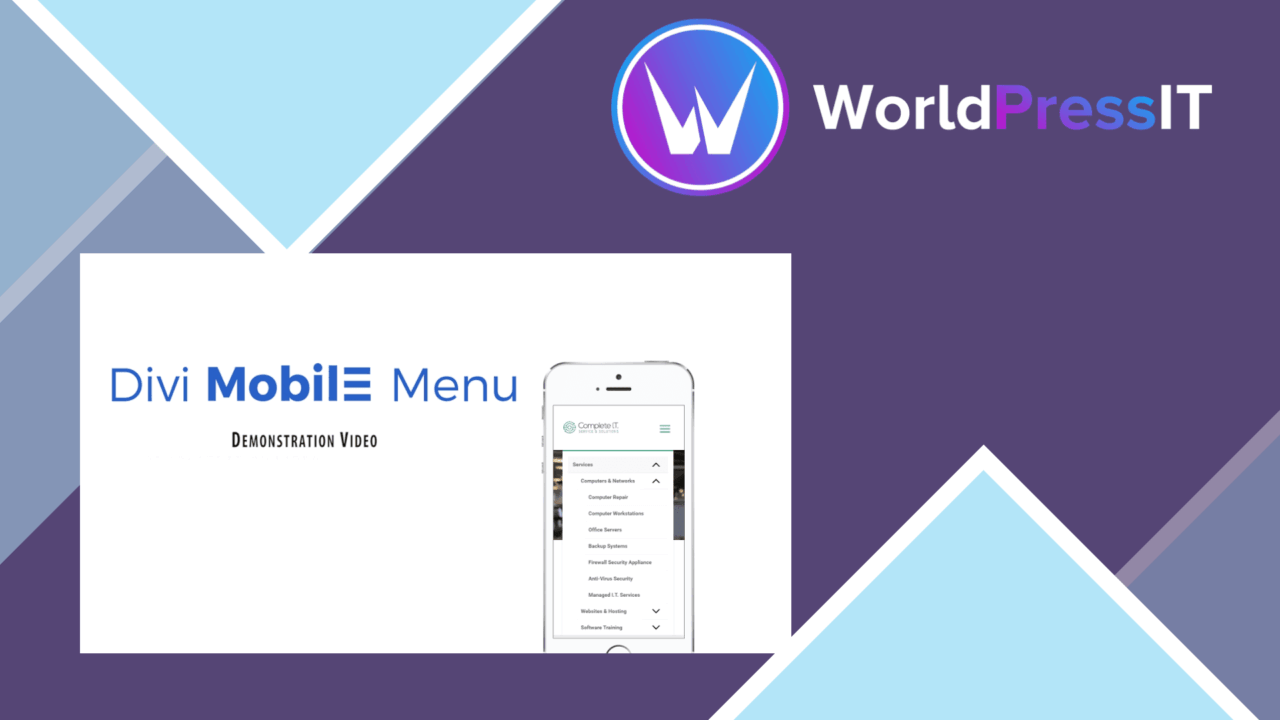
Divi Mobile Menu Plugin focuses on one part of a Divi site that often needs more control than a theme’s default settings provide: navigation on smaller screens. It replaces a basic mobile menu experience with a configurable system for layouts, transitions, menu-item visuals and nested navigation, while keeping the main work inside familiar WordPress and Divi controls.
Mobile navigation
The plugin is built for websites using the Divi theme, with integration with Divi Builder included in its feature set. Its purpose is not to create a second page-building system, but to give the mobile menu its own design and behaviour options. A live preview in the theme customizer is particularly useful here, since menu changes are easier to judge when the navigation is visible during configuration rather than only after saving and opening the front end.
Responsive behaviour is central to the product. The menu is intended to adapt across screen sizes and orientations, which suits sites where the mobile breakpoint is not the only consideration. The result is a more deliberate navigation layer for phones and other narrow displays, rather than a menu treated as a scaled-down version of the desktop header.
Useful controls
The feature list covers the main decisions involved in shaping a mobile menu:
- Customisable layouts for matching the menu to the surrounding site design.
- Responsive behaviour across different screen sizes and orientations.
- Several animation effects for opening and closing transitions.
- Icons and images attached to menu items for a more visual navigation structure.
- Multi-level dropdown menus for sites with deeper page hierarchies.
- Toggle options for showing or hiding the mobile menu.
- Accessibility features aimed at web-standard compliance.
That combination gives the menu more range than a simple colour-and-spacing panel. A compact business site can keep the navigation restrained, while a larger Divi build can use nested items and visual markers to make sections easier to distinguish. The toggle controls also provide a direct way to decide how and when the mobile navigation appears.
Visual direction
Animation, icons and images are the strongest design-oriented parts of the plugin. Transitions add movement to the menu state, while icons and images offer visual cues beside labels. These options are useful when a site has a clear visual language that the default mobile navigation does not reflect. The customisable layouts make the menu part of that language instead of leaving it as an isolated component.
The live customizer preview supports this design workflow. It gives the site owner a place to compare layout choices and menu presentation while working through the available settings. For Divi users who already organise their pages through visual controls, that approach should feel more consistent than editing menu behaviour through code.
Where it falls short
The first limitation is its Divi dependency. This is a focused enhancement for Divi websites, not a general mobile-menu solution for sites built with another theme or a different page-builder workflow. Choosing it therefore ties the navigation layer to the theme environment it was designed to extend.
The second trade-off is configuration complexity. Layouts, animations, icons, images, nested dropdowns and visibility toggles provide useful control, but they also create more choices to reconcile across a real site. A menu with several levels or decorative elements needs careful information architecture, not just attractive settings. Accessibility features are included, yet a site owner still has to keep labels, hierarchy and interaction choices clear rather than assuming that the presence of accessibility controls settles every navigation concern.
Who it suits
Divi Mobile Menu Plugin fits Divi site owners who want a mobile menu that reflects their design system and site structure. It is most relevant to projects with more than a single flat list of links, especially where multi-level navigation, menu-item imagery or custom transitions have a clear purpose. The product is less compelling for a site that is satisfied with a minimal mobile menu or for anyone working outside Divi. Within its intended setting, it offers a concentrated set of controls for making mobile navigation more visible, structured and deliberate.
The verdict
Download Divi Mobile Menu Plugin and see for yourself
You get the full Divi Mobile Menu Plugin release (v1.9.2), ready to install, plus every update that follows. One click and it is yours.
Download Divi Mobile Menu Plugin v1.9.2- Instant download
- Original developer files
- Updated 23 Nov 2026
Related reviews
Browse allGamiPress – Leaderboards
Create points-, achievement-, and rank-based leaderboards in WordPress, with configurable displays, role-based visibilit…

PublishPress Pro
Editorial calendars, custom statuses, permissions and post discussions bring WordPress publishing workflows into one pla…
Use Any Font Premium
Upload TTF, OTF and WOFF files, preview them, and assign custom typography to WordPress content, themes and supported pa…