Advanced Comparison Table
Build product, service and feature comparisons with a drag-and-drop table editor, responsive layouts, branded styling and support for images, icons and links.
Instant access Original unmodified files Free future updates
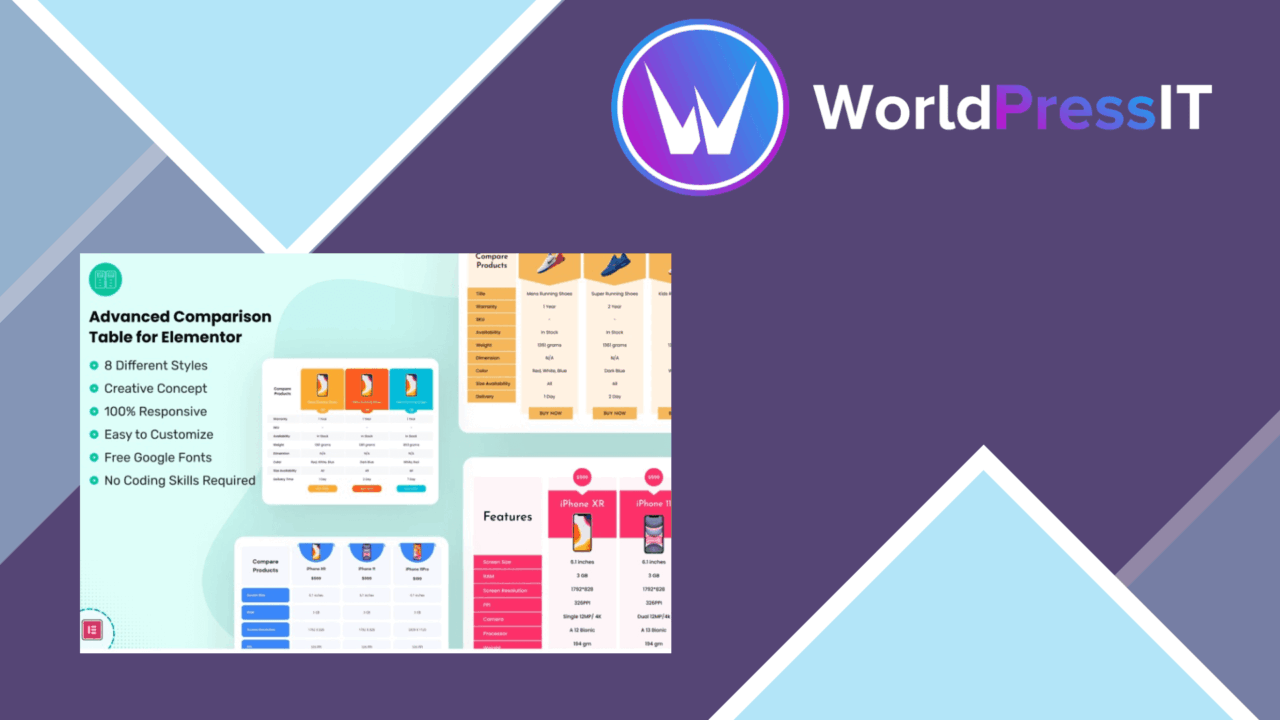
Advanced Comparison Table is a WordPress plugin for presenting products, services and features side by side. Its purpose is practical: turn a scattered set of specifications or selling points into a structured table that visitors can scan before choosing between options. That makes it a natural fit for eCommerce pages, review sites and service businesses that need more detail than a short feature list can provide.
A table-first editor
The central feature is a drag-and-drop table builder. Rather than arranging comparison content as separate page elements, you work around rows, columns and table layouts. This suits pages where the order of information matters, such as a product comparison that moves from headline features through technical details and finishes with links to the relevant option.
The plugin also includes multiple table templates. Those starting points give a page a defined structure before you begin adjusting its content and presentation. The result should be easier to shape than a comparison table assembled manually from unrelated text and layout blocks, particularly for editors who need to create several tables with a consistent visual approach.
Useful presentation controls
Advanced Comparison Table is not limited to plain text cells. The listed content options include images, icons and links, so a table can carry product imagery, feature markers and destinations for further information. That is useful for comparison pages where a name alone is not enough to distinguish each item.
- Drag-and-drop editing for arranging the table layout.
- Multiple templates for establishing a starting design.
- Custom colours and fonts for matching an existing brand.
- Images, icons and links inside comparison tables.
- Import and export options for managing and sharing table content.
- Responsive design intended to adapt tables to different device sizes.
Colour and font controls keep the table from looking detached from the surrounding site. The responsive approach is important for comparison pages in particular, since a wide desktop layout has to remain usable when viewed on a smaller screen.
Fits existing site workflows
The vendor describes integration with popular WordPress themes and page builders, which places the plugin within an existing page-building workflow rather than treating the table as an isolated display. Its association with Elementor is also reflected in the product listing. For a site already built around visual page editing, that positioning is more relevant than a standalone table generator.
Import and export support is another practical inclusion. It gives administrators a way to manage table content separately from the act of designing each layout, and provides a route for sharing tables between working environments. The feature list does not specify the file format or the exact import rules, so those details should be confirmed before making it part of a large content-management process.
What to weigh
A flexible table builder also creates more decisions. Templates, colours, fonts, images, icons and links all need editorial direction; without a clear comparison structure, the finished table can become crowded even when the layout itself is responsive. Responsive behaviour helps the presentation adapt, but it does not remove the need to decide which information belongs in a compact mobile view.
The product description is also broad about its integrations. It names popular themes and page builders without identifying every supported builder or explaining how deep those integrations go. Import and export are listed without technical detail, and the SEO claim is limited to describing the structure as SEO-friendly rather than explaining available controls or markup. Those gaps matter for teams planning a repeatable, highly controlled publishing workflow.
Who it suits
Advanced Comparison Table makes the most sense for editors who regularly compare plans, products, services or feature sets and want those comparisons to look more deliberate than a basic list. Review publishers can use images, icons and links to give each option more context, while online shops and service providers get a compact way to put alternatives beside one another.
It is less compelling when a page only needs a few lines of text or when comparison data changes through a more specialised catalogue system. For its intended use, though, the combination of drag-and-drop editing, templates, branding controls and responsive presentation covers the main building blocks of a structured comparison page.
The verdict
Download Advanced Comparison Table and see for yourself
You get the full Advanced Comparison Table release (v1.1), ready to install, plus every update that follows. One click and it is yours.
Download Advanced Comparison Table v1.1- Instant download
- Original developer files
- Updated 18 Nov 2026
Related reviews
Browse all
MainWP White Label Extension
Rebrand MainWP Child on client sites with your agency details, a support widget and hidden MainWP controls, managed from…
Nutrition Facts Label Creator for Elementor
Create responsive nutrition labels inside Elementor with automatic daily values, six layouts, 40 built-in nutrients and…

Age Verification Popup
Age gates for sensitive WordPress content, with date-of-birth or checkbox checks, targeted display rules, responsive lay…