Advanced Order Export For WooCommerce
Export WooCommerce orders and selected custom fields to CSV, Excel, XML or JSON, with filters and scheduled runs for recurring data work.
Instant access Original unmodified files Free future updates
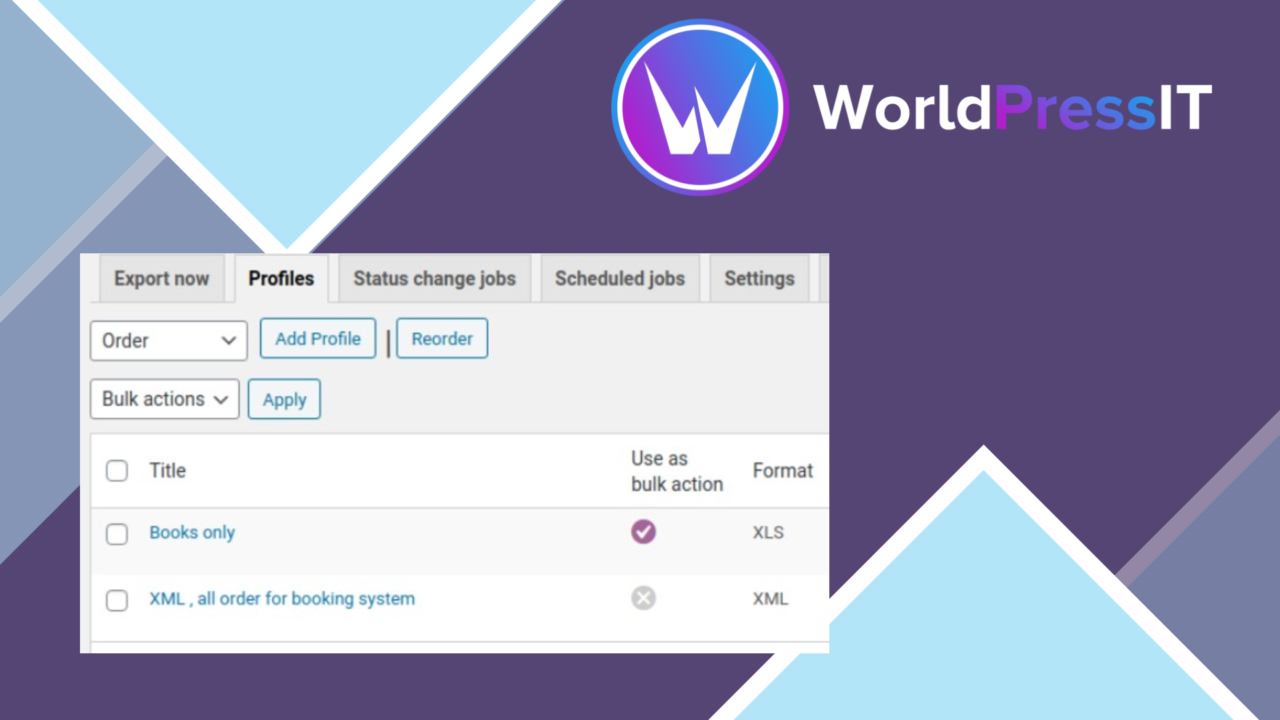
Advanced Order Export For WooCommerce is an export-focused utility for stores that need order data outside the WooCommerce dashboard. It brings order, product and coupon fields into configurable files, giving store owners, data analysts and e-commerce managers a way to shape the data around a particular report or workflow rather than exporting a fixed set of columns.
Order data in context
The main strength is control over what leaves the store. The plugin supports custom fields assigned to orders, products and coupons, so the export is not limited to the standard information supplied by WooCommerce. That matters for stores whose operational details live in extension fields or product-level data. Instead of treating every order as an identical record, you can select the fields that match the question being investigated.
This approach also suits recurring administrative work. A data analyst preparing a sales file, an operations manager checking fulfilment information, or a store owner reviewing coupon activity can work from a more relevant export. The plugin is designed to make that selection part of the export process rather than requiring manual copying from individual order screens.
Filters and formats
Advanced Order Export For WooCommerce includes filters for date, order status and other criteria. Date filtering is useful for period-based reports, while status filters help separate relevant orders from records that do not belong in a particular hand-off. The value of these controls is practical: a filtered export reduces the amount of unrelated data that someone must sort through afterwards.
Several output formats are available for different downstream uses:
- CSV for spreadsheet work and simple data exchange.
- Excel or XLS for users who prefer a workbook-based review process.
- XML for structured data workflows.
- JSON for systems and processes that use a machine-readable format.
The choice of format keeps the plugin useful across both manual and technical workflows. It is not presented as an analytics system; its job is to prepare WooCommerce data for the spreadsheet, reporting process or external system that comes next.
Recurring exports
Scheduled exports move the plugin beyond one-off file creation. Regular data updates can run according to a defined schedule, reducing the need to repeat the same export manually. This is a sensible fit for teams that maintain routine reporting or pass order information through a regular internal process.
The feature list also names integration with WooCommerce Subscriptions and WooCommerce Bookings. That gives stores using those extensions a reason to consider this tool rather than relying only on basic order fields. Multi-language and multi-currency support is included for stores whose order data spans more than one language or currency, while detailed logs and error reporting provide a place to investigate problems during export.
What to weigh
The flexibility introduces a setup cost. Once custom fields, date ranges, statuses and output formats are part of the configuration, an export requires deliberate field selection rather than a single universal preset. That is useful for tailored reports, but it adds decisions for teams that only need a quick list of orders.
There is also a boundary to the product’s role. It produces files and reports export problems; it does not replace the spreadsheet, reporting platform or other system used to interpret the exported data. Scheduled exports reduce repetitive work, but they still depend on sensible filters and field choices remaining appropriate as the store’s reporting needs change.
Who it suits
This plugin suits WooCommerce stores that regularly move order information into spreadsheets, structured data processes or operational reports. It is especially relevant when standard order exports omit custom fields, when orders need filtering by status or date, or when subscriptions, bookings, multiple languages and multiple currencies form part of the store’s data.
Stores with only occasional, basic export needs may find its field and scheduling controls more than they require. For everyone else, Advanced Order Export For WooCommerce offers a focused way to define, repeat and troubleshoot WooCommerce data exports without presenting the export itself as a complete analysis environment.
The verdict
Download Advanced Order Export For WooCommerce and see for yourself
You get the full Advanced Order Export For WooCommerce release (v4.0.5), ready to install, plus every update that follows. One click and it is yours.
Download Advanced Order Export For WooCommerce v4.0.5- Instant download
- Original developer files
- Updated 10 Sep 2026
Related reviews
Browse all
WooCommerce Elavon Converge Payment Gateway
Process card, eCheck and other Elavon payments through WooCommerce, with tokenized records, multi-currency support and o…

Aelia Tax Display by Country for WooCommerce
Country-aware WooCommerce tax display using IP geolocation, with support for multiple tax classes and configurable prici…

GetPaid Multi-Currency
Multi-currency pricing for WordPress stores, with location-based detection, automatic exchange-rate updates, payment gat…