Checkout for WooCommerce Plugin
Streamline WooCommerce checkout with responsive templates, tailored fields, multiple payment gateways, guest purchasing and checkout performance tracking.
Instant access Original unmodified files Free future updates
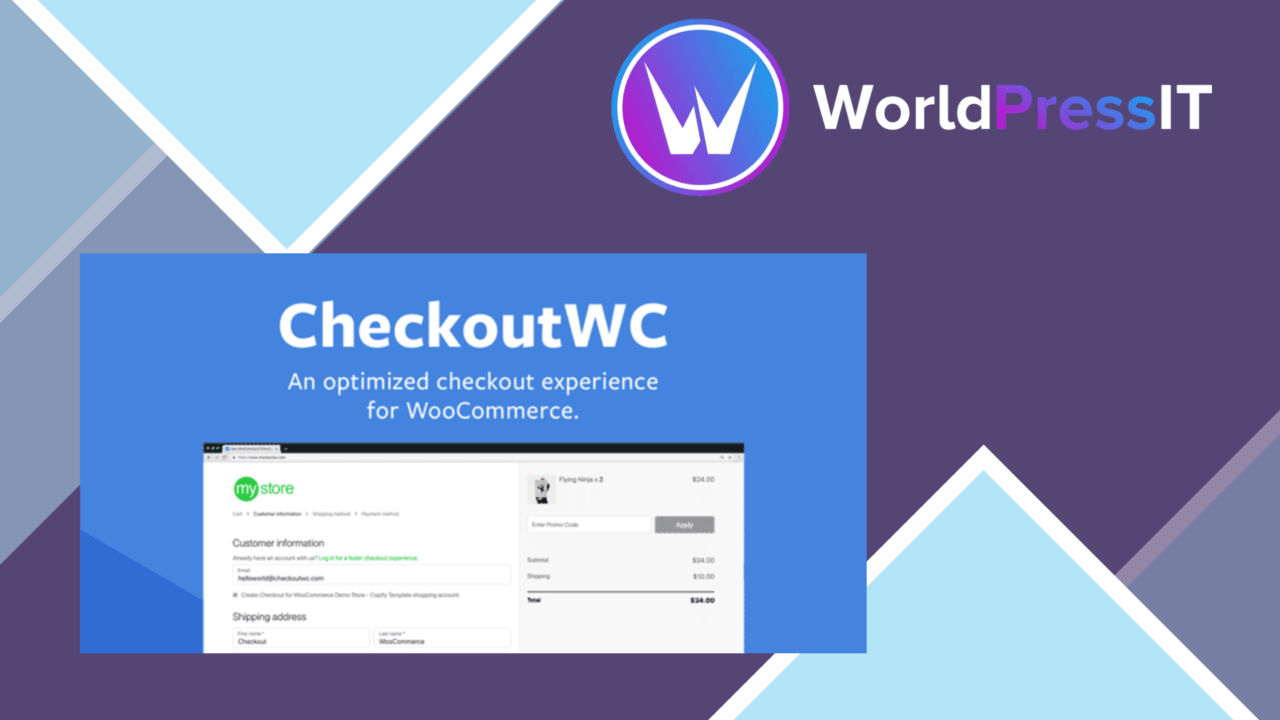
Checkout for WooCommerce Plugin replaces the standard WooCommerce checkout with a responsive, conversion-focused template designed to work across themes. Its purpose is narrow and practical: reduce friction between the cart and a completed order while giving store owners more control over the information, payment options and feedback shown during checkout.
A focused checkout replacement
The plugin addresses several common points of resistance in one place. Customers can use guest checkout rather than creating an account before paying, while real-time field validation helps catch incomplete or incorrect details during entry. The mobile-friendly layout also gives the checkout a more consistent shape on phones, tablets and desktop screens instead of leaving the experience entirely to the active theme.
That focus makes the product easier to place in a WooCommerce stack than a general page builder. It is aimed at the transaction itself, with tools for shaping the checkout journey rather than redesigning every page of the shop.
Fields and payment choices
Customisable checkout fields are useful when the default WooCommerce form asks for too much, too little or the wrong kind of customer information. Store owners can gather the details required for fulfilment or customer service while keeping the form aligned with their process. The important consideration is restraint: every additional field gives a customer another task before payment.
Payment gateway support covers named services including PayPal and Stripe, along with additional gateways. This gives a store more than one route to payment and supports customers with different preferences. The plugin also includes customisable order confirmation emails, so the message after purchase can carry the shop’s branding rather than relying entirely on a generic template.
Checkout performance signals
Built-in analytics provide a view of checkout performance and identify points where customers drop out. That is a useful operational feature for a store owner trying to connect a change in fields, payment options or layout with movement through the checkout. It keeps the relevant questions close to the checkout settings: where are customers leaving, and which part of the form needs attention?
The integration list is another practical strength. The vendor positions the plugin for use with popular WooCommerce extensions, giving stores a route to combine checkout changes with the other tools already supporting their catalogue, payments or order process.
What to weigh
A replacement checkout sits on a critical path, so it introduces another layer to maintain alongside WooCommerce, payment gateways and extensions. Custom fields, gateway connections and branded emails all add configuration decisions; stores with unusual order requirements should allow time to confirm that each part of the journey still collects and presents the right information.
The built-in analytics are specifically about checkout performance and drop-off points, not a complete account of shop activity. A store needing broader acquisition, product or customer analysis will still need its wider reporting setup. The responsive template is also intended to work with every theme, but the visual result remains dependent on how the chosen theme and other checkout customisations interact.
Who it suits
This is a sensible fit for WooCommerce stores that want a more controlled checkout without building the experience from scratch. It suits owners who need guest purchasing, mobile presentation, field validation, several payment routes and a way to inspect checkout abandonment in one plugin. Stores with a simple default checkout and no need for field, email or payment changes have less reason to add a replacement layer.
The verdict
Download Checkout for WooCommerce Plugin and see for yourself
You get the full Checkout for WooCommerce Plugin release (v11.4.0), ready to install, plus every update that follows. One click and it is yours.
Download Checkout for WooCommerce Plugin v11.4.0- Instant download
- Original developer files
- Updated 14 Oct 2026
Related reviews
Browse all
WooCommerce Elavon Converge Payment Gateway
Process card, eCheck and other Elavon payments through WooCommerce, with tokenized records, multi-currency support and o…

Aelia Tax Display by Country for WooCommerce
Country-aware WooCommerce tax display using IP geolocation, with support for multiple tax classes and configurable prici…

GetPaid Multi-Currency
Multi-currency pricing for WordPress stores, with location-based detection, automatic exchange-rate updates, payment gat…