Directorist
Appointments, reservations and payments brought into a WordPress booking system with custom forms, availability controls, reminders and reporting.
Instant access Original unmodified files Free future updates
Directorist – Booking is a WordPress booking plugin for businesses and service providers that need to organise appointments, reservations and client payments in one place. Its scope fits consultants, therapists and event organisers, with the main workflow built around a booking form, an availability calendar and notifications that keep customers informed after they schedule.
A booking system
The plugin addresses the practical parts of accepting bookings rather than treating a calendar as a standalone display. Visitors can use tailored booking forms, while the business manages appointments and reservations through a system intended to reduce scheduling conflicts. That makes it relevant to services with defined time slots, as well as organisations handling event reservations.
Customisation is one of the more useful parts of the offer. The forms can be adjusted to match the business requirements and branding, so a consultant does not have to present the same booking questions as an event organiser. The available description does not spell out the individual field types or conditional rules, but the stated focus is clear: the form is meant to reflect the service being booked rather than act as a fixed generic template.
Forms and availability
The real-time availability calendar is the operational centre of Directorist – Booking. It is designed to show current availability, prevent double bookings and make better use of the schedule. For a service provider, that connects the customer-facing form to the capacity the business is actually offering. The value is clearest where two people booking the same slot would create an immediate problem.
Mobile-friendly design is also part of the feature set. Customers checking an appointment from a phone should have an interface that remains accessible across device sizes, while the business gets a booking experience intended for more than desktop visitors. This is a stated design goal, not a guarantee that every theme or form layout will behave identically on every screen.
Payments and reminders
Directorist – Booking includes integration with popular payment gateways for online transactions. That gives a business the option to take payment as part of the booking flow instead of treating scheduling and payment as entirely separate tasks. The listing does not name the supported gateways or describe transaction settings, so gateway choice and the exact payment journey need attention before adoption.
Automated email notifications keep clients informed about their bookings. These messages are useful for confirming that a reservation has been recorded and for maintaining a clear line of communication after the appointment is made. The summary does not specify the available templates, triggers or reminder timing, so the notification system should be viewed as a stated capability rather than a fully documented messaging suite.
Beyond the calendar
The plugin also includes advanced reporting tools for examining booking trends and performance. That gives an operator a way to look beyond individual appointments and consider how the booking operation is performing over time. The listing does not identify the reports or metrics, but the presence of reporting broadens the product from a scheduling form into a management tool.
Multi-language support is aimed at sites serving an international audience. Directorist integration is another part of the design, allowing the booking component to work with other Directorist plugins where a directory or related feature set is already in use. These integrations are particularly relevant to a site that is building its wider service around Directorist rather than adding an isolated calendar to an unrelated stack.
What to weigh
The feature list covers forms, availability, payments, notifications, reporting, languages and integrations, but it leaves several implementation details unspecified. A business will need to confirm that its preferred payment gateway is supported, since the listing names no specific providers. The same uncertainty applies to reporting depth: advanced reporting sounds useful, but there is no detail on the available views, filters or export options.
There is also a trade-off in the broad scope. A simple appointment page may not need reporting, payment processing, multilingual support or connections to other Directorist components, while configuring those areas adds decisions to the booking setup. Mobile-friendly design and custom branding improve the intended customer experience, but they do not remove the need to check the chosen theme and form presentation. These are sensible considerations for a small operation seeking only a basic calendar.
Best fit
Directorist – Booking suits businesses that need more than a public timetable. Consultants, therapists and event organisers get a feature set covering the path from a customised request form to availability management, online payment and client communication. It is also a plausible choice for an international service or a site already using the Directorist ecosystem.
For a business with recurring appointments or reservations, the combination of a real-time calendar and booking notifications is the strongest reason to consider it. Reporting and payment integrations extend that foundation, although their practical value will depend on the gateways, reports and configuration options available for the particular workflow.
The verdict
Download Directorist and see for yourself
You get the full Directorist release (v3.1.2), ready to install, plus every update that follows. One click and it is yours.
Download Directorist v3.1.2- Instant download
- Original developer files
- Updated 22 Nov 2026
Related reviews
Browse all
The Events Calendar Community Events
Let visitors submit and manage events from your WordPress site, with categories, maps, recurring schedules, registration…

FooEvents Seating Plugin
Let event guests choose reserved seats at checkout, with venue layouts, table seating, availability updates and reports…
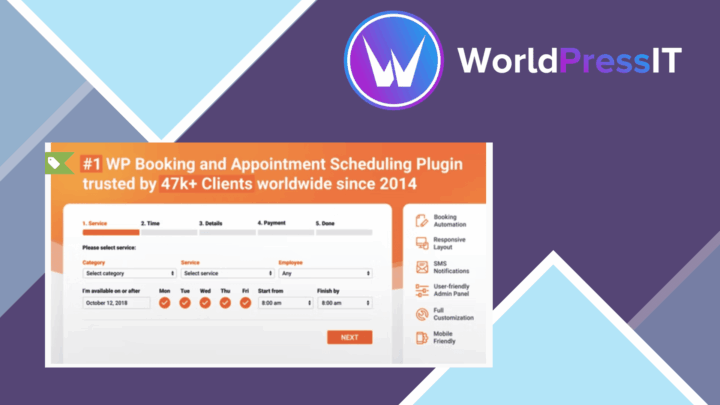
Bookly PRO
Add fixed or percentage discounts to Bookly appointments, with expiry dates, campaign codes, booking rules and reporting…