FooEvents Bookings
Online bookings for events, classes, venues and services, with availability checks, attendee forms, WooCommerce payments and automated booking emails.
Instant access Original unmodified files Free future updates
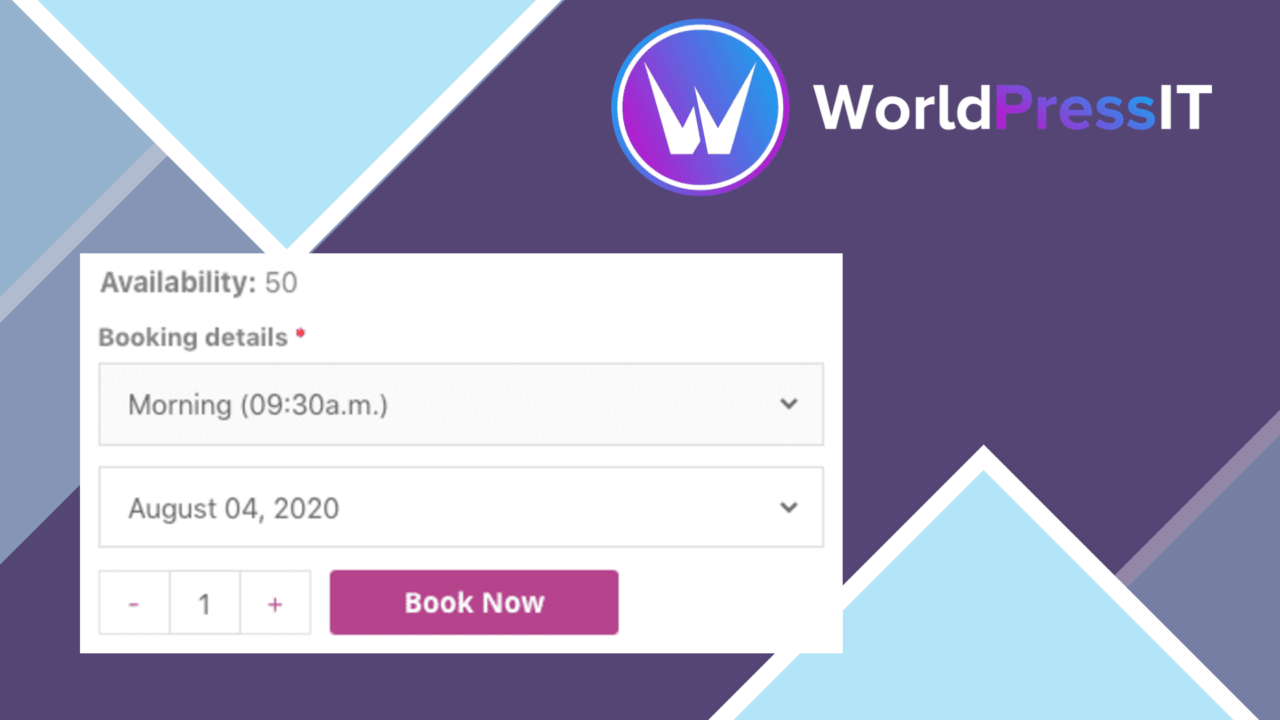
FooEvents Bookings puts event registration, ticket sales and slot booking on a WordPress site. It is aimed at organisers managing physical or virtual events, venues, classes and services, with a self-service flow that lets customers check availability and reserve a place without phone calls or email exchanges.
Booking-led event management
The plugin brings the core booking journey into one WordPress-based system. Customers choose an available space or slot, submit the information requested on the booking form and complete payment through the WooCommerce integration. On the administration side, an organiser has a dashboard for managing bookings, attendees and event details.
This scope suits more than one event format. A workshop, conference, webinar, recurring class or bookable service can use the same general approach, while custom event pages provide room for dates, venue information and other details attendees need before reserving a place.
Useful controls for organisers
FooEvents Bookings concentrates on the practical details that create booking errors when handled manually. Availability updates in real time, which helps keep the remaining capacity aligned with customer bookings and reduces the risk of accepting more reservations than an event can handle. Automated email notifications keep attendees informed after they book.
- Custom booking forms collect information specific to an event or service.
- WooCommerce handles payment processing and connects with ticket management.
- Real-time availability helps prevent overbooking.
- A dashboard brings bookings, attendees and event details together.
- Custom event pages present essential information in the site’s branded design.
- Mobile-friendly layouts support bookings on phones and tablets.
The useful distinction here is between the customer-facing and administrative sides. Visitors get availability information and a booking form, while organisers get a central place to review reservations and attendee information. That division keeps the plugin focused on the complete booking process rather than only the event page.
Presentation and payment
Customisable event pages are valuable for organisations that need booking information to sit within an existing WordPress design. The vendor also describes mobile-friendly design, so the booking path is intended to remain usable across different screen sizes. WooCommerce integration provides the stated route for secure payments and ticket management, instead of leaving payment handling as a separate manual step.
The form builder adds another practical layer. Different events often need different attendee details, and the ability to collect specific information prevents every booking from being reduced to the same name-and-email exchange. This is particularly relevant for classes, workshops and services where organisers need context about the person attending.
Where it falls short
The feature description is strong on the booking path but light on the surrounding event-management ecosystem. It does not specify calendar synchronisation, reporting, reminders beyond automated email notifications, or integrations beyond WooCommerce. Organisations that need those areas documented before choosing a booking system will have unanswered questions.
WooCommerce is also the only stated payment and ticket-management integration. A site that does not already use WooCommerce has no alternative payment route described here, so the plugin is a more natural fit for a WooCommerce-based WordPress setup than for a standalone booking stack. Finally, the broad support for events, classes and services means organisers still need to decide how each event page, form and availability rule should be configured; the product provides the booking tools, not the event operating plan.
Who it suits
FooEvents Bookings is a sensible match for a business, nonprofit or individual organiser that wants customers to reserve event places or service slots without staff handling each request. It fits sites selling tickets through WooCommerce and those that need custom attendee questions, availability control and booking emails in the same workflow.
It is less compelling for teams primarily seeking advanced reporting, wider third-party integrations or a documented alternative to WooCommerce payments. For the stated use case, though, its value is clear: it turns a WordPress site into a customer-facing booking point while keeping reservations, attendees and event details in one dashboard.
The verdict
Download FooEvents Bookings and see for yourself
You get the full FooEvents Bookings release (v2.0.16), ready to install, plus every update that follows. One click and it is yours.
Download FooEvents Bookings v2.0.16- Instant download
- Original developer files
- Updated 21 Oct 2026
Related reviews
Browse all
WP Sheet Editor Events Pro
Bulk-edit event dates, locations and custom fields, with filtering, recurring-event support, calendar integration, and C…
WooCommerce Bookings Availability
A calendar-based booking tool for WooCommerce stores, showing open dates and time slots while supporting rental periods,…
LatePoint Addon
Two-way Google Calendar synchronisation for LatePoint appointments, with agent accounts, multiple calendars, reminders a…