FooEvents Calendar
Create and display WordPress events with a responsive calendar, recurring listings, attendee forms, WooCommerce ticket sales, maps, filters and email notices.
Instant access Original unmodified files Free future updates
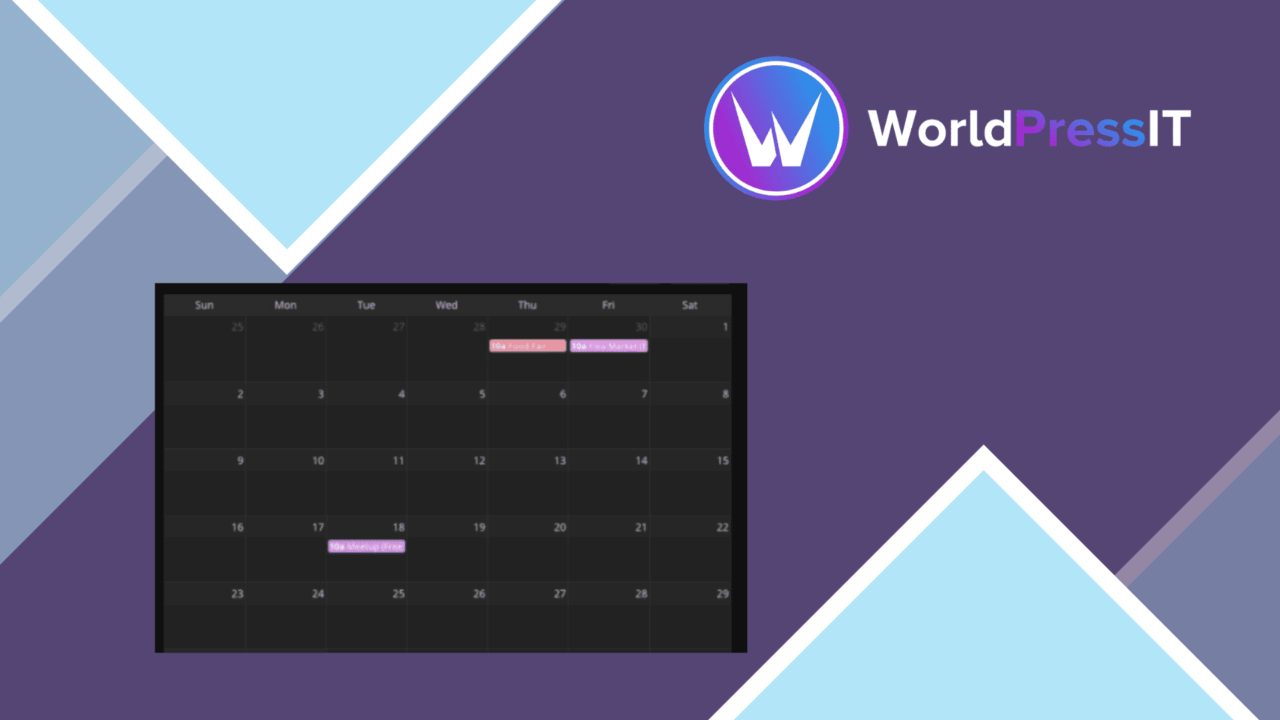
FooEvents Calendar turns WordPress content into event listings that visitors can browse in a calendar view. It combines event presentation with booking-oriented features, giving a site one place for schedules, attendee details, locations and event updates.
Calendar-first management
The central feature is a customisable calendar layout for displaying events on a WordPress site. Posts, pages and custom post content can be converted into events, which makes the plugin suitable for sites that already publish activities through standard WordPress content rather than a separate event system. Shortcodes and widgets provide two ways to place the calendar in the site, so the event view does not have to be tied to a single page template.
Tools for event listings
FooEvents Calendar covers the practical details that turn a date on a calendar into a usable event listing. Its feature set includes:
- Recurring events for repeated activities.
- Registration forms that collect specific attendee information.
- WooCommerce integration for ticket sales and bookings.
- Google Maps integration for displaying event locations.
- Category and date filters to help visitors narrow the event list.
- Responsive presentation for phones, tablets and desktops.
- Email notifications that keep attendees informed about event changes.
The combination is more useful than a calendar that only prints dates. A visitor can filter the schedule, find a location, and encounter a registration path from the same event presentation. For an organisation with classes, appointments, recurring activities or ticketed occasions, these pieces address both discovery and the information gathered during registration.
Bookings and presentation
WooCommerce support places ticket sales and bookings within a familiar WordPress commerce workflow, while tailored registration forms handle attendee information that a basic checkout would not necessarily capture. Google Maps adds location context to the event record, and email notices provide a channel for communicating changes after someone has registered. The visual side is also given attention: the calendar layout is customisable, and responsive design keeps the schedule usable across different screen sizes.
Where it falls short
The broad feature set brings configuration decisions that a simple date-listing plugin would avoid. A site that only needs a few public dates could find recurring-event rules, registration fields, ticket handling, maps and notifications more machinery than necessary. Ticket sales and bookings are also tied to the WooCommerce integration, so a site that does not use WooCommerce will not get value from that part of the product. Recurring events automate repeated listings, but activities with frequent date-specific changes still need careful event management rather than being left to a repeating pattern. The vendor material also does not explain how the calendar handles more specialised scheduling needs, such as capacity rules or complex booking conditions, so those requirements deserve confirmation before choosing it.
Who it suits
FooEvents Calendar fits organisations that need more than a static events page: businesses selling attendance, groups running repeated activities, and site owners collecting attendee information alongside dates and locations. It is particularly well matched to a WordPress site already using WooCommerce and publishing its content through posts, pages or custom post content. Sites seeking only a lightweight calendar will find the booking and notification features less central, while event-led sites gain a fuller route from listing to registration.
The verdict
Download FooEvents Calendar and see for yourself
You get the full FooEvents Calendar release (v2.0.6), ready to install, plus every update that follows. One click and it is yours.
Download FooEvents Calendar v2.0.6- Instant download
- Original developer files
- Updated 18 Nov 2026
Related reviews
Browse all
Bookly PRO
Add fixed or percentage discounts to Bookly appointments, with expiry dates, campaign codes, booking rules and reporting…
Bookly Gift Cards Add-on
Sell service-specific or fixed-value gift cards through Bookly, with codes, expiry dates, partial redemption and payment…
Bookly Custom Statuses Add-on
Custom appointment states for Bookly Pro help teams track phone confirmations, no-shows, invoicing and other steps beyon…