JetFormBuilder Select Autocomplete
Adds predictive suggestions to JetFormBuilder fields, helping visitors complete addresses, names and other repeated values with less typing and fewer input errors.
Instant access Original unmodified files Free future updates
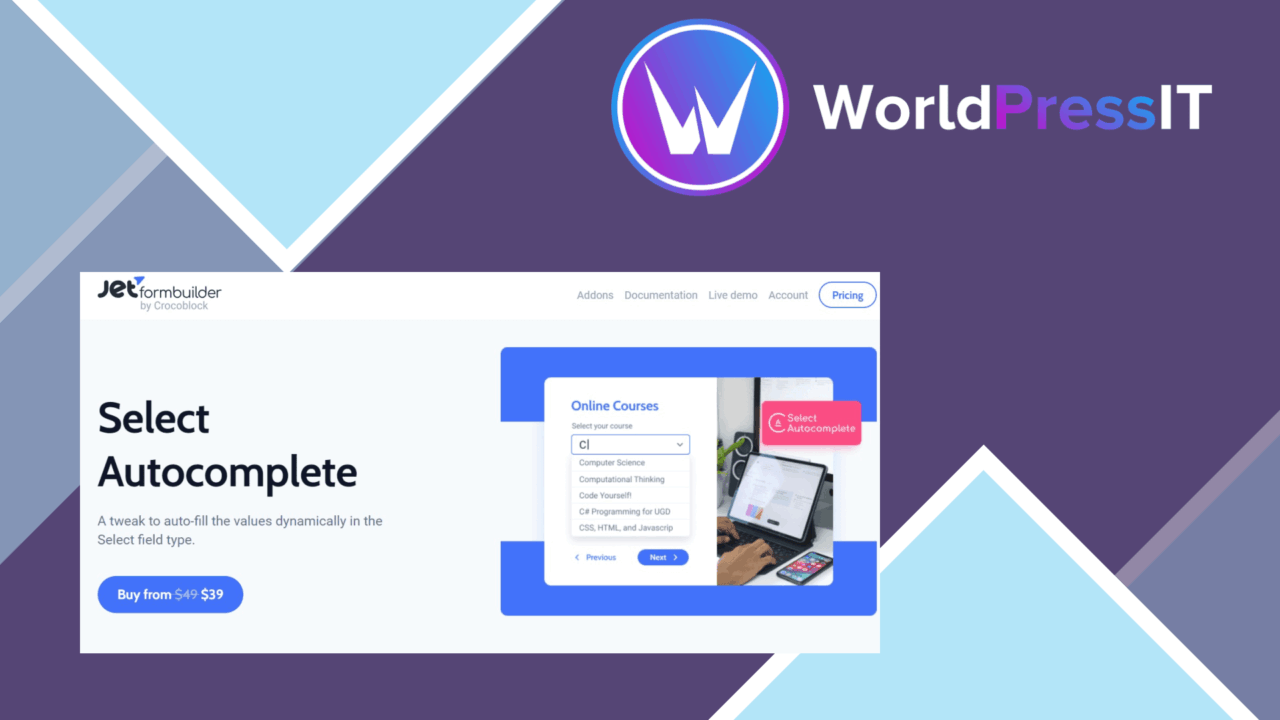
JetFormBuilder Select Autocomplete adds suggestion-driven input fields to forms built with JetFormBuilder. A visitor starts typing, then chooses from matching values instead of entering a full address, name or other repeated piece of information by hand. That focused purpose makes it a practical add-on for forms where accuracy and completion speed matter more than adding another general-purpose field type.
Suggestions as users type
The central feature is dynamic autocomplete. As text is entered, the field presents relevant suggestions for selection. This shortens repetitive entries and gives visitors a clearer path through longer forms, particularly where the expected answer comes from a known set of values.
Autocomplete also addresses a common source of form friction: users typing the same information in slightly different ways. Selecting a displayed value rather than rekeying it is intended to reduce typing errors and make completion quicker. The value is clearest on fields that contain recognisable names, addresses or other recurring data rather than open-ended responses.
Flexible suggestion sources
The add-on is not limited to a manually written list. Its stated data-source support includes custom post types and taxonomy terms, giving site owners a way to connect suggestions to content already organised in WordPress. That opens useful cases for forms asking visitors to choose from site-specific records, categories or other structured values.
- Dynamic suggestions respond to the visitor’s input.
- Suggestion lists can be tailored to particular fields and user needs.
- Custom post types and taxonomy terms are supported as data sources.
- Multiple languages are supported through localisation features.
- The interface is designed for desktop and mobile screens.
These options keep the field relevant to the form rather than forcing every project into the same fixed list. A content-heavy site, for example, has a route to use its existing post or taxonomy structure as the basis for selection.
Configuration in context
Configuration is available from the WordPress dashboard, so the autocomplete behaviour sits alongside the JetFormBuilder form workflow rather than requiring a separate front-end system. The integration is the important part here: the add-on is designed to extend JetFormBuilder forms as a focused field enhancement.
Responsive presentation is also part of the feature set. Forms that are completed on smaller screens still receive the same suggestion-based interaction, while localisation support gives multilingual sites a way to present the feature to a broader audience.
Where it falls short
The first trade-off is scope. This is an add-on for JetFormBuilder forms, not a general autocomplete layer for every WordPress form system. Sites using another form builder would need a different solution, and teams should account for the underlying JetFormBuilder requirement before choosing it.
The second trade-off concerns the suggestion data. The vendor describes support for custom post types, taxonomy terms and tailored lists, but does not describe advanced matching controls, ranking rules or external address databases. Projects that need highly specialised search behaviour should not assume those controls are included. Large or poorly organised source lists could also make field configuration more demanding than a small fixed set of choices.
Who should use it
JetFormBuilder Select Autocomplete suits site owners and developers building forms around structured, repeatable answers. Address fields, name fields, content selections and taxonomy-based choices are the natural targets. It is a sensible fit when reducing manual typing is a priority and the available answers already exist in a manageable WordPress data source.
It is less compelling for short forms with only a few simple fields, or for forms that need free-text answers throughout. Within its intended JetFormBuilder role, though, it adds a clear interaction pattern: type part of a value, review the matching suggestions and select the intended result.
The verdict
Download JetFormBuilder Select Autocomplete and see for yourself
You get the full JetFormBuilder Select Autocomplete release (v1.0.8), ready to install, plus every update that follows. One click and it is yours.
Download JetFormBuilder Select Autocomplete v1.0.8- Instant download
- Original developer files
- Updated 19 Sep 2026
Related reviews
Browse all
Gravity Forms Partial Entries Addon
Captures information from unfinished Gravity Forms submissions so teams can follow up on abandoned enquiries instead of…

Gravity Forms 2Checkout
Accept payments through Gravity Forms with 2Checkout, including recurring billing, multiple currencies, card and PayPal…

Toolset Forms
Front-end forms for creating and editing WordPress content, with custom fields, conditional logic, notifications and mul…