JetPopup For Elementor
Create targeted Elementor popups for lead capture, promotions and notices, with page conditions, responsive layouts, scheduling and behaviour-based display controls.
Instant access Original unmodified files Free future updates

JetPopup For Elementor adds a popup-building layer to Elementor for sites that need more than a fixed banner or inline form. It is aimed at lead capture, promotional messages and important notices, with templates that can be assigned to particular pages, widgets and display conditions. The central idea is practical: design a popup visually, decide where it belongs, then control when visitors see it.
Popup templates
The plugin is built around reusable popup templates rather than isolated messages. That makes it suitable for several common jobs, including subscription forms, promotional banners and notifications. A template can be connected to a specific widget or displayed on selected pages, giving the site owner a way to keep a campaign focused instead of showing the same message everywhere.
Preset designs are part of the package, so the starting point is not always a blank canvas. The vendor describes dozens of popup presets, alongside interface presets and controls for styling and actions. This gives Elementor users a combination of prepared layouts and more direct control over the final presentation.
Targeting and timing
JetPopup’s targeting options are its more useful distinction from a basic modal widget. Display conditions and user-behaviour rules determine where and when a popup appears, while scheduling supports campaigns tied to particular dates and times. That covers a seasonal offer, a time-limited announcement or a subscription prompt intended for a defined section of a site.
The available controls also include actions attached to the popup, not only its appearance. Used with page-level conditions and widget connections, this creates a framework for separating promotional messages from site-wide notices. Email marketing integrations extend the lead-capture use case by connecting subscription-oriented popups with popular email services.
Design controls
Design work takes place through Elementor’s drag-and-drop interface, which keeps popup construction close to the page-building workflow. The feature list includes adjustable animations and transitions, allowing an entry effect to support the message rather than relying on a static appearance. Responsive design is also specified, so layouts are intended to remain usable across desktop and smaller screens.
That combination makes JetPopup useful for more than a single newsletter form. A business site could use one template for a subscription request, another for a promotional banner and a third for a notification, with different conditions and visual treatments for each. The available presets shorten the route from an idea to a presentable popup, while Elementor supplies the familiar editing model.
Where it falls short
Popup tools always introduce a second layer of visitor interaction, and JetPopup is no exception. Animations, conditions and multiple campaign templates need a clear display plan; without one, visitors may encounter too many interruptions or see messages that compete with the page’s main purpose. The flexibility is useful, but it also creates more decisions than a single static callout.
The Elementor connection is an advantage for existing Elementor users, but it makes the plugin less compelling for sites built around another editor. There is also limited detail in the supplied material about the depth of its analytics tracking: tracking is listed, but specific reports, metrics and integrations are not described. Treat that feature as a performance signal rather than assuming a complete campaign-reporting system.
Who it suits
JetPopup fits marketers and site owners who need targeted messages without hand-building popup layouts. It is particularly relevant to Elementor-based business sites, campaign pages and shops that need subscription forms, product promotions or timed notices. Developers managing several message types will value the combination of templates, page conditions, widget connections and presets.
Choose it for a structured popup workflow rather than simply adding a modal to one page. Its strongest case is a site with distinct audiences, campaigns or messages that benefit from controlled display rules. If the requirement is only one uncomplicated notice, the broader set of conditions, effects and templates is more machinery than necessary.
The verdict
Download JetPopup For Elementor and see for yourself
You get the full JetPopup For Elementor release (v2.2.3.3), ready to install, plus every update that follows. One click and it is yours.
Download JetPopup For Elementor v2.2.3.3- Instant download
- Original developer files
- Updated 16 Oct 2026
Related reviews
Browse all
Affiliate Forms
Affiliate registration and campaign forms for Ninja Forms, with click, conversion and earnings tracking to help manage a…
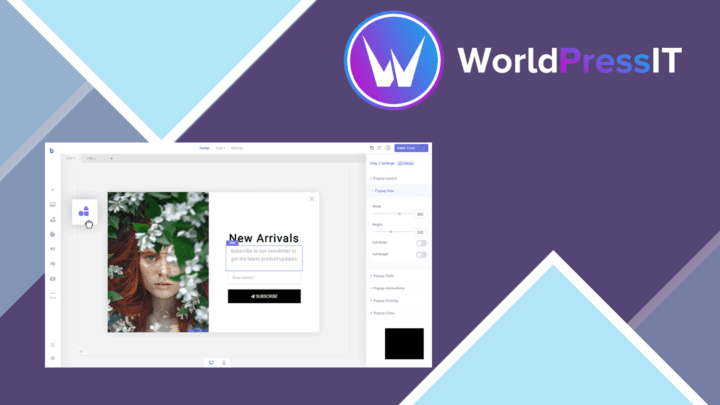
Brave Popup Builder PRO
Create targeted WordPress popups with visual editing, timed and behavioural triggers, email integrations, A/B testing an…

MailChimp for WooCommerce Memberships
Connect WooCommerce memberships and subscriptions to MailChimp for member segmentation, targeted campaigns, opt-in forms…