JetProductTables
Product tables for WooCommerce stores that need to show variable products, sortable details, and product variations in a compact, responsive layout.
Instant access Original unmodified files Free future updates
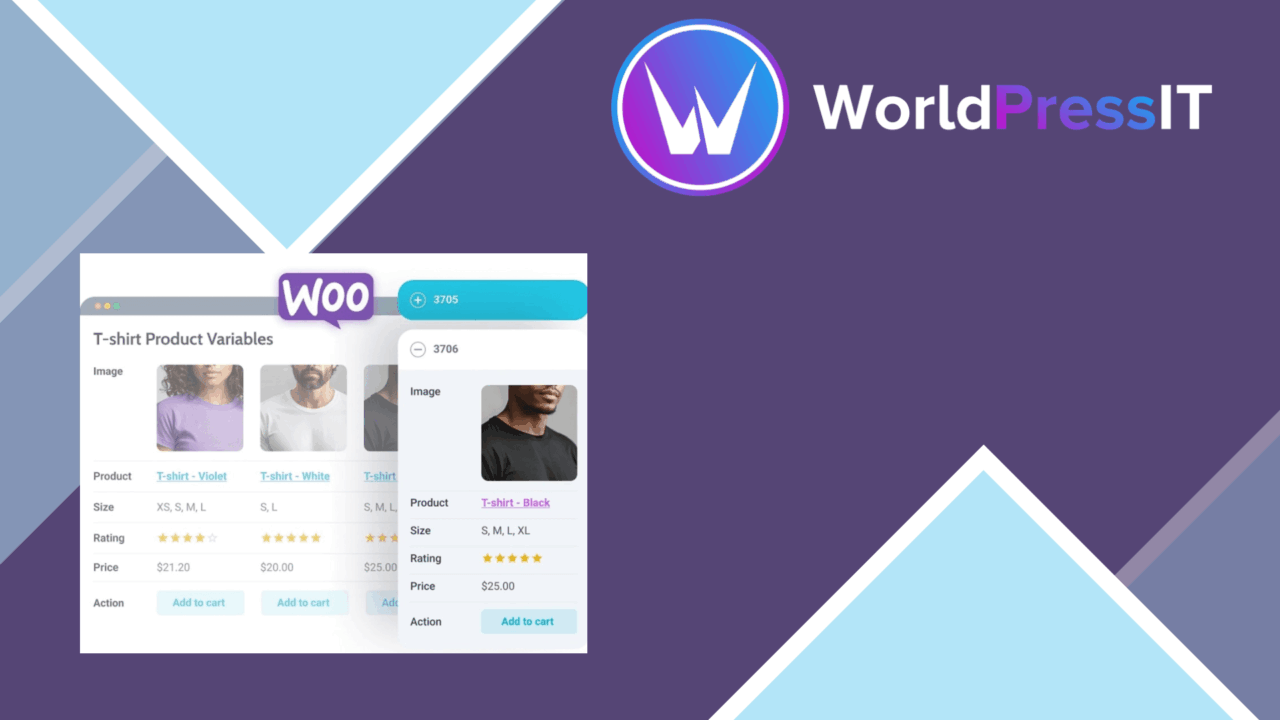
JetProductTables is a WooCommerce-focused WordPress plugin for presenting product information in rows and columns instead of relying only on individual product pages. Its main use case is a catalogue with variations such as colours, sizes, or materials, where shoppers need to compare several options on one page. The plugin is designed to output the variations of a variable product together, giving store owners a more structured way to display products with multiple configurations.
Built for comparison
The strongest idea here is the single-page product table. A standard shop grid gives each item a card, while a table puts product details into a consistent structure that is easier to scan across several products or variations. That format suits catalogues where specifications, options, and product choices matter as much as the product image.
WooCommerce integration keeps the table connected to the store’s product details. The vendor positions the plugin for both small shops and larger retailers, and the underlying approach is useful for either: a compact table for a focused range, or multiple arrangements for a broader catalogue. The emphasis is on organising information for comparison rather than replacing the rest of the shop.
Useful table controls
JetProductTables includes a set of controls aimed at shaping the table around a particular catalogue. The stated feature set covers:
- Drag-and-drop arrangement of product data, so table content can be ordered without manually rebuilding the layout.
- Advanced filtering and sorting options for customers browsing products by available criteria.
- Multiple layout options to align the table with the site’s existing design and branding.
- Import and export tools for managing product data across table configurations.
- Shortcode support for placing tables in different areas of a WordPress site.
- Responsive output intended for desktop, tablet, and mobile screens.
These controls give the plugin a broader role than a fixed product list. A retailer can create different presentations for different ranges, then place those tables where the catalogue needs them. Shortcodes are particularly practical for sites that use several content areas, since the table is not described as being limited to one shop archive.
Variable products in view
Showing variations on one page is the clearest reason to consider this plugin. A store selling the same item in several sizes, colours, or materials often forces shoppers to move between selectors and product pages. JetProductTables is intended to put those choices into one view, which supports direct comparison and gives the product range a more complete presentation.
The filtering feature adds a second layer to that approach. Instead of presenting every row as an undifferentiated list, the table can be arranged around customer-facing criteria. The vendor does not name the available criteria, so the value of this feature will depend on how well those controls map to the attributes already used in the WooCommerce catalogue.
What to weigh
A table is information-dense by design. That helps shoppers compare products, but it also creates more decisions about which fields belong in the first view and how variations should be grouped. The responsive design addresses screen size, not the underlying amount of information, so a mobile table still needs careful field selection and ordering.
There is also some uncertainty in the broad feature description. The vendor does not specify which product fields are supported, what filter criteria are available, or which import and export formats are accepted. Those details matter for a catalogue with complex attributes or an established data-management process. Multiple layouts and drag-and-drop controls provide flexibility, but they also introduce setup work before a table becomes a clear buying aid rather than a long list of columns.
Who it suits
JetProductTables is best suited to WooCommerce shops where customers compare specifications or choose among related variations. Apparel, equipment, parts, and material-based products are natural fits because colour, size, and material are named as core examples. It also suits site owners who need tables embedded in different pages through shortcodes or who want the presentation to follow an existing visual identity.
It is less compelling for a small catalogue where each product needs a story-led page and only one or two options. In that setting, a table adds an extra presentation layer without solving a clear comparison problem. For stores with substantial variation data, however, the plugin’s combination of WooCommerce synchronisation, sortable tables, filtering, responsive layouts, and variation-focused display forms a coherent reason to use a table-based catalogue.
The verdict
Download JetProductTables and see for yourself
You get the full JetProductTables release (v1.2.4), ready to install, plus every update that follows. One click and it is yours.
Download JetProductTables v1.2.4- Instant download
- Original developer files
- Updated 11 Oct 2026
Related reviews
Browse all
WooCommerce Elavon Converge Payment Gateway
Process card, eCheck and other Elavon payments through WooCommerce, with tokenized records, multi-currency support and o…

Aelia Tax Display by Country for WooCommerce
Country-aware WooCommerce tax display using IP geolocation, with support for multiple tax classes and configurable prici…

GetPaid Multi-Currency
Multi-currency pricing for WordPress stores, with location-based detection, automatic exchange-rate updates, payment gat…