MemberPress Funnels
Build MemberPress purchase paths with order bumps, upsells, downsells and tracked thank-you steps, without requiring custom funnel code.
Instant access Original unmodified files Free future updates
MemberPress Funnels adds a visual sales-funnel layer to MemberPress, connecting checkout, offer and thank-you steps into a guided purchase path. Its focus is specific: present relevant products after an initial purchase, give customers clear accept-or-decline choices, and record how each funnel step performs.
Visual funnel building
The funnel builder uses a visual canvas rather than requiring code for the basic setup. A funnel starts with a checkout step and connects to upsell, downsell and thank-you steps. Each offer decision leads to its own next step, so an accepted upsell and a declined upsell follow different routes.
Pre-built funnel templates provide a starting structure, while a blank canvas suits a more deliberate build. This arrangement is useful for mapping a complete offer sequence before editing the individual pages. It also makes the relationship between the initial product, follow-up offer and final thank-you page easier to see than a collection of disconnected settings.
Offers after checkout
MemberPress Funnels covers the main offer types used in a membership purchase sequence. Order bumps appear during checkout, one-click upsells follow the original purchase, and downsells provide an alternative after a declined upsell. Offer pages support custom titles, images, descriptions and presentation details.
- Order bumps for add-ons shown during checkout
- One-click upsells using the payment method from the original checkout
- Downsell paths for customers who reject an upsell
- Custom thank-you pages or the default MemberPress thank-you page
- Countdown timers and image-focused, centred hero, or video-and-text layouts
- Default quantities and quantity controls for supported digital products
Accepted offers are added to the same order and charged through the payment method already used. Customers therefore do not re-enter payment details for each post-purchase offer, which keeps the sequence focused on the offer rather than another payment form.
Rules and reporting
Order-based rules determine when a funnel appears by checking minimum and maximum order amounts. That gives site owners a way to show a higher-value offer only for qualifying purchases or reserve a smaller add-on for a particular order range.
Per-funnel analytics cover entries, views, purchases, conversion rates and revenue. Step-level performance data helps identify where customers stop accepting offers, while revenue tracking separates income from accepted funnel offers and supports a more direct view of the funnel’s contribution.
What to weigh
The first limitation is its dependence on MemberPress. This is an add-on for an existing membership checkout rather than a general-purpose funnel tool, so it is not a natural fit for a site whose products and payments live elsewhere.
There is also a maintenance cost to branching journeys. A simple checkout followed by one offer is easy to understand, but every accept and decline path adds another page, message and outcome to maintain. Countdown timers and multiple layouts add presentation options, not a substitute for deciding which offer genuinely belongs in the sequence.
Finally, post-purchase charging is tied to the payment method from the original order. That removes repeated payment entry, but it also makes the experience depend on the original transaction being suitable for the added offer. The available reporting is centred on funnel entries, conversions and revenue, so teams seeking broader customer-journey analysis will need to look beyond these listed metrics.
Who it suits
MemberPress Funnels suits membership publishers with several related products, add-ons or upgrade offers and a clear reason to change the next offer according to the customer’s decision. It is particularly appropriate for owners who want connected checkout paths, repeatable offer layouts and funnel-level revenue figures without assembling each step by hand. Sites with a single membership product or no post-purchase offer strategy will find less value in the extra structure.
The verdict
Download MemberPress Funnels and see for yourself
You get the full MemberPress Funnels release (v1.0.1), ready to install, plus every update that follows. One click and it is yours.
Download MemberPress Funnels v1.0.1- Instant download
- Original developer files
- Updated 17 Oct 2026
Related reviews
Browse all
Affiliate Forms
Affiliate registration and campaign forms for Ninja Forms, with click, conversion and earnings tracking to help manage a…
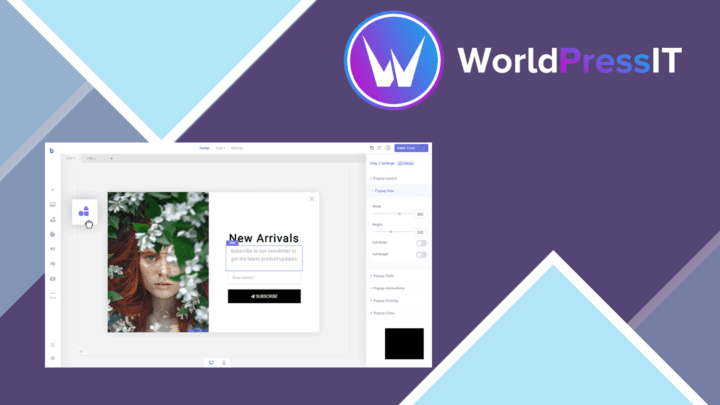
Brave Popup Builder PRO
Create targeted WordPress popups with visual editing, timed and behavioural triggers, email integrations, A/B testing an…
MailChimp for WooCommerce Memberships
Connect WooCommerce memberships and subscriptions to MailChimp for member segmentation, targeted campaigns, opt-in forms…