Newsletter – Extended Composer Blocks
Build branded WordPress newsletters with reusable blocks, drag-and-drop layouts, responsive styling, service integrations and dynamic content for more personal campaigns.
Instant access Original unmodified files Free future updates
Newsletter – Extended Composer Blocks focuses on the part of email marketing that often consumes the most time: turning a message into a clear, branded layout. It provides reusable content blocks, adjustable arrangements and styling controls inside a WordPress-based newsletter workflow, giving bloggers, marketers and business owners a way to assemble campaigns without writing code.
A block-based workflow
The central idea is a library of pre-built blocks that can be combined into different newsletter styles. Drag-and-drop layout adjustments make it easier to change the order and structure of a message as it takes shape, rather than rebuilding each campaign from a blank page. That approach suits recurring newsletters where the content changes but the basic structure remains familiar.
The block model also gives the editor a practical starting point for different types of content. A campaign can be assembled from prepared sections, then adjusted to suit the message and the intended audience. The feature list does not specify the exact blocks included, so the value of the library will depend on whether its templates match the kinds of newsletters your site sends.
Brand and device support
Advanced styling options are intended to bring newsletter layouts closer to an existing brand identity. Colours, spacing and other visual choices can be adjusted instead of leaving every campaign with the same generic appearance. Responsive design is another important part of the offering, with layouts designed to remain readable across different screen sizes.
This combination is useful for teams that need a consistent look without handing every email to a designer. Pre-built templates save time, while the styling layer leaves room for a more recognisable presentation. The result is still a content editor rather than a full brand-management system, so consistency will rely on the choices made by whoever builds each campaign.
Connections and personalisation
The plugin lists integrations with Mailchimp and Constant Contact, giving it a place in workflows that already use those email marketing services. Dynamic content adds a second layer by allowing newsletters to be personalised rather than treating every subscriber as part of one undifferentiated audience.
These features point to a tool aimed at more than static announcements. A marketer can start with a prepared layout, apply the organisation’s visual style, connect the campaign to a named email service and introduce content variations for a more relevant message. The supplied information does not describe the available personalisation rules or the depth of either service integration, so those details deserve attention before building a complex campaign process around them.
What to weigh
The breadth of the feature list is also the main reason to look closely at the fit. Drag-and-drop editing, pre-built blocks and advanced styling reduce the need for code, but they introduce more layout decisions than a fixed newsletter template. A polished result still requires someone to manage spacing, hierarchy and brand consistency.
Responsive layouts help with screen sizes, yet email rendering also depends on the recipient’s mail client. The product description does not identify supported clients or provide rendering comparisons, so responsive design should not be treated as a guarantee of identical presentation everywhere. The Mailchimp and Constant Contact connections are useful in principle, but the copy does not explain synchronisation, campaign hand-off or which service features remain available. That uncertainty is a limitation for organisations planning a tightly integrated marketing operation.
Who it suits
This is a sensible fit for WordPress users who send newsletters regularly and want a repeatable visual editing process. Bloggers can use pre-built blocks to turn posts and announcements into structured emails, while small marketing teams gain styling controls and dynamic content without needing to code each layout.
It is less clearly suited to organisations seeking detailed email automation, documented service-specific workflows or deep reporting, since none of those capabilities are described in the supplied feature list. Its strength is the composition stage: assembling attractive, branded newsletters from reusable pieces and preparing them for distribution through familiar email marketing services.
The verdict
Download Newsletter – Extended Composer Blocks and see for yourself
You get the full Newsletter – Extended Composer Blocks release (v1.7.1), ready to install, plus every update that follows. One click and it is yours.
Download Newsletter – Extended Composer Blocks v1.7.1- Instant download
- Original developer files
- Updated 1 Nov 2026
Related reviews
Browse all
JetFormBuilder HubSpot
Connect WordPress forms to HubSpot for contact capture and updates, with conditional fields, multi-step layouts, spam pr…
Affiliate Forms
Affiliate registration and campaign forms for Ninja Forms, with click, conversion and earnings tracking to help manage a…
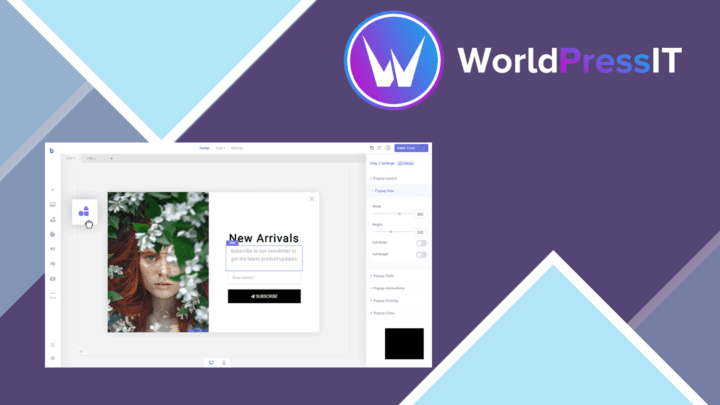
Brave Popup Builder PRO
Create targeted WordPress popups with visual editing, timed and behavioural triggers, email integrations, A/B testing an…