Novashare
Social sharing buttons for WordPress, with floating placement, shortcodes, share counts and analytics integration for content promotion across 20-plus networks.
Instant access Original unmodified files Free future updates
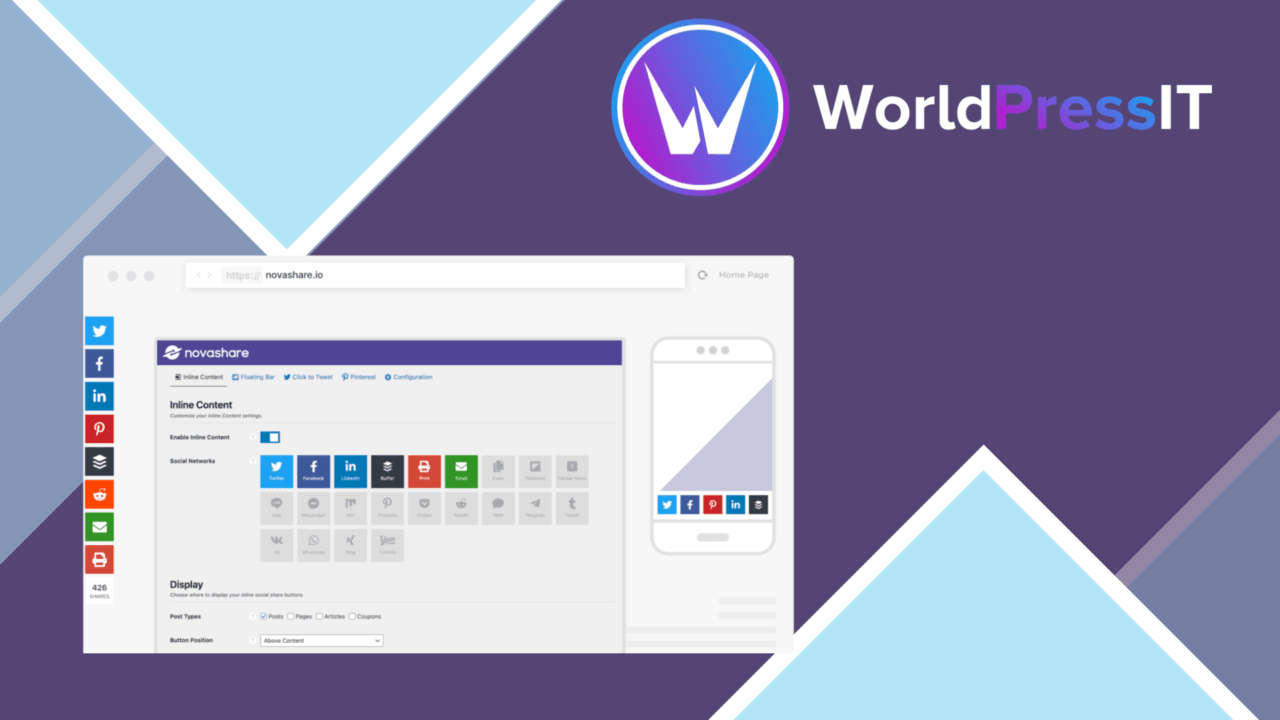
Social sharing is easy to overlook when publishing a WordPress site. Novashare addresses that gap with configurable buttons for more than 20 social platforms, including Facebook, Twitter, LinkedIn and Pinterest. Its focus is deliberately narrow: make content easier to share while keeping the presentation aligned with the site and the plugin lightweight enough for a performance-conscious setup.
A focused sharing layer
Novashare is built around giving visitors a clear route from a post or page to the social network they already use. The button design is customisable, so the controls do not have to look like an unrelated block added after the theme. That matters on editorial sites, business websites and marketing pages where the sharing prompt needs to sit within an established visual system rather than dominate it.
The plugin also offers floating share buttons that stay visible as a visitor scrolls. This gives the sharing option a persistent position instead of limiting it to one location near the title or the end of an article. A responsive design keeps the buttons suitable for mobile screens as well as larger displays.
Useful placement options
The feature set covers both visible controls and more deliberate placement:
- Customisable buttons that follow the website’s design.
- Support for more than 20 social media platforms.
- Floating buttons that remain visible during scrolling.
- Shortcodes for placing sharing controls inside posts and pages.
- Optional share counts to provide visible engagement context.
- Analytics integration for tracking social sharing performance.
Shortcodes are particularly useful when the default placement is not enough. They give an editor a way to add buttons within a specific post or page instead of relying solely on a site-wide position. Share counts add another visible cue for readers, although their usefulness naturally depends on the amount of activity a site receives.
Built for a lighter footprint
Performance is a central part of Novashare’s positioning. It is described as lightweight and built with Google Core Web Vitals in mind, which makes it relevant to site owners who want sharing tools without treating them as a reason to add a large, distracting interface. The plugin is also described as compatible with popular WordPress themes and page builders, giving it a practical role on sites assembled with different design systems.
Analytics integration adds a measurement layer to the sharing buttons. Rather than judging the feature only by whether the controls appear, a site owner has a way to follow how social sharing performs. That is useful for an editor deciding which content deserves stronger promotion and for a marketer comparing sharing activity across published pages.
Where it falls short
The main trade-off is interface density. Supporting more than 20 networks creates a broad menu of choices, but displaying too many buttons can make a page feel busy, particularly on a narrow mobile screen. Floating controls also remain part of the reading experience as visitors scroll, so their visibility has to be balanced against the site’s preferred presentation.
Novashare’s analytics integration is a convenience layer around social sharing rather than a complete measurement system. Teams looking for detailed audience, referral or conversion analysis will still need their wider analytics setup. The same applies to customisation: the plugin provides styling and placement controls, but the available feature list does not establish that it replaces a fully bespoke sharing interface.
Who should use it
Novashare suits bloggers, businesses and online marketers that want recognisable sharing controls without building them manually. It is a sensible fit for sites that need several network options, mobile-friendly presentation, floating placement and shortcode control in one focused plugin. Sites that only need a single unobtrusive share link, or that already have detailed sharing measurement elsewhere, will have less reason to use the broader feature set.
The verdict
Download Novashare and see for yourself
You get the full Novashare release (v1.6.9), ready to install, plus every update that follows. One click and it is yours.
Download Novashare v1.6.9- Instant download
- Original developer files
- Updated 23 Nov 2026
Related reviews
Browse all
WP Review Slider
Display Google, Yelp and Facebook reviews in responsive sliders, with star ratings, filters, layouts and animations for…

Custom Instagram Feed Pro Developer
Display Instagram posts inside WordPress with selectable layouts, account support, filtering and responsive presentation…

Google Places Reviews Pro
Displays Google Places reviews on WordPress sites through responsive grids, sliders and shortcodes, giving local busines…