Onsus
An electronics-focused WooCommerce theme with catalogue filters, grid and list displays, responsive layouts, and homepage tools for shaping a focused shop.
Instant access Original unmodified files Free future updates
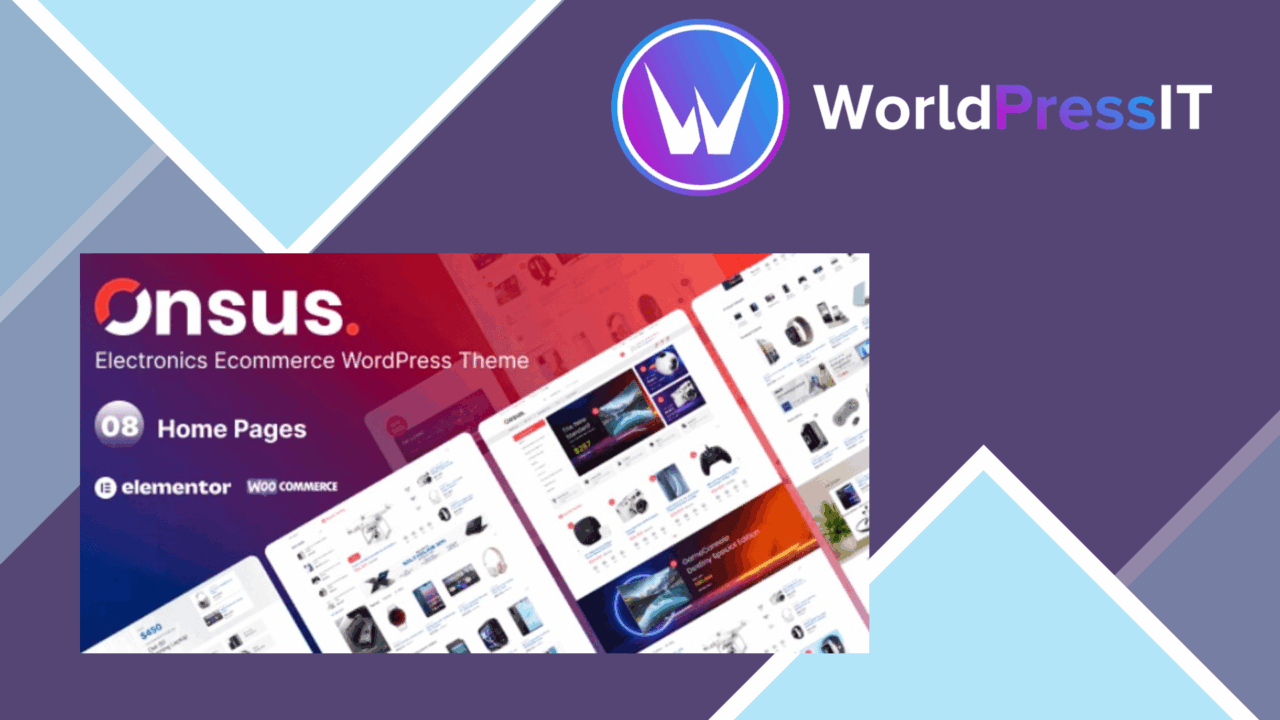
An electronics shop needs more than a product grid. Customers often arrive with a category, specification, or product type in mind, so the storefront has to make a sizeable catalogue easy to scan. Onsus is built around that requirement: it is a WooCommerce theme for electronics retailers, with responsive layouts, configurable homepage sections, several product presentation options, and tools for narrowing a search.
Storefront structure
Onsus puts the shop rather than the blog at the centre of the theme. Its responsive design is intended to adapt the storefront across mobile, tablet, and desktop screens, which gives the same catalogue a usable structure across common shopping devices. The homepage supports drag-and-drop adjustments, so a retailer can arrange its featured content and shop sections without changing theme code.
That flexibility is useful for stores with more than one product group. A homepage can give prominent space to important categories or selected products, while the catalogue remains available for customers who want to browse the full range. The theme’s electronics focus also gives it a clearer starting point than a general-purpose design would provide.
Catalogue and product views
The strongest part of the feature set is the attention to product discovery. Onsus includes grid and list views, allowing a shop to choose between visual browsing and a denser presentation of product information. That distinction matters for electronics, where shoppers may compare several similar items rather than select the first product they see.
- WooCommerce support for product management, order processing, and payment options.
- Grid and list displays for presenting products in different catalogue formats.
- Filtering and search tools intended to help customers find products more quickly.
- Responsive layouts for mobile, tablet, and desktop shopping.
- Drag-and-drop homepage customisation for rearranging store content.
- One-click demo import with pre-designed templates for establishing the initial shop structure.
Search and filtering are particularly relevant to an electronics catalogue, where product groups can become difficult to navigate as the range expands. The vendor does not detail the available filter fields, so the value of this feature will depend on how well its controls match the shop’s product attributes.
WooCommerce foundation
WooCommerce integration covers the core store workflow described for Onsus: managing products, processing orders, and presenting payment options. That makes the theme a presentation layer for a conventional online electronics shop rather than a theme aimed primarily at editorial content or a service business.
The one-click demo import is a practical starting point for a new store. Pre-designed templates reduce the amount of initial layout work, while the homepage controls provide a route to adjust the imported structure. Stores with a clear catalogue plan will get more from this combination than those expecting the theme to define their merchandising strategy for them.
Where it falls short
Onsus is narrowly positioned. Its electronics-store focus is an advantage for retailers selling devices and related goods, but it is a less natural choice for a general shop, a service site, or a catalogue whose presentation needs do not resemble electronics retail.
The feature list also stays broad where implementation details would help with a buying decision. It does not explain which product fields filtering supports, how many homepage layouts are included, or what the SEO optimisation covers. The theme offers grid and list views, but the description does not establish how much information each view can display. Those gaps leave important catalogue and content decisions to the actual theme interface.
There is also a familiar trade-off in demo-led setup: imported templates provide a fast visual starting point, but a real electronics catalogue still needs careful category organisation and product presentation. Drag-and-drop editing simplifies layout changes, yet it does not replace that merchandising work.
Who it suits
Onsus suits a retailer that already plans to run its shop through WooCommerce and wants an electronics-oriented storefront with multiple ways to browse products. The responsive design, catalogue views, filtering, search, and homepage controls address the visible parts of that job.
It is best considered when product discovery is central to the store. If the project needs a highly specialised filtering system, a documented set of SEO controls, or a design outside the electronics retail pattern, the supplied feature information is not detailed enough to confirm that fit. For a focused electronics catalogue, however, Onsus presents a coherent set of shop-facing tools without making the theme’s scope broader than it is.
The verdict
Download Onsus and see for yourself
You get the full Onsus release (v1.1.0), ready to install, plus every update that follows. One click and it is yours.
Download Onsus v1.1.0- Instant download
- Original developer files
- Updated 6 Sep 2026
Related reviews
Browse all
Alukas
A WooCommerce theme for jewellery retailers, with Elementor layouts, multiple storefront demos, and brand controls for b…

GoldSmith
A WooCommerce theme for jewellery retailers, combining Elementor layouts, product filtering, responsive shop pages and s…

Pinkmart AJAX theme for WooCommerce
AJAX filtering, responsive layouts and pre-built shop designs give WooCommerce stores a quicker route to a tailored reta…