Product Filters for WooCommerce
Add category, attribute, tag and price filters to WooCommerce so shoppers can narrow large catalogues and sort results without repeated page reloads.
Instant access Original unmodified files Free future updates
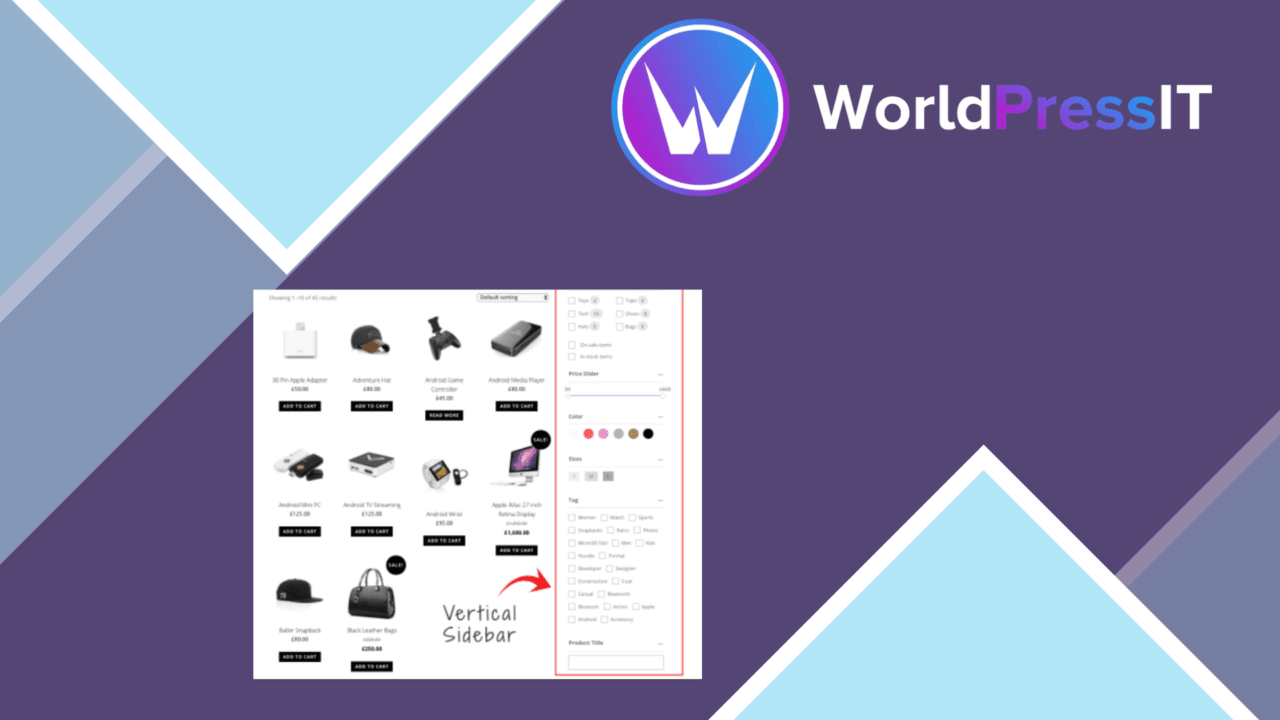
Product Filters for WooCommerce adds a structured way to narrow a WooCommerce catalogue. Shoppers can work from categories, product attributes, tags and price ranges instead of scanning every item, while Ajax-based updates keep the results changing without a full page reload. The approach suits stores where product discovery is the main barrier between a visitor and a purchase.
Filtering a large catalogue
The plugin focuses on the controls shoppers already expect from a product listing. Filters for categories and tags help visitors move between product groups, while attributes provide more precise choices such as size, colour or material when those details are part of the catalogue. A price-range filter gives the customer another direct way to reduce the list.
This combination is most useful when the shop has enough products for ordinary browsing to become slow or frustrating. It also gives store administrators a way to present the structure already held in WooCommerce, rather than asking customers to rely only on a general search box.
Results without reloads
Ajax filtering is the central interaction. Selecting a category, attribute, tag or price range updates the displayed products in place, so the customer stays on the listing while refining the query. That keeps the browsing path focused and avoids the visual interruption of loading a new page for every adjustment.
Sorting adds a second layer to the catalogue experience. Results can be arranged by popularity, rating or price, which covers both customers who want to compare value and those looking for products with stronger customer response. Filtering and sorting serve different jobs here: one reduces the list, while the other changes its order.
Built for storefronts
The interface is described as responsive, so the filter experience is intended to work across desktop and mobile layouts. That matters for a shop where a narrow screen leaves less room for sidebars and long product grids. The plugin also advertises compatibility with popular WooCommerce themes and plugins, along with integration into existing product pages.
Elementor and Storefront are specifically identified in the supplied product information as supported environments. WPML compatibility is included as well, giving multilingual shops a stated route to using the filtering system across translated storefront content.
What to weigh
The main trade-off is configuration discipline. More filter types do not automatically produce a clearer catalogue: categories, attributes and tags need consistent naming and sensible grouping, or shoppers receive a crowded set of overlapping choices. The plugin supplies the filtering controls, but the quality of the result still rests on the product data behind them.
Ajax updates also add an interaction layer that sits between the filter controls and the product listing. Theme and plugin compatibility is claimed rather than demonstrated here, so stores with heavily customised shop templates should allow time to check how the filters fit their existing layout. Finally, sorting by popularity or rating is useful only when those signals are meaningful in the catalogue; otherwise the extra options add interface weight without helping a customer decide.
Who it suits
This is a practical fit for WooCommerce stores with a broad or varied inventory and enough product metadata to support several routes into the catalogue. It is particularly relevant when customers need to combine a product group with an attribute, tag or spending limit. Smaller shops with only a few clear product categories may gain less from a full filtering layer, while larger catalogues stand to benefit more from keeping shoppers on the same results page as they refine their choices.
The verdict
Download Product Filters for WooCommerce and see for yourself
You get the full Product Filters for WooCommerce release (v1.4.41), ready to install, plus every update that follows. One click and it is yours.
Download Product Filters for WooCommerce v1.4.41- Instant download
- Original developer files
- Updated 29 Oct 2026
Related reviews
Browse all
WooCommerce Elavon Converge Payment Gateway
Process card, eCheck and other Elavon payments through WooCommerce, with tokenized records, multi-currency support and o…

Aelia Tax Display by Country for WooCommerce
Country-aware WooCommerce tax display using IP geolocation, with support for multiple tax classes and configurable prici…

GetPaid Multi-Currency
Multi-currency pricing for WordPress stores, with location-based detection, automatic exchange-rate updates, payment gat…