Timetics Pro
Appointment booking for WordPress with calendar sync, Google Meet links, seat plans, reminders and flexible payments for service and event businesses.
Instant access Original unmodified files Free future updates
Timetics Pro is a WordPress appointment booking plugin from Arraytics for businesses that need to organise appointments, classes, consultations or other scheduled sessions. Its feature set covers the booking interface, calendar coordination, online meetings, notifications, seating arrangements and payments, so it is aimed at more than a simple contact form with a date field.
Appointment scheduling
The central proposition is unrestricted appointment management. Timetics Pro is described as supporting unlimited bookings, which suits a growing schedule with frequent appointments rather than a small, fixed event calendar. Customers get a booking system designed for mobile screens, while administrators get a single place to manage scheduled activity.
The multi-industry positioning is useful here. Education providers can organise sessions, healthcare businesses can present appointments, and consultants can offer time-based meetings. These examples come from the vendor rather than from separate industry-specific modules, so the practical fit rests on how well the general booking workflow matches the business.
Tools for busy calendars
Timetics Pro brings several operational features into the booking flow:
- Google Calendar integration keeps appointments synchronised with a Google Calendar.
- Google Meet integration links bookings to online video calls.
- Email and SMS notifications remind clients about upcoming appointments.
- AI-powered scheduling automates and optimises booking times while addressing scheduling conflicts.
- Flexible payment integration supports online payment through multiple gateways.
- Customisable seat plans support tailored seating arrangements for venues and events.
This combination gives the plugin a wider scope than calendar availability alone. A business can present available times, collect a payment, send reminders and provide a meeting link within the same booking process. Seat plans add a separate layer for classes, venues and event formats where capacity or location matters.
Calendar and meeting links
Google Calendar and Google Meet are the clearest integration points in the supplied feature set. Calendar synchronisation helps keep appointments visible alongside other commitments, while Meet links give virtual bookings a defined destination. That pairing is particularly relevant to consultants, tutors and other businesses that alternate between scheduled conversations and online sessions.
Notifications address a different part of the workflow. Automated email and SMS reminders keep clients informed and are intended to reduce missed appointments. The responsive interface also means customers can make bookings from a phone, tablet or desktop instead of being tied to a particular screen size.
What to weigh
The breadth of Timetics Pro is also its main trade-off. Businesses that only need a basic appointment calendar could find seat plans, payments, meeting links, reminders and AI scheduling broader than their actual process. More options usually mean more booking rules and settings to decide on, even though the vendor does not detail the configuration experience.
The AI scheduling description is limited. It promises automated optimisation and fewer conflicts, but the available information does not explain how scheduling preferences are set, how conflicts are resolved or how much control an administrator retains. The same caution applies to the payment and notification features: multiple gateways and SMS support are listed, but the specific services and operating requirements are not stated.
Who it suits
Timetics Pro is best matched with a business that wants its booking system to cover several parts of the customer journey. A training provider can combine appointments with seat planning, a consultant can add Google Meet links, and a service business can use reminders, payments and calendar synchronisation around its schedule.
It is less compelling for a site that needs only a lightweight availability form. For organisations with varied appointment types, online meetings, capacity planning or payment collection, the broader feature list provides a sensible starting point. The main decision is whether those capabilities justify adopting a more involved booking system than the simplest scheduling tools.
The verdict
Download Timetics Pro and see for yourself
You get the full Timetics Pro release, ready to install, plus every update that follows. One click and it is yours.
Download Timetics Pro- Instant download
- Original developer files
- Updated 16 Nov 2026
Related reviews
Browse all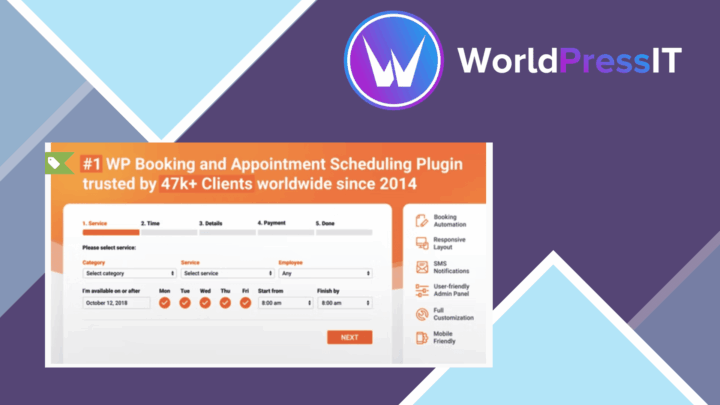
Bookly PRO
Add fixed or percentage discounts to Bookly appointments, with expiry dates, campaign codes, booking rules and reporting…
Bookly Gift Cards Add-on
Sell service-specific or fixed-value gift cards through Bookly, with codes, expiry dates, partial redemption and payment…
Bookly Custom Statuses Add-on
Custom appointment states for Bookly Pro help teams track phone confirmations, no-shows, invoicing and other steps beyon…