WhatsApp Chat WordPress
Adds a configurable WhatsApp contact point to WordPress sites, with support for multiple business numbers, availability hours, and behaviour-based chat prompts.
Instant access Original unmodified files Free future updates
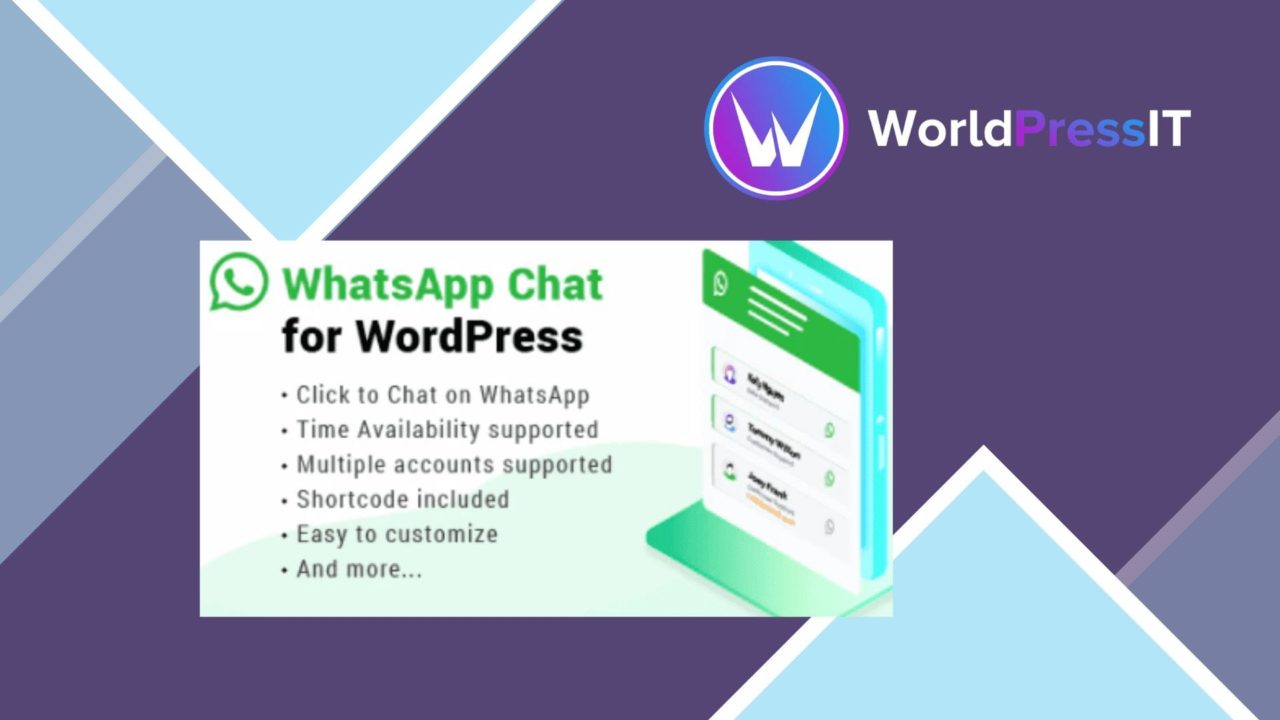
WhatsApp Chat WordPress adds a direct WhatsApp contact point to a WordPress site. It is aimed at shops, service providers, and other businesses that want visitors to start a conversation from the site rather than search for a separate contact route. The plugin focuses on the chat entry point itself: appearance, routing, availability, and the timing of the prompt.
A direct chat layer
The main benefit is a familiar communication path for visitors. Someone browsing a product or service can use the WhatsApp button to contact the business through an app they already understand, while the business keeps the initial contact point visible on its website. That suits support questions, pre-sale enquiries, and simple requests that are awkward to handle through a static contact page.
The vendor positions the plugin for e-commerce sites as well as service businesses. Its stated WooCommerce compatibility makes the concept relevant to stores that want customer contact alongside their product content, although the supplied information does not describe any product-specific message templates or checkout integration.
Controls for contact
Configuration is broader than adding one fixed icon. The feature set includes:
- A customisable chat button whose appearance can follow the surrounding site design.
- Support for multiple WhatsApp numbers, useful when different departments handle sales, support, or other enquiries.
- Automatic chat opening based on visitor behaviour.
- Business hours for controlling when chat is presented as available.
- A mobile-friendly interface for visitors using phones and tablets.
- Translation readiness for sites serving more than one language.
Those controls give an administrator several ways to match the contact prompt to the business. Multiple numbers are particularly useful where a single general inbox would create unnecessary hand-offs. Business hours also provide a clear boundary for availability, rather than implying that someone is always ready to reply.
Routing across teams
Multiple-number support is the most practical differentiator in the supplied feature list. A small business can keep one number, while a larger operation can direct visitors towards different departments. That creates a clearer starting point for a conversation, provided the business has a sensible rule for deciding which number belongs to which enquiry.
The behaviour-based opening option is another deliberate engagement tool. It puts the chat prompt in front of visitors based on how they use the site, instead of relying entirely on them noticing a button. Used carefully, that can shorten the path from browsing to asking a question. The mobile-friendly design matters for the same reason: WhatsApp contact is most natural for visitors already browsing on a phone.
Where it falls short
The plugin is a contact bridge, not a complete customer-service system. The supplied details do not mention conversation history inside WordPress, ticket management, reporting, canned replies, or a shared inbox. Staff will therefore handle the actual exchange in WhatsApp, and businesses that need formal case tracking will need another process around it.
There is also a trade-off between prompt visibility and interruption. Automatic opening based on behaviour can bring a visitor into chat sooner, but an unsolicited prompt can distract someone who is still comparing products or reading information. The business-hours setting helps communicate availability, yet it also makes the experience dependent on accurate schedules and someone being responsible for the selected WhatsApp number. Finally, using WhatsApp places an important part of the contact journey outside the website, so businesses must be comfortable relying on that external service for customer conversations.
Who it suits
WhatsApp Chat WordPress fits businesses that already use WhatsApp as a meaningful customer channel and want that channel represented clearly on their WordPress site. It is a sensible match for a store with product questions, a service provider handling quick enquiries, or a multi-department business that needs more than one contact number.
It is less suited to organisations looking for a full support desk, detailed conversation reporting, or an on-site messaging history. For the narrower job of placing a configurable WhatsApp entry point on a responsive WordPress site, its feature set is focused and easy to understand.
The verdict
Download WhatsApp Chat WordPress and see for yourself
You get the full WhatsApp Chat WordPress release (v3.8.2), ready to install, plus every update that follows. One click and it is yours.
Download WhatsApp Chat WordPress v3.8.2- Instant download
- Original developer files
- Updated 8 Nov 2026
Related reviews
Browse all
WP ULike Pro
Like and dislike controls for posts, pages, comments and products, with live interaction statistics, styling options and…
PeepSo Photos
Photo albums, profile galleries and social interactions for PeepSo communities, with privacy controls, mobile support an…
Custom Twitter Feeds Pro
Display selected Twitter accounts, hashtags, keywords or users in responsive WordPress feeds with layout controls, slide…