WooCommerce Beanstream Bambora Payment Gateway
Accept credit cards, debit cards and eChecks through Beanstream or Bambora in WooCommerce, with real-time processing, reporting and multi-currency support.
Instant access Original unmodified files Free future updates

WooCommerce Beanstream Bambora Payment Gateway connects a WooCommerce shop to Beanstream or Bambora for card, debit card and eCheck payments. Its purpose is focused: keep payment processing inside the store while giving merchants a choice of payment methods, immediate transaction handling and transaction reports. The plugin is aimed at shops that already use this payment service and want its checkout option represented in WooCommerce.
Payment coverage
The gateway supports credit cards, debit cards and eChecks, which gives a shop more room to match the payment habits of its customers. That range is useful for stores serving different customer groups, particularly where limiting checkout to credit cards would leave out other preferred methods. Multi-currency support also gives the payment setup an international angle, although the available currencies are not detailed in the supplied information.
Transactions are processed in real time, so the store is designed to receive an immediate order confirmation after a successful payment. That is a practical fit for products or services where fulfilment should begin as soon as payment is accepted. The gateway conducts transactions directly from the website rather than sending the customer to a separately described payment page.
WooCommerce connection
The integration is presented as straightforward and is configured through WooCommerce settings with Beanstream or Bambora account details. This keeps the gateway in the same administrative area as the shop’s other payment settings. Customisable payment options are also listed, giving the merchant control over how the available methods are presented and used, though the vendor does not specify the individual display or checkout controls.
Security is a central part of the product’s stated role. The vendor describes the gateway as PCI compliant and positions it as a way to protect customer payment data while processing transactions. That makes the plugin relevant to stores that need a payment option built around the Beanstream or Bambora service rather than a generic checkout form.
Reports for daily work
Detailed transaction reporting is included among the advertised features. For a store manager, that provides a place to track sales and payment performance alongside the operational work of handling orders. The supplied description does not identify particular filters, export formats or report views, so the value here is best understood as transaction visibility rather than a fully specified analytics system.
The combination of real-time processing and reporting covers two separate parts of payment administration. Immediate confirmation supports order handling, while transaction records support follow-up and sales review. That division makes the gateway more than a payment-method switch, even though its main job remains accepting payments through Beanstream or Bambora.
Where it falls short
The feature list is broad but not very specific about configuration. It does not explain which payment options require separate account settings, how customisation works at checkout, or which currencies are supported. A merchant serving several regions will need those details before treating multi-currency support as a complete international payment plan.
The plugin also relies on the Beanstream or Bambora payment account and service. It is therefore not a general-purpose gateway for stores comparing many processors; its usefulness is tied to choosing that payment network. The reporting description has a similar limit: transaction reports are promised, but the available fields, filters and export tools are not stated. Stores that need detailed reconciliation or finance workflows should confirm that scope first.
Best fit
This gateway suits WooCommerce merchants who already work with Beanstream or Bambora and need cards, debit cards and eChecks in one payment integration. It is particularly appropriate for shops that value real-time order confirmation, transaction reporting and multi-currency handling without adding a separate payment workflow to the customer journey.
It is less suited to a merchant looking for a processor-neutral solution or extensive documented reporting controls. For the right account holder, the feature set covers the practical basics of taking and tracking payments. The main decision is whether the Beanstream or Bambora relationship, supported currencies and available configuration match the store’s operating requirements.
The verdict
Download WooCommerce Beanstream Bambora Payment Gateway and see for yourself
You get the full WooCommerce Beanstream Bambora Payment Gateway release (v2.9.6), ready to install, plus every update that follows. One click and it is yours.
Download WooCommerce Beanstream Bambora Payment Gateway v2.9.6- Instant download
- Original developer files
- Updated 14 Nov 2026
Related reviews
Browse all
WooCommerce License Manager
Generate, activate, expire and report on software licence keys alongside WooCommerce orders, with REST API controls for…
WooCommerce Product Table by Barn2 Media
Creates searchable, filterable WooCommerce product tables so customers can compare items, choose variations and place or…
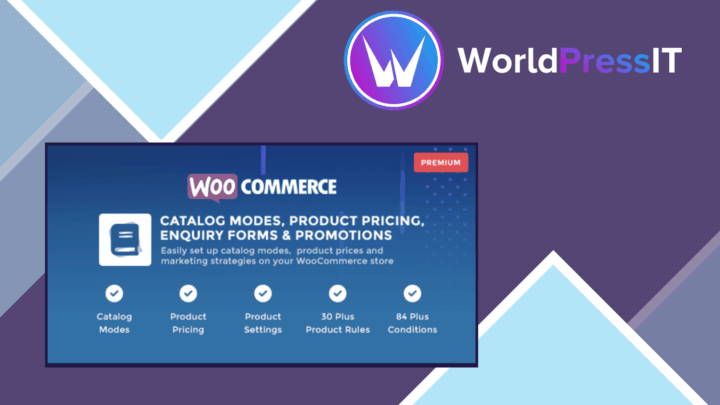
WooCommerce Catalog Mode Premium
Turns a WooCommerce shop into a browsable catalogue by hiding prices, purchase controls and selected commerce pages, wit…