WooCommerce Fast Cart
A WooCommerce pop-up cart that lets shoppers edit items, apply discounts and reach checkout without visiting a separate cart page.
Instant access Original unmodified files Free future updates
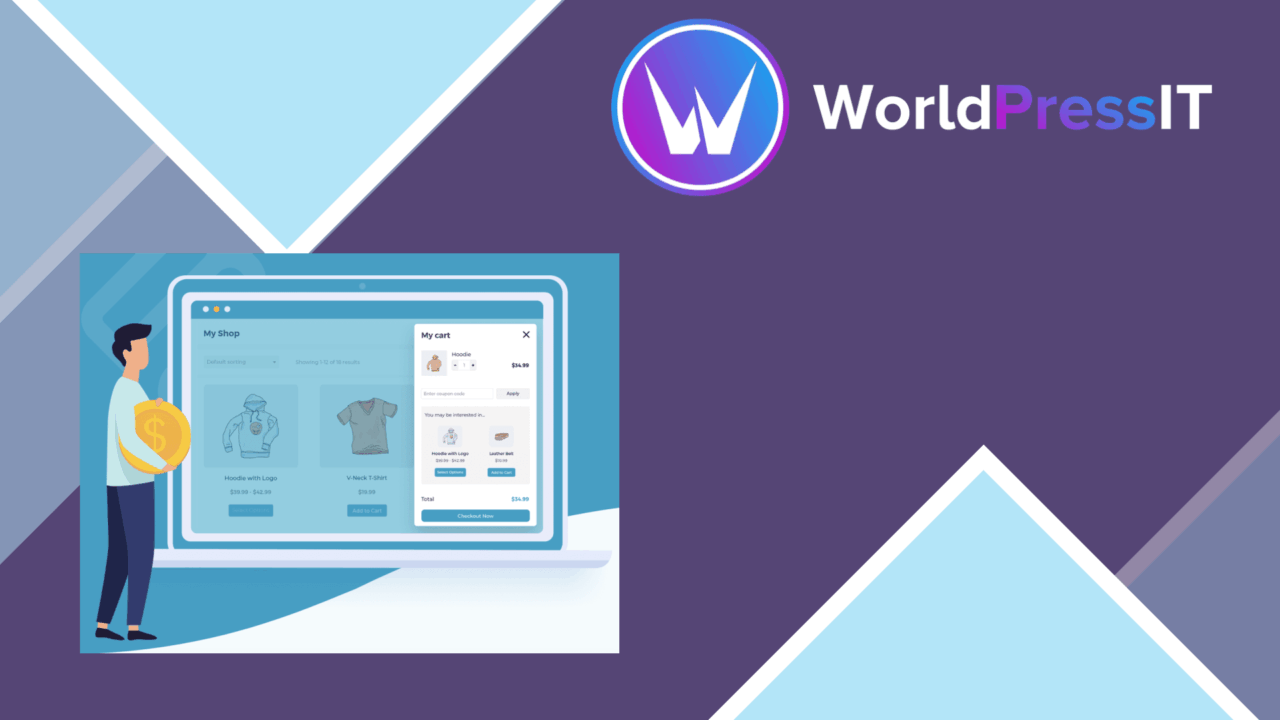
WooCommerce Fast Cart replaces the usual pause between adding a product and opening the cart with a pop-up shopping panel. Customers can edit their selections, add items and continue to checkout from that panel, while the store owner gets controls for the cart’s appearance and behaviour. Its purpose is straightforward: reduce the number of separate page visits in the purchase journey and make the cart easier to reach.
A shorter purchase path
The main feature is the mini cart itself. Rather than sending shoppers to a dedicated cart page after every change, the plugin keeps cart management in the current shopping context. The vendor also describes a one-click checkout option, giving stores a way to remove additional steps for customers who are ready to buy. This makes the plugin most relevant to shops where the cart page feels like an interruption rather than a useful review stage.
Cart controls
Fast Cart offers several ways to expose the panel:
- Customers can edit cart contents from the pop-up.
- Items can be added without moving to a separate cart page.
- An auto-open setting can start the cart from different points in the shop.
- A floating cart icon provides a persistent entry point.
- Real-time updates show changes without a page reload.
- Coupon codes and discounts are handled directly in the cart.
That combination gives shoppers a visible place to check quantities, respond to promotions and move towards checkout. The floating icon is particularly useful for stores that do not want to depend on a header cart link, while auto-open suits a more assertive purchase flow.
Appearance and checkout
The cart display is customisable so it can be matched to the site’s design and branding. The vendor also describes a mobile-responsive layout, which matters because a pop-up cart has to remain usable in a narrow viewport rather than simply imitate the desktop panel. Integration with popular payment gateways keeps the checkout connected to the existing WooCommerce payment process, and compatibility with other WooCommerce extensions and themes is presented as a core aim.
There is also an analytics tracking feature for monitoring cart performance and identifying areas for improvement. That gives store owners a way to assess the cart rather than treating its conversion effect as a matter of guesswork, although the supplied description does not identify the reporting system or the depth of those measurements.
Where it falls short
A faster cart is not automatically a better buying experience for every shop. A pop-up interface compresses cart review into a smaller space, so stores with complex products, detailed order notes or a strong need for a full-page review should weigh the loss of room before making it the primary path. The one-click approach also favours speed over deliberation; customers who need to compare quantities, shipping details or other order information still need a clear route to the ordinary WooCommerce checkout.
The broad integration claims leave practical questions unanswered. No particular payment gateways, extensions, themes or analytics platforms are named, so compatibility with a store’s exact stack still needs to be confirmed. Customisable styling and responsive behaviour reduce presentation concerns, but they do not remove the need to fit the panel into an existing design system.
Who it suits
WooCommerce Fast Cart fits stores that want cart editing, coupon entry and checkout access in one compact interaction. It is a sensible candidate for a catalogue with relatively simple purchase decisions, especially where shoppers frequently add several products or revisit quantities. Stores with complicated order flows should treat it as a convenience layer to assess carefully rather than assume that fewer clicks alone will improve the experience.
The verdict
Download WooCommerce Fast Cart and see for yourself
You get the full WooCommerce Fast Cart release (v1.4.2), ready to install, plus every update that follows. One click and it is yours.
Download WooCommerce Fast Cart v1.4.2- Instant download
- Original developer files
- Updated 20 Oct 2026
Related reviews
Browse all
Enhancer for WooCommerce Subscriptions
Adds price changes, cancellation controls, renewal and expiry reminders, and separate shipping timing to WooCommerce Sub…
WooCommerce Restaurant Ordering
Online food ordering for WooCommerce, with menu customisation, order notifications, payment options and customer order t…

WooCommerce Lead Time
Show stock and delivery estimates for WooCommerce products, helping shoppers judge whether to order now or wait for avai…