Gravity Migrate
Moves Gravity Forms data, uploaded files and related add-on settings between WordPress sites, with broader content migration tools for duplicated or rebuilt environments.
Instant access Original unmodified files Free future updates
Gravity Migrate is built around moving WordPress data between installations without relying on a sequence of manual transfers. Its clearest use case is Gravity Forms: forms, entries, uploaded files, Views, feed configurations, settings, nested forms, workflows and other add-on data all sit within the stated migration scope. The listing also presents it as a broader site-migration tool for developers, site owners and agencies duplicating or rebuilding WordPress environments.
Migration scope
The plugin brings several migration jobs into one interface. It is described as supporting posts, pages and custom post types alongside themes, plugins and site settings, with database migration covering content, user data and metadata. That gives it a wider remit than a tool concerned only with exporting form definitions.
For teams working with Gravity Forms, the more important detail is the treatment of connected data. A form without its entries, uploaded files or feed settings is rarely a complete transfer, so the inclusion of those related pieces makes the workflow more useful for staging copies, site replacements and project handovers.
What it moves
- Gravity Forms, entries and uploaded files.
- Views, feed setups, settings, nested forms and workflows.
- Other information supplied by Gravity Forms add-ons.
- Posts, pages and custom post types.
- Themes, plugins, database content, user data and metadata.
- Selected content types excluded from a migration when the transfer needs a narrower scope.
The stated compatibility with popular page builders is also relevant to sites where page content and layout settings are part of the move. The option to exclude content types gives administrators a way to avoid carrying every part of the source installation into the destination.
A guided workflow
Gravity Migrate uses a user-facing process rather than requiring administrators to assemble a collection of database exports and file copies by hand. A guided interface is intended to lead through the migration steps, while detailed logs and error reporting provide a record of what happened when a transfer needs investigation.
That combination suits agencies and developers who repeat migrations across development, staging and production sites. It also gives site owners a more structured route for moving a complete installation, particularly when the site includes forms, uploads and add-on connections that are easy to overlook in a basic content export.
Where it falls short
The breadth of the advertised scope creates more decisions, not fewer. A migration that includes forms, entries, files, users, metadata, themes and plugins needs careful choices about what belongs on the destination, especially when the source and destination serve different purposes. The exclusion controls help, but they also mean the administrator must define the transfer rather than treating every move as a single universal operation.
Gravity Migrate also does not remove the need to review the result. Logs and error reports help identify problems, but they are diagnostic tools rather than a guarantee that every relationship, upload or add-on setting will be correct after a complex transfer. Sites with large or highly interconnected datasets should allow time for checking forms, entries, files and related configurations before considering the migration complete.
Who it suits
Gravity Migrate is a good fit for agencies, developers and site owners whose WordPress work centres on Gravity Forms and recurring site transfers. It is especially relevant where a form migration includes operational data rather than just the form structure. The broader post, page, custom post type, theme, plugin and database features extend its usefulness to full-site moves, while the guided steps and reporting give less technical administrators a clearer process to follow.
Its strongest case is a structured WordPress migration with Gravity Forms at the centre. Organisations looking only to copy a few pages have less reason to need its wider feature set; teams moving form-heavy sites and related configuration have a more specific reason to consider it.
The verdict
Download Gravity Migrate and see for yourself
You get the full Gravity Migrate release (v2.0.0), ready to install, plus every update that follows. One click and it is yours.
Download Gravity Migrate v2.0.0- Instant download
- Original developer files
- Updated 18 Sep 2026
Related reviews
Browse all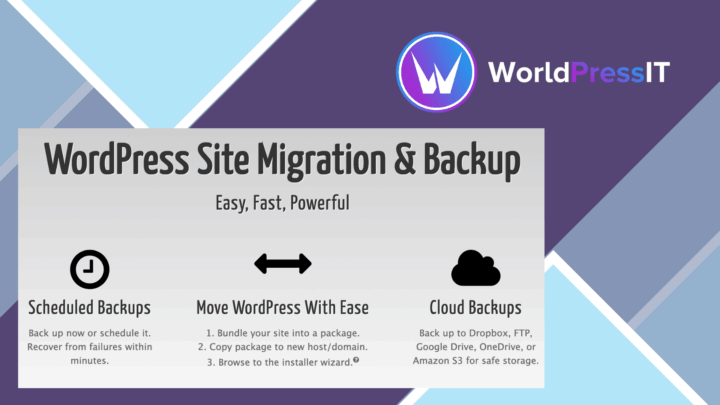
Duplicator Pro Plugin
Site backups, migrations and clones in one WordPress tool, with scheduled jobs, cloud storage integrations and controls…
WP Staging Pro
Create separate WordPress staging sites, clone a live installation, synchronise files and databases, and push approved c…