ACPT
Create structured WordPress content with custom post types, fields, taxonomies, templates and permissions from one administration interface.
Instant access Original unmodified files Free future updates
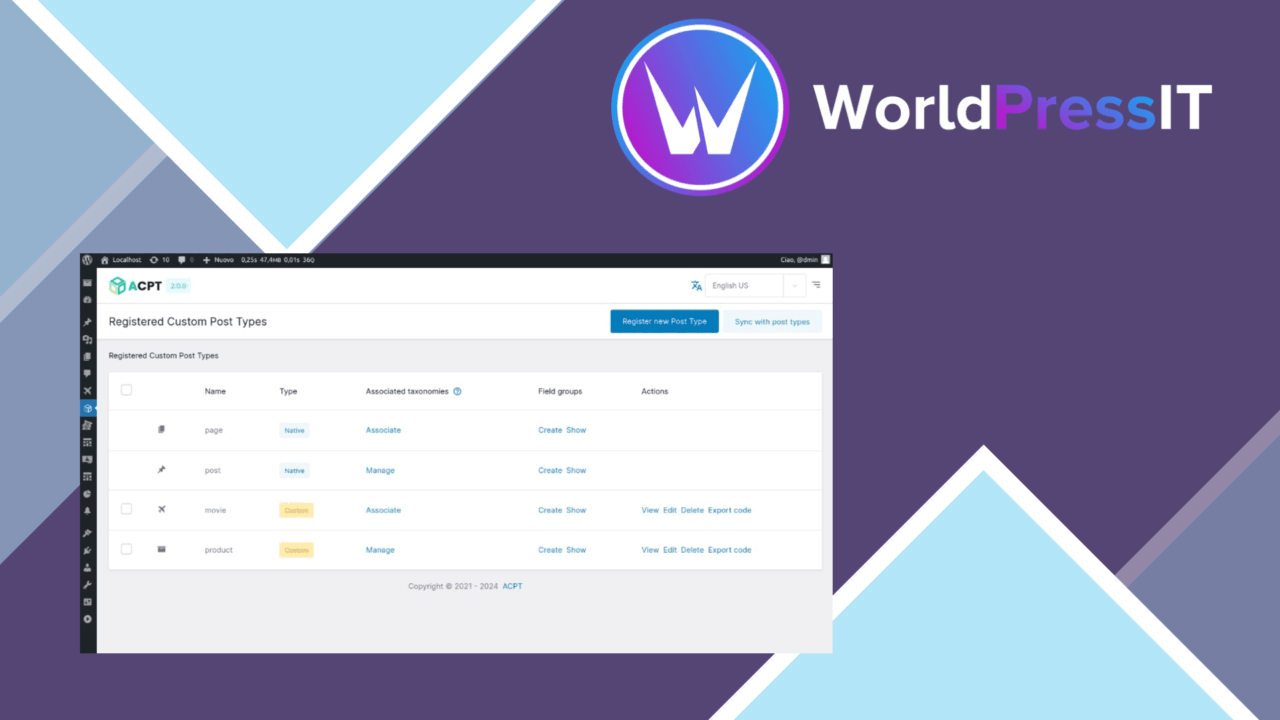
ACPT is a WordPress plugin for building content structures beyond the standard posts and pages. It brings custom post types, custom fields and taxonomies into one interface, giving developers, designers and site owners a way to shape content around a site’s actual needs rather than forcing everything into the default blog model.
Build a content model
The central feature is the ability to create unlimited custom post types. That gives a site room for distinct content such as projects, locations, team members or other site-specific records, although the exact content model remains your responsibility. ACPT is most useful when each type needs its own fields, taxonomy terms or display treatment.
Custom fields and taxonomies are managed through a user-facing interface rather than by writing the definitions directly in code. This lowers the technical barrier for a site owner or designer who needs structured content but does not want to build every post type manually. It also gives developers a single place to review the fields and classification systems attached to a content type.
Shape the presentation
ACPT includes support for custom templates, so the content model is not limited to the standard WordPress post layout. A post type can be given a display structure that reflects its purpose, which matters when a site contains several kinds of content with different information requirements.
The vendor also lists compatibility with Elementor and WPBakery. That places ACPT in a more practical position for sites already using either page builder: the custom content structure can sit alongside an existing visual editing workflow instead of requiring a separate presentation system. The supplied information does not specify the depth of either integration, so the exact builder controls are worth checking against a planned layout.
Control and portability
Advanced settings cover custom capabilities and user permissions. This is a useful distinction for multi-user sites where not every editor should manage every content type. Permissions are especially relevant once a site moves beyond a single administrator and different people need different responsibilities.
Import and export functionality is included for transferring post types between sites. That makes ACPT relevant to developers maintaining related installations or preparing a content structure before moving it into another environment. The feature concerns the post type configuration itself; the supplied description does not state how existing content, media or third-party connections are handled during a transfer.
What to weigh
ACPT covers several layers of WordPress content modelling, and that breadth brings configuration work. Creating post types is only the first decision: fields, taxonomies, templates and permissions all need a consistent structure. The interface removes much of the need to write code, but it does not remove the editorial and architectural decisions behind a maintainable content model.
Template support also leaves presentation choices to the site. ACPT provides the custom-template capability, while the quality and suitability of the final layouts depend on how those templates are designed. Likewise, Elementor and WPBakery compatibility is a useful starting point, but the feature list does not define the available controls or cover every builder workflow.
Finally, import and export is helpful for moving configurations, but a transferred setup still needs checking against the destination site’s theme, page builder and permissions. ACPT is not presented as a complete migration system for every surrounding piece of WordPress content.
Who it suits
ACPT fits sites that have outgrown a simple posts-and-pages structure and need named content types with their own fields, classifications and templates. It is also a sensible option for teams that want designers or site owners to manage those structures through an interface rather than relying on custom code for every change.
Developers gain control over capabilities, permissions and portable post type definitions, while less technical users get a route into structured content management. The best fit is a project with a clear need for several content models and enough planning time to define how those models should be edited and displayed.
The verdict
Download ACPT and see for yourself
You get the full ACPT release (v2.0.66), ready to install, plus every update that follows. One click and it is yours.
Download ACPT v2.0.66- Instant download
- Original developer files
- Updated 27 Sep 2026
Related reviews
Browse allSnipVault
Manage PHP, CSS, JavaScript and other WordPress code from one organised workspace, with validation, revisions, security…

Aelia Foundation Classes for WooCommerce
A developer-oriented foundation for WooCommerce extensions, with shared tools for settings, logging, geolocation, curren…
Dynamic.ooo
Add buttons, pricing tables, testimonials and dynamic site data with configurable shortcodes that fit WordPress editors…