Envira Gallery – Premium WP Gallery Plugin
Create responsive photo and video galleries in WordPress with drag-and-drop editing, templates, albums, social sharing, shop support and image protection.
Instant access Original unmodified files Free future updates
Responsive photo and video galleries are the central job here, with a drag-and-drop builder intended to take the friction out of arranging media in WordPress. Envira Gallery combines gallery creation with templates, mobile-friendly layouts, organisation tools, sharing features and options for stores or protected images.
Gallery building
The drag-and-drop builder is the clearest part of the product’s proposition. It is aimed at creating a gallery in a few clicks rather than assembling each display from separate settings. Pre-built gallery templates provide a starting point for the appearance, which suits site owners who want a consistent presentation without designing every gallery from scratch.
The responsive focus also matters for image-heavy sites. The vendor describes galleries that work across mobile, tablet and desktop screens, so the same gallery content is intended to remain usable across common device sizes. Slideshow display and a full-screen lightbox add two presentation options for visitors who want to browse images rather than view a static grid.
Organisation tools
Envira Gallery goes beyond a collection of isolated galleries. Albums provide a way to group galleries together, while tags help sort photos within a larger media collection. Cover photos give albums a defined visual entry point. That combination suits portfolios, photography sites and publishers with enough material to need a browsing structure rather than a single page of images.
- Drag-and-drop creation for photo and video galleries.
- Pre-built templates for changing gallery appearance.
- Albums, tags and cover photos for organising media.
- Slideshow and full-screen lightbox presentation.
- Social sharing with Pinterest, Instagram and other integrations.
- Image proofing and WooCommerce integration for store use.
- Password protection and watermarks for controlled or branded images.
Sharing and commerce
Social media integration puts sharing alongside the gallery rather than treating it as a separate publishing task. Pinterest and Instagram are named specifically, with additional integrations indicated by the vendor. For commercial photography workflows, image proofing and WooCommerce integration extend the plugin towards store use. The feature list positions it for showing work, collecting image selections and connecting galleries with a shop.
Where it falls short
The feature list is broad but not very deep. It names templates, social integrations, WooCommerce and image proofing without explaining the available layouts, the exact integration behaviour or the proofing workflow. That leaves important decisions to further investigation, particularly for a store that needs a precise customer journey.
There is also a trade-off between a quick starting point and detailed design control. Templates make gallery presentation easier to begin, but the supplied information does not describe how far their styling can be changed. Albums and tags add organisation, yet they also introduce another layer to maintain as a media library grows. Sites needing a tightly specified visual system should confirm the available controls before committing to a template-led workflow.
Who it suits
Envira Gallery fits site owners who need more than a basic image grid: photographers organising work into albums, publishers presenting photo and video collections, and shops combining galleries with WooCommerce. The strongest case is a site that values a visual editor, responsive presentation and a set of adjacent gallery features in one plugin.
It is less compelling as a choice based on a single specialised requirement, because the vendor material does not establish detailed capabilities for any one integration. For a general-purpose gallery with albums, tags, slideshows, sharing and image protection, the feature set is well aligned with the job.
The verdict
Download Envira Gallery – Premium WP Gallery Plugin and see for yourself
You get the full Envira Gallery – Premium WP Gallery Plugin release (v1.17.0), ready to install, plus every update that follows. One click and it is yours.
Download Envira Gallery – Premium WP Gallery Plugin v1.17.0- Instant download
- Original developer files
- Updated 30 Sep 2026
Related reviews
Browse allBarn2 Media Document Library Pro
Create searchable WordPress libraries for PDFs, office files, media and external resources, with filters, previews, acce…
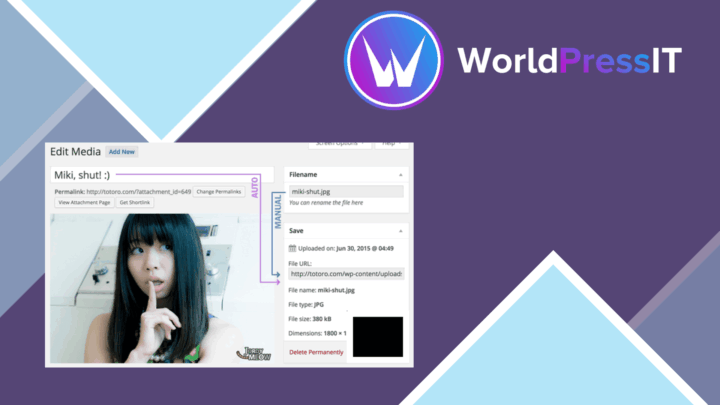
Media File Renamer Pro
Rename WordPress media files in bulk or during upload, using metadata and custom rules to keep filenames organised and m…
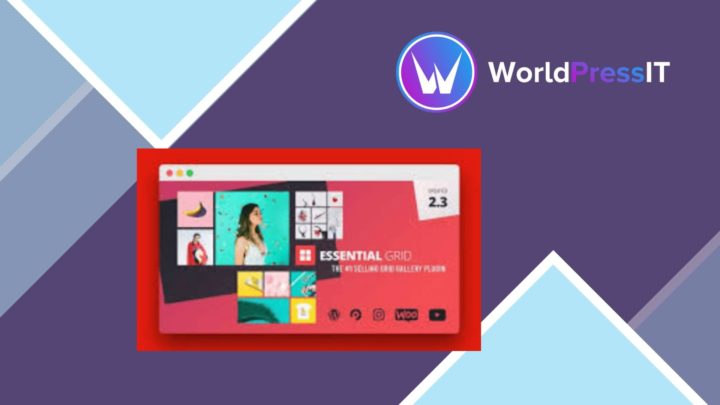
Essential Grid
Build responsive grids for posts, media, products and custom content, with masonry, carousel, filtering and visual styli…