WooCommerce Checkout Manager PRO
Customise WooCommerce checkout fields, validation and conditional visibility to collect the right customer details without presenting every shopper with the same form.
Instant access Original unmodified files Free future updates
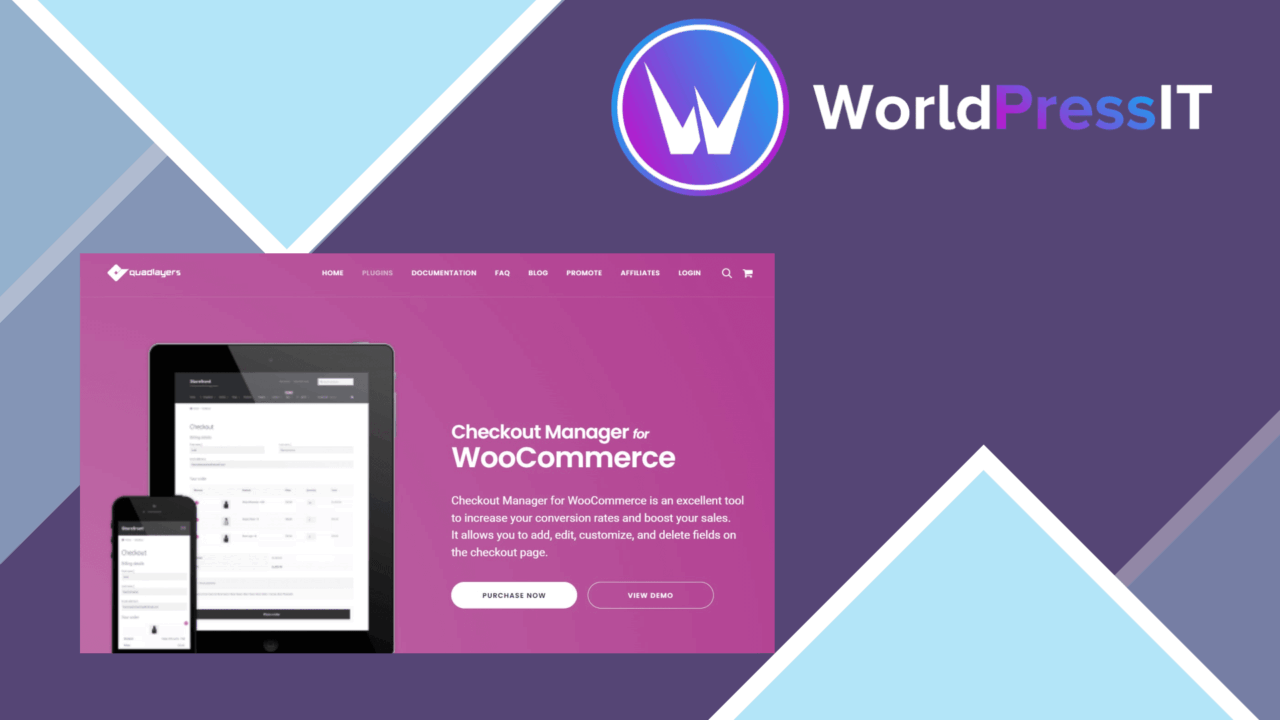
WooCommerce Checkout Manager PRO focuses on the part of a store where a small amount of unnecessary friction can create a large amount of confusion: the checkout form. It gives store owners control over the fields shown to customers, their order on the page, the information they accept and the conditions under which each field appears. The result is a checkout structure shaped around the store’s actual ordering process rather than WooCommerce’s default field set.
Checkout control
The plugin’s main strength is its field management rather than a separate checkout design system. Store administrators can add, edit or remove checkout fields, then rearrange them through drag-and-drop sorting. That covers practical changes such as placing delivery-related information beside the other fulfilment details, moving a field earlier in the form, or removing information that the business does not need.
Validation rules add a second layer of control. A field is not simply displayed and saved; its input can be checked for accuracy and completeness. This is useful when the information collected at checkout feeds fulfilment, customer service or order processing. The exact value lies in deciding which details genuinely need validation, rather than treating every field as mandatory.
Conditional fields
Conditional logic makes the form more relevant to the customer in front of it. Fields can be shown or hidden according to user selections, while field visibility can also be controlled by user role or order type. A store with different requirements for different kinds of customers therefore has a way to present a more targeted set of questions instead of one long form for everyone.
This logic is supported by field sorting, so the visible parts of the form can be arranged in a sensible order. The combination is more useful than either feature on its own: conditional rules decide what appears, and sorting decides how the resulting form reads. The plugin also supports WPML and other translation plugins, which is important for stores collecting checkout details across multiple languages.
Orders and messages
Checkout data should not stop being useful after the order is placed. WooCommerce Checkout Manager PRO supports customised email notifications that include additional information collected through the checkout. That gives order recipients more context without requiring them to return to the checkout screen to see what a customer submitted.
The vendor also describes integration with major payment processors. That positions the plugin as a customisation layer around an existing WooCommerce payment flow, not as a replacement for a gateway. Stores with unusual payment arrangements should still review how their chosen processor handles added checkout fields and conditional requirements.
What to weigh
The flexibility comes with administrative work. Every added field, validation rule and visibility condition creates another part of the checkout that someone has to document and maintain. Different combinations of user roles, order types and customer selections can also make the form harder to audit than a simple, fixed checkout.
There is a second trade-off in the breadth of the feature set. The plugin covers field layout, rules, translations, notifications and payment integrations, but the vendor copy does not specify which payment processors are supported or how complex conditional setups are configured. That uncertainty matters for a store whose checkout depends on a particular gateway or a large set of customer paths. The tool is most convincing when the requirements are clear enough to map before changes are made.
Who it suits
This is a practical fit for WooCommerce stores that need more than the standard checkout fields: businesses collecting delivery instructions, stores separating requirements by order type, and shops that need different information from different customer roles. Multilingual stores also have a clear reason to consider it through its stated WPML compatibility.
It is less compelling for a small shop satisfied with the default form and a single payment path. For those stores, the additional rules and fields introduce a maintenance obligation without solving an existing checkout problem. For stores with specific information requirements, however, the plugin puts the relevant controls in one place and keeps the customisation focused on the checkout itself.
The verdict
Download WooCommerce Checkout Manager PRO and see for yourself
You get the full WooCommerce Checkout Manager PRO release (v7.6.7), ready to install, plus every update that follows. One click and it is yours.
Download WooCommerce Checkout Manager PRO v7.6.7- Instant download
- Original developer files
- Updated 21 Oct 2026
Related reviews
Browse all
WP Sheet Editor WooCommerce Products Premium
Edit WooCommerce products in a spreadsheet-style grid, with bulk changes, filters, CSV tools and support for custom prod…

WP Sheet Editor WooCommerce Coupons Premium
Bulk-create, edit, filter and export WooCommerce coupons from a spreadsheet-style editor instead of managing each code i…
WP Sheet Editor WooCommerce Orders Pro
Manage WooCommerce orders in a spreadsheet-style editor with bulk changes, filters, custom columns, CSV transfers, notes…