Pwork
Internal document sharing, messaging, permissions and activity tracking gathered into a WordPress intranet for teams, schools and non-profits.
Instant access Original unmodified files Free future updates
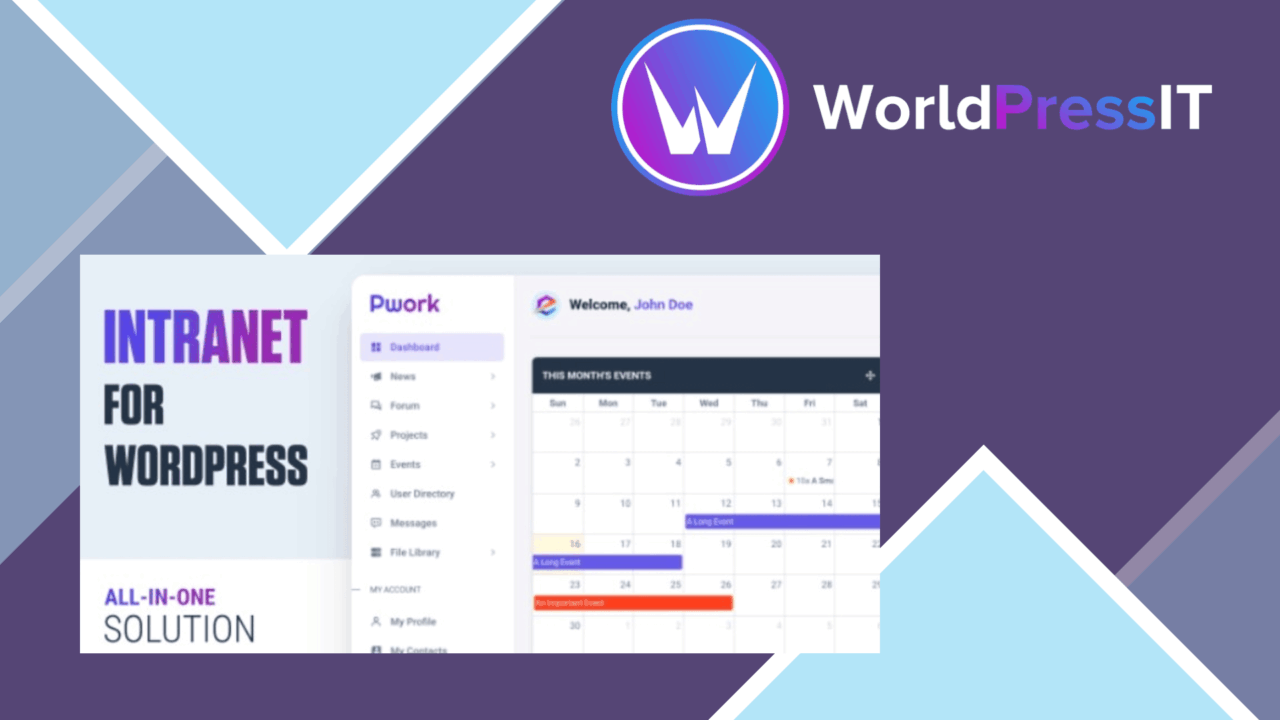
Pwork turns a WordPress site into an internal workspace for communication, document sharing and collaboration. Its intended audience is clear: businesses, educational institutions and non-profits that need one place for team information rather than a public-facing content site. The feature set brings documents, user access, messaging and activity records into the same intranet environment.
An internal workspace
The plugin is organised around a dashboard for navigating and managing intranet content. That gives staff a defined starting point for internal material, instead of asking them to find documents and conversations across unrelated tools. The emphasis is on shared organisational information: company papers, policies, files and other resources that need controlled access.
Mobile responsiveness is also part of the offering, so the intranet is intended for access across different device types. That matters for teams that do not spend every working hour at a desktop, although the supplied information does not detail the mobile interface or the range of devices covered.
Documents with control
Centralised document storage is Pwork’s clearest practical use. Files have a structured home inside the intranet, while support for PDFs, images and other document formats gives teams room to store different kinds of working material. Search is included for locating documents and information, which becomes especially relevant as the shared collection grows.
Version control is listed as part of document sharing. In principle, that provides a record of changes and helps users keep track of which version has been circulated. Custom user roles and permissions add an access layer around sensitive information, allowing an organisation to define who should reach particular internal content rather than treating the intranet as an open site.
- Central document storage for company files, policies and papers
- Version control for tracking document changes
- Custom user roles and permissions for restricted information
- Search across documents and intranet information
- Uploads for PDFs, images and other document formats
Messages and activity
Pwork includes an integrated messaging system for real-time communication between users. Keeping messaging alongside documents gives a team a direct way to discuss internal work without leaving the intranet. The description does not specify whether messages support threads, attachments or notifications, so this is best understood as a built-in communication channel rather than a replacement for a full collaboration suite.
Activity logs add an administrative view of user engagement and content interactions. For an organisation, that record can help show how the intranet is being used and which content is receiving attention. It also introduces a need for sensible internal policies around monitoring, particularly where employee activity is visible to administrators.
What to weigh
Pwork covers several intranet duties, but the public feature description leaves important operational details open. It does not explain how finely permissions can be applied, how document versions are restored, or how activity records are filtered and retained. Those questions matter before placing confidential policies or departmental files at the centre of the site.
The breadth of the feature list is another trade-off. A dashboard, document repository, messaging tool, search system and activity log in one plugin is convenient, but each area has less stated depth than a specialist service dedicated to that job. Organisations also take on the responsibility of organising files, assigning roles and maintaining useful naming and access rules. Pwork provides the pieces; it does not remove the need for an information structure behind them.
Who it suits
Pwork is a sensible fit for a small or mid-sized organisation that already uses WordPress and wants an internal destination for documents, permissions and team communication. Schools and non-profits with shared policies and distributed users are also directly aligned with the stated use cases. It is less compelling for a team seeking detailed project management, advanced messaging workflows or documented governance controls, since those capabilities are not described here. Its value rests on bringing everyday intranet functions into one WordPress-based workspace.
The verdict
Download Pwork and see for yourself
You get the full Pwork release (v2.2), ready to install, plus every update that follows. One click and it is yours.
Download Pwork v2.2- Instant download
- Original developer files
- Updated 23 Oct 2026
Related reviews
Browse all
MainWP Pro
Manage multiple WordPress installations from one dashboard, with team roles, client reports, bulk updates and activity l…
WP Sheet Editor Premium
Bulk-edit posts, pages, and custom post types in a WordPress spreadsheet, with filters, CSV transfer, custom fields, tax…

GetPaid Square Payment Gateway
Square payments brought into a WordPress site for small businesses, freelancers and online shops that need branded forms…