WP Sheet Editor – Taxonomy Terms Pro
Bulk-edit categories, tags and custom taxonomy terms in a spreadsheet-style WordPress interface, with filters plus CSV import and export for larger catalogues.
Instant access Original unmodified files Free future updates
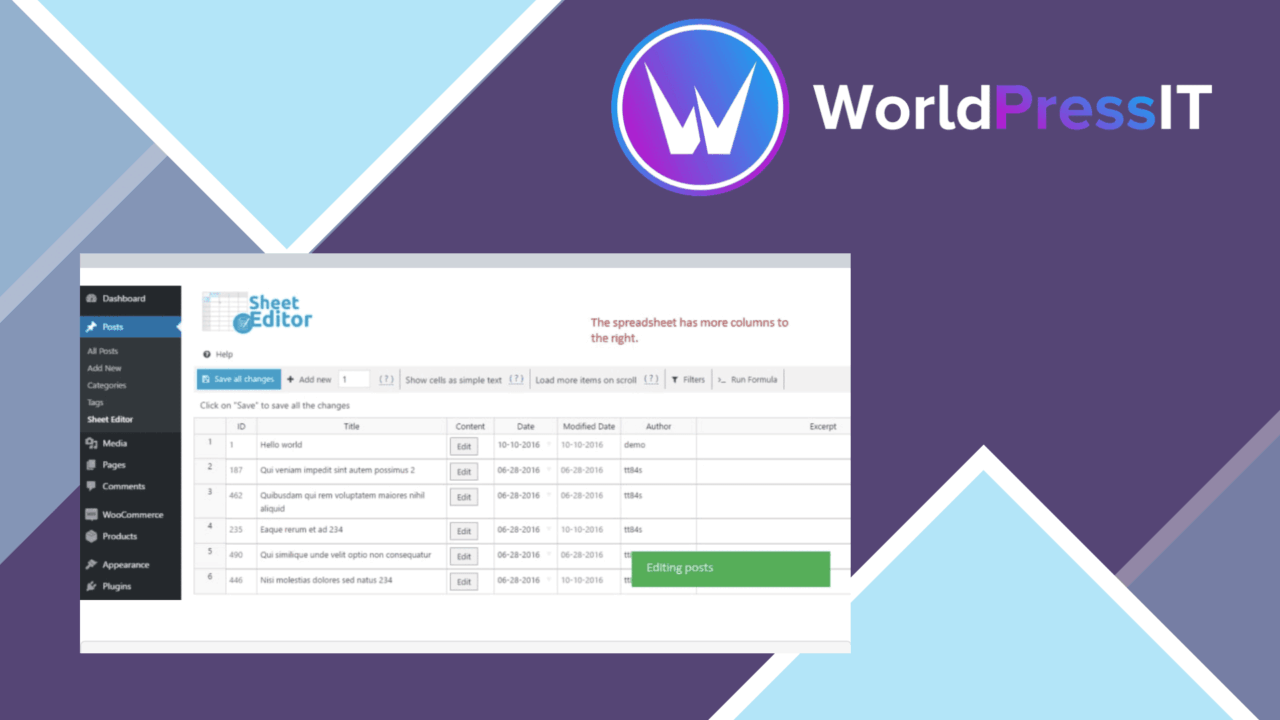
WP Sheet Editor – Taxonomy Terms Pro brings taxonomy management into a spreadsheet-style interface. Instead of handling product categories, tags and other terms one record at a time, you get a working view designed for changing many terms together. That makes it a practical fit for site owners, developers and content managers whose taxonomies have outgrown the standard WordPress screens.
A term editor
The plugin focuses on the data attached to taxonomy terms rather than on posts or pages themselves. It supports standard categories and tags alongside custom taxonomies, giving one editing environment for different types of organised content. That scope is particularly relevant to WooCommerce catalogues, where product categories, tags and characteristics often need regular maintenance.
The spreadsheet layout gives term management a more compact working surface. A content manager can review a group of terms, change values across multiple rows and keep related fields visible together. The vendor also describes real-time updates, so changes are intended to appear on the WordPress site as they are made rather than waiting for a separate publishing workflow.
Bulk work in one view
Bulk editing is the central strength here. The useful distinction is not simply that the plugin edits taxonomy terms, but that it presents them in a format suited to repeated changes. A large category set, a tag collection or a custom taxonomy can be filtered and adjusted without opening each term separately.
- Change multiple taxonomy terms directly in the spreadsheet interface.
- Filter terms by available criteria to locate a particular group.
- Manage custom taxonomies as well as categories and tags.
- Choose which fields appear by adding or removing columns.
- Import and export terms through CSV files.
Filtering matters when a site has overlapping term names or several kinds of taxonomy data. Rather than treating the full term list as one long sequence, the editor is built around narrowing the view before making changes. The custom column controls add another useful layer: the screen can show the fields relevant to the current task instead of presenting every available field at once.
CSV and custom fields
CSV import and export extend the plugin beyond dashboard-only editing. Exporting gives you a portable representation of taxonomy data, while importing provides a route for preparing larger batches outside WordPress before bringing them into the site. This is a sensible companion to the spreadsheet editor for catalogues or content structures maintained in tables.
Customisable columns also make the tool less rigid than a fixed taxonomy screen. Different taxonomies do not always need the same information, and the ability to add or remove columns lets the editing view reflect that difference. The stated integration with other plugins and themes broadens its intended use, although the exact fields available will depend on the taxonomies those extensions register.
What to weigh
A spreadsheet is efficient for repeated values, but it is less explanatory than a dedicated term-editing screen. Editors who need extensive context around an individual term may still prefer WordPress’s normal screens for one-off changes. The compact grid also places more responsibility on the person editing it: a broad change is convenient, but an incorrect value can affect many terms at once.
CSV handling introduces a second trade-off. It is useful for preparing and moving batches, but it also adds a file-format step that needs care when data is changed outside WordPress. Finally, flexible columns are helpful rather than automatic; teams will need to decide which fields belong in each working view, especially when several custom taxonomies are in use. The feature list does not provide detailed information about validation, conflict handling or the behaviour of complex term relationships, so those cases deserve particular attention before making large edits.
Who it suits
This plugin is aimed at WordPress installations where taxonomy maintenance is a recurring administrative task. It suits a WooCommerce manager reorganising product categories, a content team cleaning up tags, or a developer overseeing custom taxonomies across an integrated site. Its strongest case is a large, structured term set that benefits from filtering, configurable columns and batch changes. For a small site with occasional term edits, the additional spreadsheet layer may be more machinery than necessary.
The verdict
Download WP Sheet Editor – Taxonomy Terms Pro and see for yourself
You get the full WP Sheet Editor – Taxonomy Terms Pro release (v1.7.24), ready to install, plus every update that follows. One click and it is yours.
Download WP Sheet Editor – Taxonomy Terms Pro v1.7.24- Instant download
- Original developer files
- Updated 21 Oct 2026
Related reviews
Browse all
WP Sheet Editor
Frontend table editing for WordPress, with bulk changes, CSV transfer, responsive layouts and role controls for shared d…

WP Sheet Editor Users Premium
Bulk-edit WordPress user profiles, roles, and metadata, with CSV import/export, filtering, custom fields, and connection…
WP Sheet Editor Comments Pro
Bulk-edit, filter, import, and export WordPress comments from one management workflow, with custom statuses and fields f…