WooCommerce Boost Sales
Cart recovery reminders, checkout upsells, related-product suggestions and discount tools for WooCommerce stores seeking higher order values and more completed purchases.
Instant access Original unmodified files Free future updates
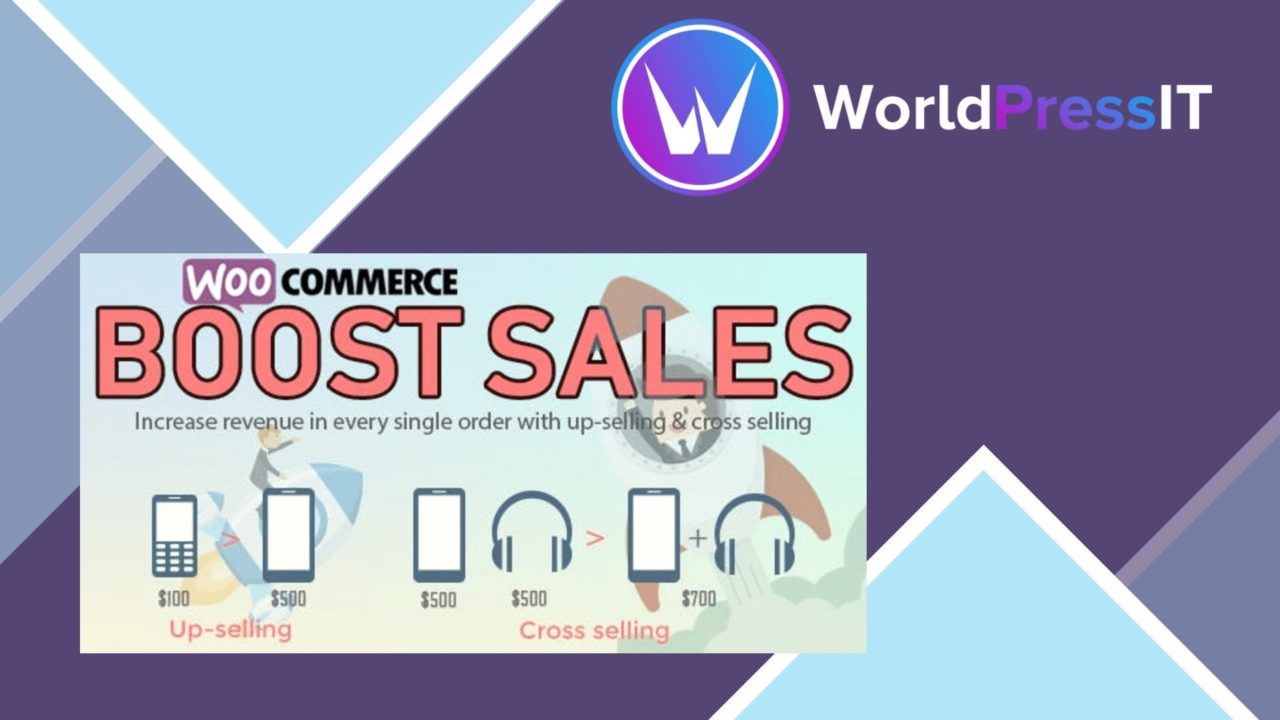
Cart recovery reminders, checkout recommendations and discount tools give WooCommerce Boost Sales a clear commercial purpose: keeping more shoppers moving towards a completed order while increasing the value of the orders that do happen. It brings several sales-promotion tasks into one WooCommerce-focused plugin rather than treating upselling and cross-selling as separate additions.
What it covers
The plugin addresses two familiar store problems named in its description: abandoned carts and low conversion rates. Its approach combines reminders for shoppers who leave products behind with product suggestions shown during checkout. That makes the product relevant to stores that want to work on both sides of the sale: recovering an incomplete purchase and adding a related item to an order that is already progressing.
The feature set is broad enough to cover the main promotional mechanics without being limited to one product recommendation box:
- Cart abandonment recovery sends reminder emails to customers who leave items in their carts.
- Upsell and cross-sell options suggest related products during checkout.
- Discount and coupon management provides tools for creating and managing purchase incentives.
- Customisable checkout pages let store owners adjust the appearance and layout of the checkout experience.
- An analytics dashboard reports on sales performance, customer behaviour and conversion rates.
- Mobile optimisation is included for shoppers using mobile devices.
- Email marketing integrations support automated follow-up campaigns through connected services.
Promotion at checkout
The strongest part of the product is the connection between recommendations and the checkout stage. Upsells invite a customer to consider a higher-value purchase, while cross-sells put related products in front of someone who has already shown buying intent. Used carefully, those two approaches address average order value without requiring a separate merchandising workflow.
Discount and coupon management adds another way to address hesitation. A store owner can pair a promotion with a recovery reminder or use a coupon as a reason to complete a purchase. The checkout customisation tools also keep the buying page within the plugin’s scope, giving the store more control over how those offers sit alongside the order details.
Recovery and reporting
Cart abandonment recovery gives the plugin a role after a shopper leaves the checkout journey. Reminder emails turn an abandoned cart into a follow-up task rather than leaving it entirely to the customer to return. The connection to email marketing services extends that idea into automated campaigns, so the recovery process is not limited to a single manual message.
The analytics dashboard is aimed at answering practical questions about the sales process: how sales are performing, how customers behave and how conversion rates change. Mobile optimisation matters here as well as on the checkout page, since the product’s sales tools need to remain usable for customers browsing and purchasing on smaller screens.
What to weigh
The wide feature list is also the main trade-off. Cart recovery, checkout design, coupons, recommendations, analytics and email integrations cover different parts of store operations, so the plugin represents a larger configuration task than a narrowly focused upsell tool. Stores should plan their promotion rules and follow-up messages rather than switching on every option at once.
Reminder emails introduce a communication responsibility: poorly timed or repetitive messages can make the buying experience feel more persistent, while discounting can train customers to wait for an offer. The analytics dashboard provides a convenient view of sales and conversion information, but it is still a reporting layer inside the sales plugin, not a substitute for deciding which products, campaigns or customer segments deserve attention. Custom checkout controls also need restraint; adding more recommendations and offers to an already busy checkout can distract from the purchase.
Who it suits
WooCommerce Boost Sales fits store owners who want one plugin for abandoned-cart reminders, checkout upsells, cross-sells, coupons, checkout presentation and basic sales reporting. It is particularly suited to catalogues with clearly related products and a store team prepared to manage promotional messages. Stores looking only for a single recommendation widget will find its wider recovery, email and reporting scope less relevant. For a WooCommerce shop working on completed purchases and average order value together, the combined approach is the product’s most useful proposition.
The verdict
Download WooCommerce Boost Sales and see for yourself
You get the full WooCommerce Boost Sales release (v1.6.7), ready to install, plus every update that follows. One click and it is yours.
Download WooCommerce Boost Sales v1.6.7- Instant download
- Original developer files
- Updated 9 Nov 2026
Related reviews
Browse all
WooCommerce Give Products
Create WooCommerce products or variations that customers receive after making a donation, with flexible amounts, digital…
WooCommerce Notification
Real-time purchase, stock and offer notifications for WooCommerce stores, with branded messages, display controls and an…
Checkout Countdown
Countdown timers for WooCommerce sales and promotions, with product, cart and checkout placement, date controls, styles…